
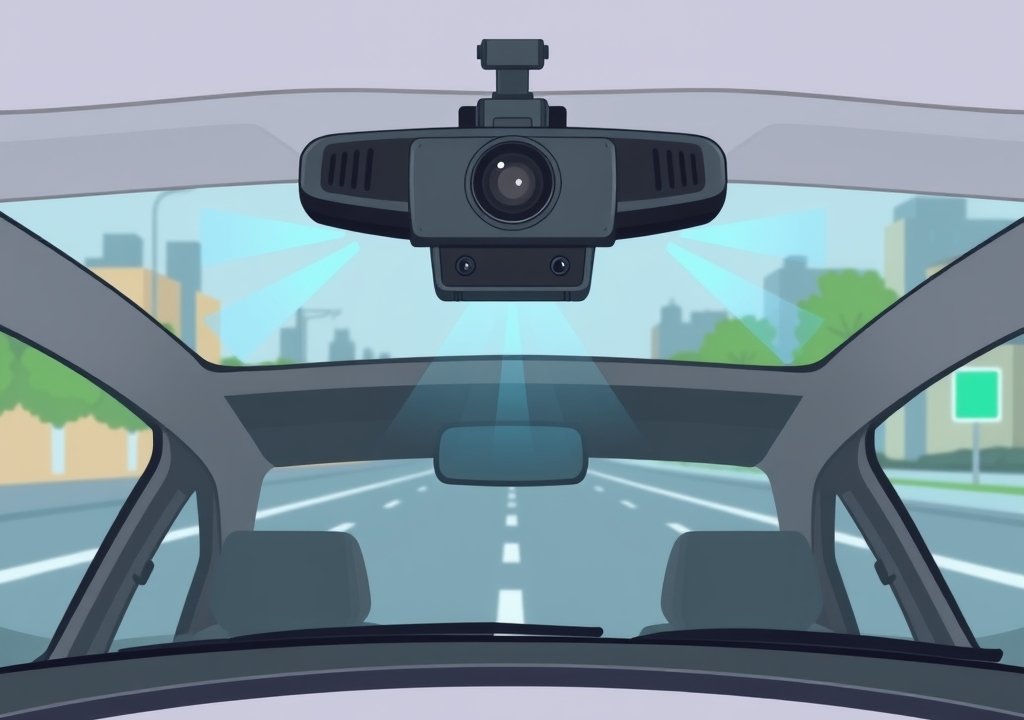
Dual Channel Dash Cam Explained
A dual channel dash cam records two views at once, using two cameras. One camera faces forward through the windshield, and the other faces backward toward the rear of the vehicle. The setup is more involved than a single-lens model, but the core idea is simple. This article explains how these systems work and what to consider before buying or installing one.
The guide covers why many drivers choose two-camera setups, which features matter most, and how to install one. It ends with common mistakes and frequent questions.
Key Takeaways
- A dual channel dash cam records two views at once, usually front and rear.
- Two cameras give wider coverage than a single front-facing unit.
- Storage, power options and lens placement all affect how well the system works.
- Installation takes patience, but the basic steps are manageable for most people.
- Checking local rules on recording and privacy is an important part of setup.
What Is a Dual Channel Dash Cam?
A dash cam is a small camera that mounts inside a vehicle and records video while you drive. Most people place it on or near the windshield. The footage can document a collision, a near miss or a parking incident.
A dual channel dash cam has two separate camera units, each called a channel. Both channels record at the same time and save their footage together, often as linked files.
Front and Rear Recording Explained
In most dual channel models, the front channel records the road ahead, and the rear channel records what is behind the vehicle through the rear window. A long cable connects the rear camera to the main unit.
Together, the two views give a fuller picture of a drive. Many incidents involve traffic from behind, such as a rear-end collision.
Dual Channel Versus Single Channel Dash Cams
A single channel dash cam records one view, usually the road ahead. It is simpler to install and often costs less, so a single front camera may be enough for some drivers.
A dual channel system costs more and needs more cable routing, but it also covers the area behind the vehicle. A single channel unit leaves that rear view uncovered, which can matter in heavy traffic or busy parking areas.
How a Dual Channel Dash Cam Works
Both channels work together under one system. The main unit holds the processor, storage slot and screen. The front and rear cameras send their video to this unit, which encodes and saves the footage.
Four key parts shape setup and use: the camera modules, the recording loop, the storage and the power source.
Camera Modules and Lens Placement
Each camera module contains a lens and an image sensor. The lens gathers light, and the sensor turns it into digital video. The front module usually sits behind the rearview mirror, with a clear view of the road.
The rear module mounts on or near the rear window, facing outward. A lens tilted too far up or down may miss important detail, so careful aiming matters.
Recording Loops, Storage and Memory Cards
Most dash cams use loop recording. The device records in short segments and overwrites the oldest files first when the card is full, so recording continues without manual deletion.
Dual channel recording saves two video streams, so the memory card must be large enough for both. A card rated for continuous recording suits this job better than a standard card. Check the manual before buying.
Power Sources and Parking Mode
Most dash cams plug into the vehicle’s 12-volt socket, also called the cigarette lighter. This keeps the unit running while the engine is on. Some installers prefer a hardwire kit that connects directly to the fuse box.
Parking mode lets the camera keep watching while the car is off. It usually activates when the system detects motion or an impact. Because it draws power from the battery, parking mode often needs a hardwire kit with a low-voltage cutoff to prevent excessive battery drain.
Why Beginners Use Two-Camera Dash Cams
Beginners often pick a two-camera setup because it covers more of the road around the vehicle. This wider view helps in everyday situations, mainly collisions and monitoring certain vehicles.
Protection in Rear-End Collisions
Rear-end collisions are common in stop-and-go traffic. A front camera alone may not show the vehicle that hit you, but a rear channel can record the approach and impact from behind.
This footage may help clarify events when drivers disagree about what happened. It does not guarantee any outcome, but it provides a clearer record.
Monitoring Rideshare, Delivery and Fleet Vehicles
Drivers who use their vehicles for work often have added reasons to record both directions. Rideshare and delivery drivers may want a record of trips, passengers or incidents. Fleet managers use dual channel systems to review driving habits across several vehicles.
Rules about recording inside a vehicle can differ. Passengers may need to be told that cabin recording is happening, so check company policy and local law before setup.
Key Features to Look For in a Two-Camera Setup
Beginners often focus on a few core features. Not every feature matters to every driver, but knowing what each one does makes shopping easier.
Video Resolution and Night Vision
Video resolution describes how much detail the camera captures. Higher resolution generally produces sharper images, which can help with reading license plates. Lens quality and lighting also matter, so resolution alone does not tell the full story.
Night vision describes how clearly a camera records in low light. Rear cameras sometimes have lower specifications than front ones, so check both channels.
Field of View and Lens Coverage
Field of view is the width of the scene a lens can capture. A wider view shows more of the road, but very wide lenses can make objects look smaller and more distant.
Mounting affects coverage too. A rear wiper, spoiler or tinted glass may partly block the rear lens, so check the view after installation.
GPS, Wi-Fi and App Connectivity
GPS adds location and speed data to the footage. Not every model includes it, so confirm before buying.
Wi-Fi lets some dash cams connect to a phone app for viewing footage, changing settings or downloading clips. Features vary by model, so read the product details carefully.
Step-by-Step Installation Guide
Installing a dual channel dash cam takes more time than a single camera. Plan the route for each cable before you start. Most people can finish the basic steps with simple tools and some patience.
Mounting the Front Camera
Clean the windshield area where the mount will sit. Remove dust and oils so the adhesive holds well. Place the front camera behind the rearview mirror, where it does not block your view of the road.
Aim the lens so the horizon sits roughly in the upper part of the frame. Press the mount firmly and let the adhesive set before adding cables.
Routing Cables Along the Windshield and Headliner
Plan the cable path before you tuck anything away. The cable usually runs along the top edge of the windshield, then down a pillar toward the power point. Many kits include plastic trim tools that help hide cables without damaging the trim.
Keep the cable clear of the wipers, airbag areas and pedals. Secure loose sections with clips so nothing rattles or hangs into view.
Connecting the Rear Camera and Testing Footage
Mount the rear camera inside the rear window, following the included instructions. Run its cable to the main unit, then connect both cameras and power on the system.
Check the footage from both channels. Confirm that the front view shows the road clearly and that the rear view is not blocked. Adjust the angles if needed, then recheck after a short test drive.
Tips for Getting the Most From Your Dash Cam
A dash cam records most reliably when you keep up a few simple habits. These routines take little time.
Formatting Memory Cards Regularly
Memory cards wear out over time, especially with continuous recording. Format the card inside the dash cam, not on a computer, to keep the file system clean. Do this when the device prompts you or on a regular schedule.
Back up important clips first, since formatting erases everything on the card.
Keeping Lenses Clean and Positioned Correctly
Dust, fingerprints and smoke film can blur footage, especially at night. Wipe both lenses gently with a soft microfiber cloth, and avoid harsh cleaners that could damage the coating.
Check the camera angles from time to time. A bump or loose mount can shift the view, so realign the lens when needed.
Checking Local Rules on Recording and Privacy
Recording laws differ by country, state and region. Some places limit audio recording or restrict cameras that face the cabin. Others have rules about sharing footage publicly.
Read local rules before you set up recording, especially for rideshare or fleet use. A short check with local authorities or a legal professional can clear up doubts.
Dual Channel Dash Cam Examples and Common Use Cases
Real use cases show how a dual channel setup fits into daily driving. The two examples below describe typical scenarios, not guaranteed results.
Everyday Commuting Setup
A commuter often drives the same roads in moderate to heavy traffic. A front and rear setup can record stop-and-go situations from both directions, so footage of an incident may cover the full sequence of events.
For this use, good daytime clarity and reliable loop recording are usually enough. Parking mode is optional, though it becomes more useful when the car is left in busy areas.
Long Road Trips and Parking Monitoring
On long trips, a dash cam records many hours of footage, so a larger memory card and steady power supply matter. The rear channel can show passing traffic, merging vehicles and following distance.
When parked, parking mode can watch for impacts or movement. This feature depends on a hardwire kit and a safe voltage cutoff, and drivers who leave their vehicles overnight often find it most useful.
Common Mistakes Beginners Make
Many first-time buyers run into the same problems. Knowing them in advance saves time and frustration.
- Using a memory card that is too small or not built for continuous recording.
- Skipping the footage check after installation, which can hide a blocked or tilted view.
- Leaving cables loose or visible, which can cause rattles or distraction.
- Ignoring power settings, which can drain the battery unexpectedly.
- Forgetting to check local recording rules before setup.
Frequently Asked Questions
Do I need a dual channel dash cam or is a single camera enough?
A single camera is enough for some drivers, especially those who mainly want a record of the road ahead. A dual channel setup adds coverage behind the vehicle. The right choice depends on how you drive and where you park.
Can a rear camera record at night?
Many rear cameras can record at night, but image quality varies by model. Check the low-light details for the rear channel specifically. Keeping the rear lens clean helps improve night footage.
How much storage do I need for two-camera recording?
Dual channel recording uses more storage, so a larger memory card is usually needed. The exact size depends on resolution and settings. Check the manual for the recommended card size and type.
Can I install a dual channel dash cam myself?
Many people install one themselves with basic tools and patience. Planning cable routes first makes the job easier. If you are unsure about wiring, a professional installer can handle the hardwire connection.
Does a dash cam drain my car battery when parked?
A dash cam can draw power when the engine is off, especially in parking mode. A hardwire kit with a low-voltage cutoff helps limit this risk. Checking settings and battery condition regularly is a sensible habit.
Conclusion
A dual channel dash cam records two views at once, usually the road ahead and the area behind the vehicle. Key considerations include video quality, field of view, storage and power options.
Careful installation, regular memory card formatting and checking local recording rules all help the system work well. With these basics in mind, a beginner can decide if a two-camera setup fits their needs.

Peterson is an automotive safety enthusiast and product reviewer with a passion for helping drivers stay safe on the road. He researches and tests dash cams, backup cameras, TPMS systems, emergency tools, GPS trackers, and other vehicle safety products to provide honest, practical recommendations. Through CarSafeties.com, Peterson shares in-depth reviews, buying guides, and maintenance tips to help drivers make smarter and safer decisions.


