Three Channel Dash Cam Guide
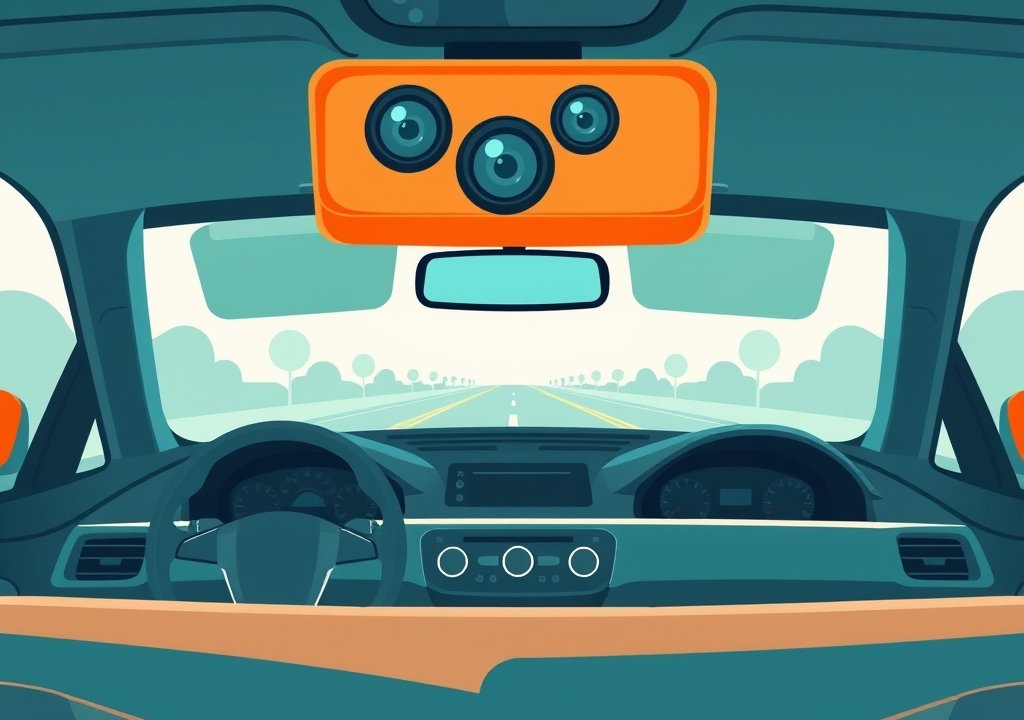
A three channel dash cam is a car camera system that records from three separate lenses at the same time. Most setups cover the road ahead, the inside of the vehicle and the area behind the car. This guide explains how the system works, what to look for, and how a beginner can install one.
It also covers how it compares to single and dual channel models, which features matter most, and common mistakes to avoid. No technical background is needed.
Key Takeaways
- A three channel dash cam uses three cameras to record the front, cabin and rear of a vehicle.
- Coverage is broader than single or dual channel models, but cost and installation effort are usually higher.
- Memory card size, heat tolerance and a clean power setup affect reliability.
- Check local rules before recording inside a vehicle, since cabin recording rules vary by location.
- A simple test before driving confirms that all three channels work.
What Is a Three Channel Dash Cam?
A dash cam is a small camera that mounts inside a vehicle and records video while you drive. A channel is one camera input, so a three channel system records three video feeds together.
The system usually includes a main unit, a front camera, a cabin or rear camera, and cables that carry power and video. Some kits add a third camera. The main unit stores footage on a memory card.
Front, Cabin and Rear Recording Explained
The front camera records the road ahead through the windshield. It is the main channel for traffic and road events.
The cabin camera points inward and records the inside of the vehicle, which rideshare and delivery drivers often use. The rear camera records what happens behind the vehicle, such as a car following closely.
Why Drivers Use a Three Channel Setup
Many drivers choose three channels for broader coverage. A front-only camera misses events beside or behind the car, while a three channel system records more angles of the same trip.
Rideshare and delivery drivers often value the cabin channel, while families may prefer the rear channel for parking and road trips. The right choice depends on how and where the car is used.
How a Three Channel Dash Cam Works
The main unit powers the cameras, records their video and saves it to a memory card. It also manages power when the engine is off.
Most units start recording when the car starts and stop when it is switched off, unless a parking feature is active.
The Role of Each Camera Lens
Each lens sends its own video signal to the main unit. The front lens usually has the widest task, since it covers the most road. The cabin and rear lenses may have a narrower or different view, depending on the model.
Lens position matters. A tilted lens or one blocked by a tint strip may record poor footage. Checking the view on a phone or screen after mounting helps catch these problems early.
Storage, Loop Recording and Memory Cards
Dash cams use loop recording. When the memory card is full, the oldest files are overwritten, so the system runs without manual cleanup.
Three channels create more data than one, so the card fills faster. A high endurance microSD card made for continuous recording is a common choice. Check cards over time, since heat and constant writing can wear them down.
Power Sources and Parking Mode
Most three channel systems connect through a cable that plugs into the fuse box or a power outlet. A hardwire kit uses a voltage monitor so the system does not drain the battery. Power behavior depends on the kit and the vehicle, so check the manual before installation.
Parking mode records when the car is parked and the engine is off. Some systems detect motion or impact, while others record on a timer. It usually needs a hardwire kit or an external battery pack.
Three Channel vs Single and Dual Channel Dash Cams
Dash cams come in single, dual and three channel versions. Each type covers a different part of the vehicle. The best fit depends on how the car is used and how much coverage is needed.
A single channel model records only the road ahead. A dual channel model adds a rear camera. A three channel model adds a cabin camera to the front and rear views.
Coverage Differences for Everyday Driving
For most daily commuting, a front camera covers the main risk area. A rear camera helps when the car is often parked on busy streets or driven in heavy traffic. A cabin camera is less common for personal use.
A three channel system captures the road, the interior and the area behind the car at once. More coverage also means more footage to review and store.
Cost and Installation Differences
Three channel systems usually cost more than single or dual channel models. Extra cameras, cables and memory add to the price. Prices vary by brand and feature set, so compare specific models.
Installation also takes more time. Each extra camera needs a cable route from the front of the car to the back. Some buyers choose a professional installer for a three channel kit.
Key Features to Look For in a Beginner Setup
Not every feature matters equally to a beginner. Focus first on clear video, a usable field of view and reliable storage. Extras such as apps are useful but secondary.
Read product specifications carefully to avoid surprises. Look for details that match your real use case, such as heat tolerance and night performance.
Video Resolution and Night Vision
Resolution describes how much detail a video contains. Higher resolution usually makes license plates and road signs easier to read. Night performance depends on the sensor and lens, so it varies between models.
Check if the rear and cabin channels match the front channel in resolution. Some kits use lower resolution for extra cameras to save storage.
Wide Field of View and Lens Quality
Field of view describes how much of the scene a lens captures. A wider view covers more lanes, but very wide views can make objects look smaller.
Lens quality affects clarity at the edges of the image. A good coating handles glare better. Keep the lens clean, since dust and fingerprints reduce sharpness.
Wi-Fi, GPS and App Support
Wi-Fi lets a phone connect to the dash cam to view or download files. GPS adds location and speed data to the recording. Both features are helpful but not required for basic recording.
A clear app makes it easier to change settings and review clips. This reduces the need to use small buttons on the unit.
Step-by-Step Installation Guide
Installing a three channel system takes patience. The product manual should always guide the final setup. Plan a time when the car is parked and the work area is clear.
Mounting the Front Camera Behind the Mirror
Most front cameras mount behind the rear view mirror. This spot keeps the lens out of the driver’s sight and gives a clear view of the road. Clean the glass before attaching the mount.
Level the camera so the horizon sits near the middle of the frame. Tighten the mount so it does not move over bumps.
Routing Cables Along the Headliner and Pillars
Cables usually run from the front camera along the roof lining and down the pillars. Tuck them neatly so they do not hang loose or get caught by the doors. Use the trim tools included with many kits to avoid scratching interior panels.
Keep power cables away from pedals and seat tracks. A tidy route also makes future repairs easier.
Connecting the Rear and Cabin Cameras
Mount the rear camera on the back window or rear of the vehicle, following the kit instructions. The cabin camera usually sits near the mirror, pointed toward the seats. Connect each camera to its matching input on the main unit.
Check that each cable is seated firmly at both ends. Loose connections are a common cause of a missing channel.
Testing Recording Before You Drive
Once everything is connected, start the car and confirm that all three channels show a live view. Review a short test clip from each camera. Check that the time and date stamps are correct, if the unit displays them.
A short test in a safe, parked location helps catch problems early.
Tips for Getting the Best Footage
Good footage depends on a few simple habits. Clean lenses and the right memory card make a clear difference. These tips apply to most three channel systems.
Picking the Right Memory Card Size
Larger cards store more footage before older files are overwritten. Three channels use more space than one, so a bigger card often helps. Follow the manual or the maker’s guidance for the right size.
Use a card rated for continuous recording. Standard cards may wear out faster under constant use.
Keeping the Lens Clean and Aligned
Wipe the front and cabin lenses with a soft microfiber cloth every few weeks. Dust and fingerprints can blur the image. Check the alignment after a long drive or a bumpy road, since a shifted camera can lose part of its view.
Checking Local Rules on Recording Inside a Vehicle
Recording inside a vehicle can raise privacy questions, especially when passengers are present. Rules vary by country, state and region. Some places require notice to passengers or limit audio recording.
Check local rules before turning on a cabin camera. A short note to passengers can prevent misunderstandings.
Common Mistakes Beginners Make
Most problems with three channel systems come from a few common errors. Knowing them in advance saves time and avoids lost footage.
Ignoring Heat and Its Effect on Batteries and Cards
Parked cars can get very hot inside. Heat can shorten the life of memory cards and any built-in battery. Mount the unit out of direct sun where possible, and check the maker’s stated operating temperature range.
A sunshade or shaded parking spot can reduce heat stress.
Forgetting to Format the Memory Card
A card used in another device may contain files or errors that disrupt recording. Formatting the card in the dash cam itself clears these issues. Make it a routine step every few months.
Back up important clips first, since formatting erases everything on the card.
Real-World Examples of Three Channel Use
Three channel systems fit several common driving situations. Each type of driver tends to set priorities differently.
Rideshare and Delivery Drivers
Drivers who carry passengers or packages often use the cabin channel to record interactions. The front and rear channels capture traffic and any collisions from other vehicles. Together, the three views give a fuller account of a shift.
Family Cars and Road Trips
Families often use the rear channel to watch traffic behind the car. A cabin camera may help parents keep an eye on children in the back seat, though placement should respect privacy. Parking recording can add a sense of security in busy places.
Long drives mean more footage and more heat exposure, so checking the memory card and mounts before departure is a sensible habit.
Frequently Asked Questions
Does a three channel dash cam record all three cameras at once?
In most systems, yes. Some models let you turn individual channels on or off in the settings.
Do I need professional installation for a three channel system?
Not always. Many drivers install a kit themselves using the manual. A professional installer can help if cable routing or power connection feels unfamiliar.
How long can a three channel dash cam record before overwriting old files?
It depends on card size, resolution and settings. Three channels use more space, so recording time is shorter. The maker’s guidance or an online storage calculator can give a rough estimate.
Will a rear camera work in bad weather or at night?
Performance varies by model and conditions. Rain, fog and darkness can reduce clarity on any channel. A clean lens and good night vision help footage stay useful.
Are cabin cameras legal to use in my car?
Rules differ by location. Some places allow recording inside a vehicle with notice, while others limit it or restrict audio. Check local laws before using a cabin channel, especially with passengers present.
Conclusion
A three channel dash cam records the road ahead, the cabin and the area behind the car. It offers broader coverage than single or dual channel models, but it usually costs more and takes more care to install. Good results depend on a clean view, a suitable memory card and a reliable power setup.
Before driving, test all three channels and confirm that local recording rules are followed. With these steps, a beginner can use the system with confidence.

Peterson is an automotive safety enthusiast and product reviewer with a passion for helping drivers stay safe on the road. He researches and tests dash cams, backup cameras, TPMS systems, emergency tools, GPS trackers, and other vehicle safety products to provide honest, practical recommendations. Through CarSafeties.com, Peterson shares in-depth reviews, buying guides, and maintenance tips to help drivers make smarter and safer decisions.