Backup Camera Night Vision Tips
Driving in the dark is tricky enough. Add a blurry, grainy backup camera into the mix, and reversing into a tight spot feels like guesswork. If your backup camera turns into a useless black square the moment the sun goes down, you are not alone. Tons of drivers deal with this problem, and the good news is that most of the fixes are simple.
In this article
This guide walks you through easy, beginner-friendly tips to get sharp, clear night vision from your backup camera. No tech degree needed. Just plain steps that actually work.
Why Backup Cameras Struggle at Night
Before jumping into fixes, it helps to know why the picture gets so bad after dark in the first place.
Backup cameras rely on light to create an image. During the day, there is plenty of natural light bouncing around, so the camera sensor has an easy job. Once the sun sets, the amount of available light drops fast. Cheaper cameras use small sensors that were never built to handle low light well, so the footage turns grainy, dark, or full of static-like noise.
Another issue is glare. Streetlights, headlights from other cars, and even your own reverse lights can bounce straight into the lens and wash out the image with bright white blobs. Add rain or fog into the mix, and things get even worse.
Dirt is a sneaky culprit too. A thin layer of grime on the lens is barely noticeable during the day, but at night it scatters light in strange ways and turns your camera feed into a smeared mess.
Once you understand these root causes, the fixes below will make a lot more sense.
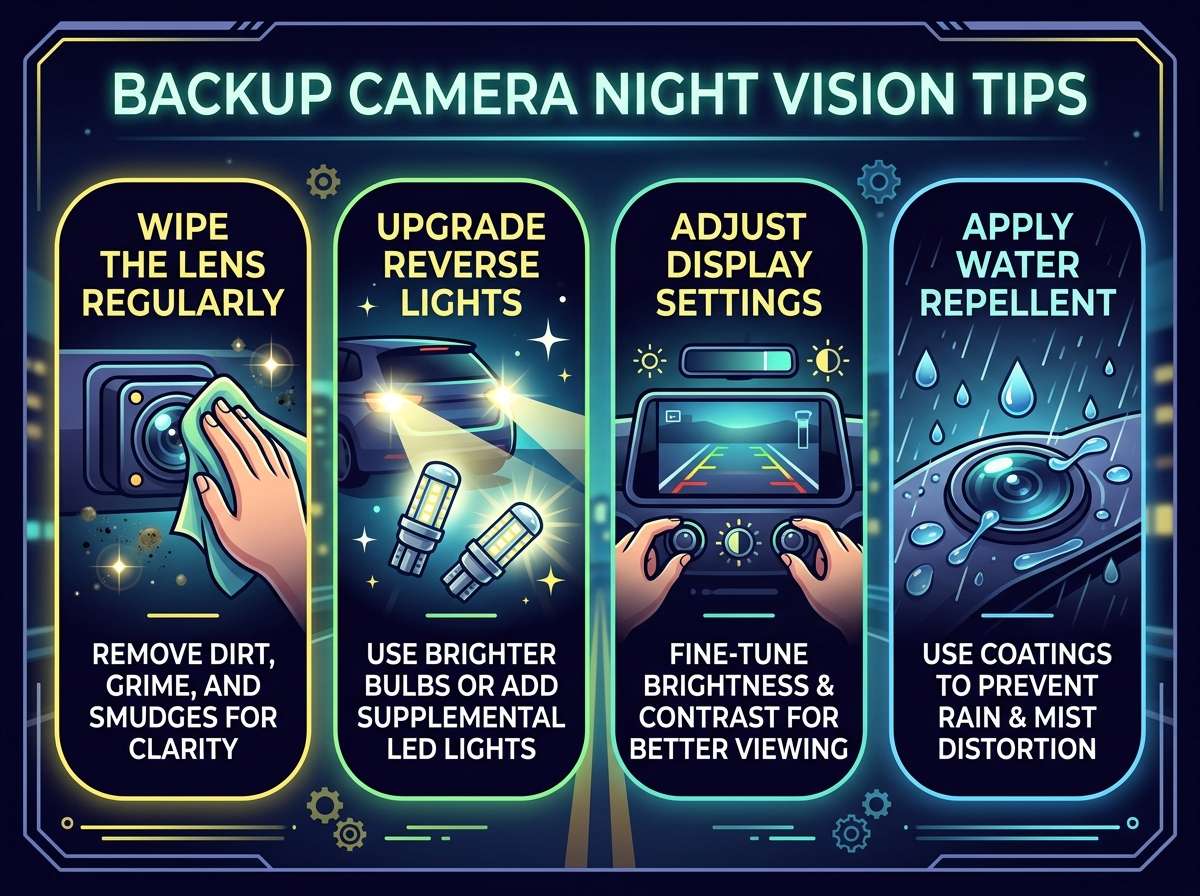
1. Clean the Lens Often
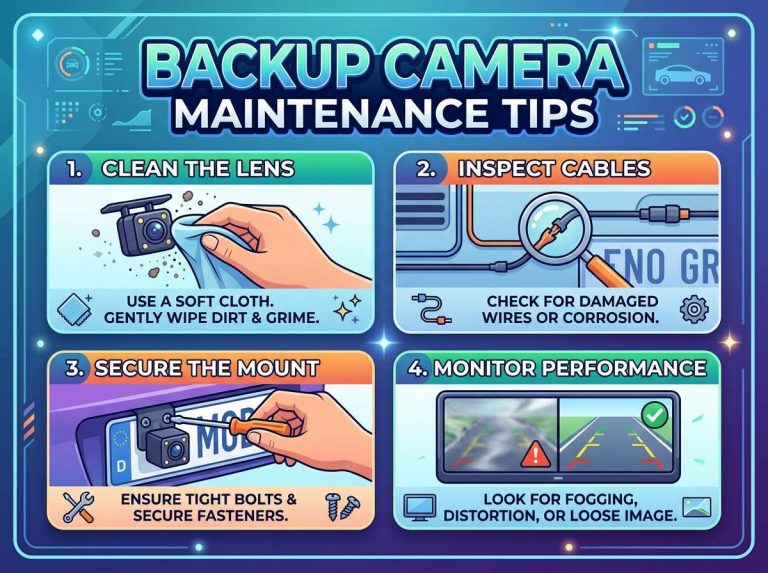
This sounds too simple to matter, but it is honestly the number one fix people skip. Dust, road spray, bug residue, and plain old grime build up on the lens fast, especially if you drive on gravel roads or in wet weather.
At night, dirt scatters light from streetlights and headlights, creating a foggy halo effect across the screen. Wipe the lens with a soft microfiber cloth every week or so. If the camera sits near the license plate, check it more often since that spot collects road spray constantly.
A quick trick: keep a small microfiber cloth in your glove box. Give the lens a wipe before any night drive that involves parking in tight spots, like a crowded parking garage or a narrow driveway.
2. Check the Camera Angle
A backup camera that is tilted even a few degrees off can send its infrared light or its field of view in the wrong direction. This matters a lot at night because the useful light needs to hit the area right behind your bumper, not the sky or the ground three feet away.
Park on a flat surface and look at the live feed. The horizon line should sit near the top third of the screen, and you should clearly see the ground close to your bumper. If the angle looks off, most backup cameras have a small bracket or adjustable mount that lets you tilt it up or down.
Take a few minutes to fine-tune this. A properly angled camera captures more usable light from the area you actually need to see, which makes a real difference once it gets dark.
3. Upgrade to a Camera With Better Low-Light Sensors
If cleaning and adjusting the angle still leaves you with a grainy picture, the camera itself might be the bottleneck. Budget cameras often use tiny CMOS sensors that just cannot gather enough light after dusk.
Look for cameras that list a low lux rating. Lux measures how much light a sensor needs to produce a usable image. A lower lux number means the camera performs better in dim conditions. Cameras rated around 0.1 lux or lower tend to handle nighttime scenes far better than ones rated at 1 lux or higher.
Sony STARVIS sensors show up often in reviews and tend to hold up well after dark. They are not the cheapest option, but the jump in clarity is often worth it, especially if you back into a garage or a dark alley on a regular basis.
4. Look for Cameras With Built-In Infrared LEDs
Infrared, or IR, technology lets a camera see in near-total darkness by emitting light that is invisible to the human eye but detectable by the camera sensor. Many aftermarket backup cameras now include a ring of small IR LEDs around the lens.
These LEDs light up the area right behind your car without blinding other drivers, since the glow is invisible to us. The result is a much brighter, sharper picture even in a pitch-dark alley or an unlit driveway.
Keep in mind that IR-based night vision usually shows the picture in black and white or a soft green tint rather than full color. That trade-off is normal and does not mean anything is broken. The goal of IR is clarity, not color accuracy.
5. Pair the Camera With Better Reverse Lighting
Sometimes the camera is fine, but there just is not enough light hitting the scene for it to work with. Adding a set of LED reverse lights can boost the amount of visible light behind your vehicle dramatically.
Many drivers swap their stock reverse bulbs for brighter LED versions. These bulbs are affordable, easy to install, and give the backup camera a lot more to work with. Brighter reverse lights also help your own eyes see better through the rearview mirror, so it is a win on more than one front.
Just avoid lights that are too bright or angled wrong, since that can create harsh glare that bounces straight into the lens and causes the exact washed-out effect you are trying to avoid.
6. Adjust the Monitor Brightness and Contrast
The screen showing your backup camera feed plays a bigger role than most people realize. A dim, low-quality monitor can make even a great camera look terrible at night.
Head into the settings menu on your infotainment screen or standalone monitor and bump up the brightness a notch for nighttime driving. Some units automatically dim at night to reduce glare inside the cabin, which is nice for your eyes but can hide details in the camera feed. Play with the contrast setting too, since a slight boost can help separate objects from the dark background.
If your monitor has a night mode or an auto-brightness toggle, test it out and see which setting gives you the clearest picture during your regular evening drives.
7. Consider a Camera With HDR or WDR Technology
HDR, short for high dynamic range, and WDR, short for wide dynamic range, are features built to handle scenes with both very bright and very dark areas at the same time. This is exactly the kind of lighting you deal with at night, where headlights and streetlights create bright spots next to pitch-black shadows.
A camera with HDR or WDR balances these extremes so you can see detail in both the bright and dark parts of the image instead of one drowning out the other. If you frequently back out of a driveway near a streetlight or deal with oncoming headlights while reversing on a busy street, this feature is worth the extra cost.
8. Keep the Rear Window and Mirrors Clean Too
If your backup camera sits inside the rear window rather than on the bumper, a dirty window acts just like a dirty lens. Fingerprints, condensation, and grime on the glass scatter light and blur the feed.
Give the inside and outside of the rear window a wipe down along with your regular car cleaning routine. This small habit pairs nicely with lens cleaning and takes only an extra minute.
9. Watch Out for Condensation and Fogging
Cold nights often bring condensation, and a foggy lens produces the same blurry mess as a dirty one. Some higher-end cameras include a small heating element to prevent fog from forming, but budget models usually do not.
If you notice your camera fogging up on chilly evenings, try parking in a garage when possible or running your defroster for a minute before backing out. A quick wipe with a cloth also clears fog fast if you are in a hurry.
10. Update the Firmware if Your System Supports It
This tip gets overlooked a lot, but some backup camera systems, especially ones tied into a larger infotainment unit, receive firmware updates that improve image processing, including night performance. Check your vehicle manufacturer’s app or website, or the camera brand’s support page, to see if an update is available.
These updates are usually free and can noticeably sharpen the picture without you spending a single dollar on new hardware.
11. Add Supplemental Lighting Near Your Parking Spot
If most of your nighttime backing up happens in the same driveway or parking spot, installing a motion-sensor light nearby can make a huge difference. This is not a change to the camera itself, but more usable light in the scene means a clearer camera feed no matter what equipment you are using.
Solar-powered motion lights are cheap, easy to install without any wiring, and turn on automatically the moment your car approaches. This small addition often solves night vision headaches that no camera upgrade alone could fix.
12. Avoid Common Mistakes That Make Things Worse
A few habits quietly hurt your night vision setup without you realizing it.
Parking directly under a flickering or a very harsh streetlight can create strobing glare that confuses the camera sensor. Try to park a few feet away from direct overhead lighting when you have the option.
Using aftermarket tint or a protective film over the camera lens, even a clear one, can dull the image at night since it reduces the amount of light reaching the sensor. If your camera came with a small factory-applied protective cover, that is usually fine, but avoid adding extra layers on top.
Ignoring rear fog lights or leaving them off during foggy nights also hurts visibility for both you and the camera. Turn them on along with your regular lights whenever visibility drops.
Quick Night Vision Checklist
Here is a simple list you can run through before any tricky nighttime parking job:
- Wipe the lens and rear window with a soft cloth
- Check that the camera angle still points at the ground behind your bumper
- Turn on rear fog lights if visibility is low
- Bump up monitor brightness and contrast for the evening
- Confirm reverse lights are working and bright
- Watch for condensation or fog on the lens
- Park a few feet away from direct, harsh light sources
How Weather Changes the Game
Rain, fog, and snow all add another layer of difficulty on top of low light. Water droplets on the lens act like tiny prisms, scattering headlights and streetlights into starburst patterns that make the screen almost impossible to read. Snow reflects light in a way that can trick the camera sensor into overexposing the whole frame, turning everything into a bright white blur.
A rain-repellent coating made for camera lenses can help a lot here. These coatings cause water to bead up and roll off instead of spreading into a thin film across the glass. Apply a thin layer every few months, especially heading into a rainy stretch, and reapply sooner if you notice water sitting flat on the lens instead of beading.
Fog is trickier since it is not something you can wipe away. Slowing down and relying on your mirrors alongside the camera feed is the safest approach until visibility clears up.
Backup Camera Types and How They Handle the Dark
Not every backup camera is built the same, and the type you have plays a role in how well it performs after sunset.
Standard rearview cameras mount near the license plate and offer a wide, simple view. Budget versions in this category often struggle the most at night since they usually skip IR LEDs and use basic sensors.
License plate frame cameras sit inside a replacement plate frame and are easy to install without drilling. Quality varies a lot between brands, so check for a stated lux rating before buying if night performance matters to you.
Wireless backup cameras send footage to a monitor without running a cable through your car. These are convenient, but the wireless signal can sometimes introduce a slight delay or grain that becomes more obvious in low light. Look for a model with a strong, stable signal rating if you plan to use it often after dark.
Trailer hitch cameras are built into the hitch itself and tend to sit lower, closer to the ground. This lower angle can actually help at night since it captures more of the immediate area right behind the bumper, where most of your reverse lighting reaches.
Knowing which type you have helps you figure out which fixes from this guide will make the biggest difference for your specific setup.
Simple Habits That Protect Night Vision Long-Term
A camera that works great today can slowly get worse over months of everyday wear if you skip basic care. Building a few habits into your routine keeps the picture sharp for years instead of months.
Rinse the rear bumper area during regular car washes with a bit of extra attention around the lens housing. Road salt in colder regions can build up and cause corrosion around the camera wiring, which sometimes leads to flickering or dropped signal, especially in dim conditions where the camera is already working harder.
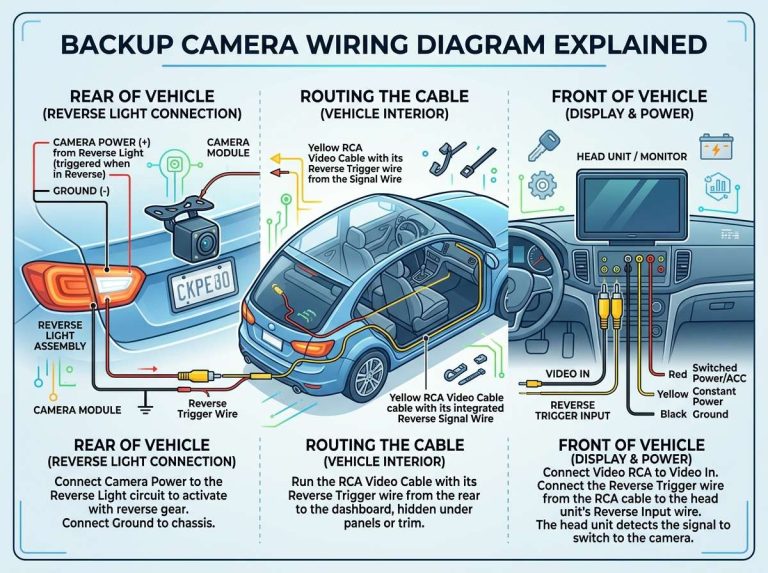
Check the wiring connections every so often if your camera is a few years old. A loose connector can cause intermittent static or a dim picture that looks a lot like a low-light sensor problem, but is really just a hardware fix waiting to happen.
Store a spare microfiber cloth specifically for the camera lens rather than reusing a dirty rag from elsewhere in your car. A rag with grit on it can scratch the lens surface over time, and scratches scatter light badly once it gets dark outside.
Frequently Asked Questions
Does every backup camera have night vision built in? No. Some basic models rely only on ambient light and reverse lights, while others include IR LEDs or advanced sensors specifically built for low-light scenes. Check the product listing or manual to confirm what your camera includes.
Why does my backup camera show a green tint at night? That green or black-and-white tint usually means the camera is using infrared light to see in the dark. It is completely normal and actually a sign the IR feature is working as intended.
Can I add night vision to a backup camera that does not have it? Not directly, since IR LEDs need to be built into the camera housing itself. Your best options are upgrading to a camera with IR support, adding brighter reverse lighting, or installing a motion-sensor light near your usual parking spot.
How often should I clean the lens? A quick wipe once a week works well for most drivers. If you drive on dirt roads, through rain often, or park somewhere with a lot of dust, check the lens every few days instead.
Is a higher price always better for night performance? Not always, but price often correlates with sensor quality and features like HDR, IR LEDs, and a low lux rating. Reading the specific specs matters more than the price tag alone, so look for the lux number and sensor type before assuming a pricier camera will automatically perform better.
Final Thoughts
Getting a clear backup camera picture at night usually comes down to a mix of small habits and smart equipment choices. Start with the free fixes, like cleaning the lens, adjusting the angle, and tweaking your monitor settings. If those steps still leave you squinting at a grainy screen, an upgrade to a camera with IR LEDs, a low lux rating, or HDR support will solve the problem for good.
A little effort here goes a long way. Once your setup is dialed in, backing into a dark driveway or a dim parking spot stops being stressful and starts being just another easy part of driving.

Peterson is an automotive safety enthusiast and product reviewer with a passion for helping drivers stay safe on the road. He researches and tests dash cams, backup cameras, TPMS systems, emergency tools, GPS trackers, and other vehicle safety products to provide honest, practical recommendations. Through CarSafeties.com, Peterson shares in-depth reviews, buying guides, and maintenance tips to help drivers make smarter and safer decisions.