Backup Camera Maintenance Tips
Backing up your car should feel safe and easy, not stressful. That’s where your backup camera comes in. This handy device shows you exactly what’s behind your vehicle, making parking and reversing a breeze. But like any car part, your backup camera needs regular care to keep working its best.
In this article
Most people ignore their backup cameras until something goes wrong. Then they’re stuck with a blurry picture, a frozen screen, or nothing at all. The good news? Keeping your rear view camera in top shape doesn’t take much effort. A little maintenance now can save you hundreds of dollars in repairs later.
Let’s talk about how to maintain your backup camera system so it keeps protecting you and your car for years to come.
Why Backup Camera Maintenance Matters
Your backup camera works hard every time you reverse. It faces dirt, dust, moisture, and temperature changes all day long. Without proper care, these elements can damage your lens, wiring, and display.
A dirty or malfunctioning backup camera creates real safety risks. You might not see a small child, a pet, or an object behind your car. This can lead to accidents that hurt people or damage property. Beyond safety, a broken backup camera can cost you $300 to $1,500 to replace, depending on your car model.
Taking time to maintain your backup camera is an investment in safety and wallet protection. The good news is that maintenance is easy and affordable.
Clean Your Camera Lens Regularly
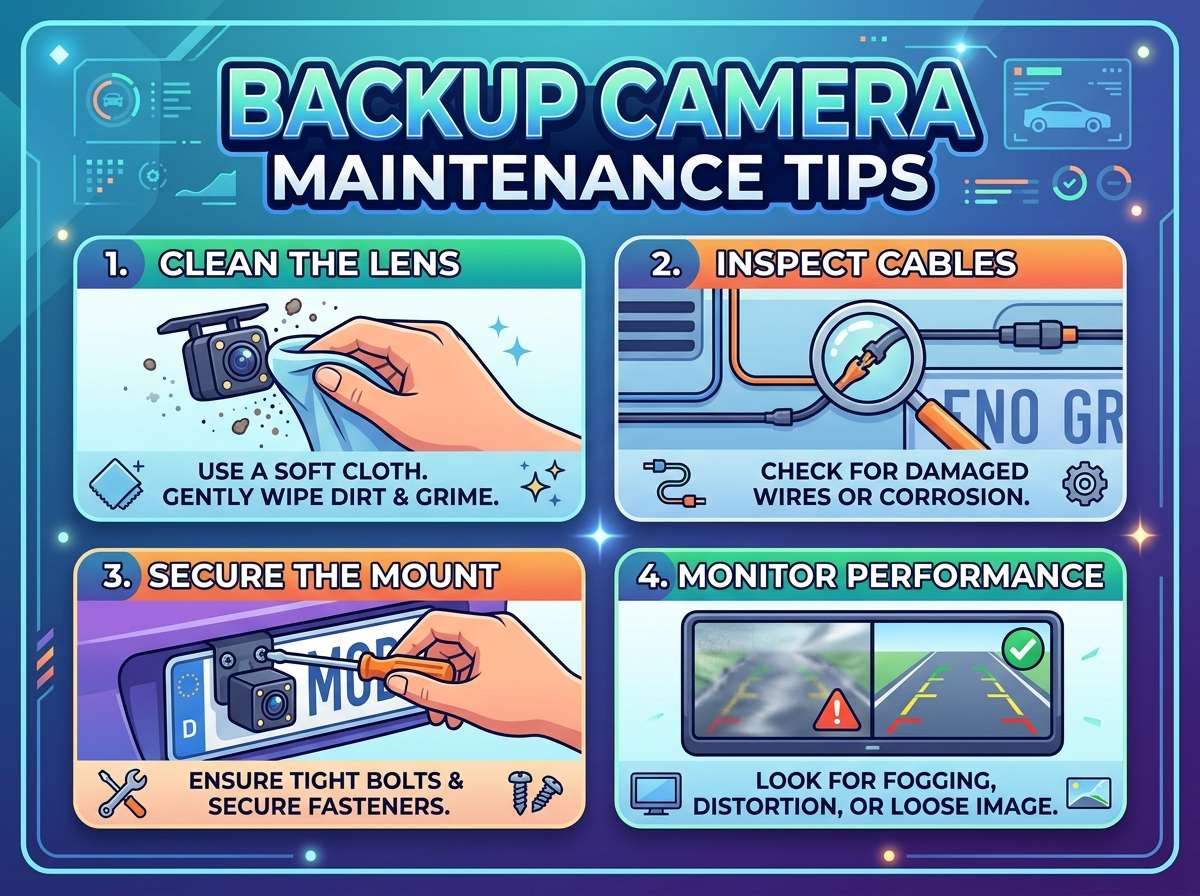
Your backup camera lens collects dirt, grime, road salt, and debris every single day. A filthy lens means a blurry picture on your screen, which defeats the whole purpose of having the camera.
Cleaning the lens should be your first line of defense. Do this every two to four weeks, depending on where you drive and your weather conditions.
Here’s what you need:
- Soft microfiber cloth
- Distilled water
- Mild soap or lens cleaner
- Rubber gloves (optional but helpful)
Start by checking if your camera lens is dirty. Back up and look at your display screen. If the image is hazy or unclear, your lens needs cleaning.
For basic dirt and dust, use a dry microfiber cloth. Gently wipe the lens in circular motions. Don’t press hard or scrub aggressively, as this can scratch the glass. Be patient and let the cloth do the work.
For stubborn grime or salt buildup, dampen your cloth with distilled water. Wipe the lens gently. If the dirt is still stuck, mix a tiny bit of mild soap with distilled water. Use this solution sparingly. Never spray liquid directly on the lens or camera housing, as water can seep inside and damage electrical components.
After cleaning with any liquid, dry the lens thoroughly with a clean, dry cloth. Moisture left on the lens will create a hazy effect similar to dirt.
Inspect Your Camera Housing for Cracks and Damage
Weather and road conditions can be harsh on your camera housing. Cracks, dents, or loose fittings can let water inside, which spells disaster for electronics.
Check your backup camera housing once a month. Look for:
- Visible cracks or splits
- Loose screws or fasteners
- Separations where the lens meets the housing
- Signs of water damage or corrosion around the edges
If you spot minor cracks, you can use clear silicone sealant to seal small gaps. Apply a thin bead around the crack and let it cure according to product directions. This prevents water from entering.
For larger cracks or significant damage, replacement is your best option. Trying to repair a heavily damaged camera housing can create more problems down the road.
Keep Water and Moisture Out
Water is the enemy of any car camera system. Moisture can corrode wiring, fog up the lens from the inside, and short circuit the camera’s electrical components.
To keep water out, make sure your camera’s rubber gaskets and seals are in good shape. These seals do most of the work keeping water away from sensitive parts. Check them every few months.
If your gaskets look cracked, hardened, or damaged, replace them. Most hardware stores carry replacement gasket kits designed for car cameras. Installation is usually straightforward.
After washing your car, pay attention to the backup camera area. Make sure no water sits around the housing. If water collects, dry the area with a soft cloth.
During heavy rain or storms, avoid driving through deep puddles if possible. Splashing water directly on your camera can force moisture past the seals and into the housing.
If your camera gets exposed to salt water or salt spray from road conditions, rinse it gently with fresh distilled water. Salt can corrode metal components over time. This is especially important if you live near the ocean or in areas where roads are salted during winter.
Check Your Camera’s Wiring and Connectors
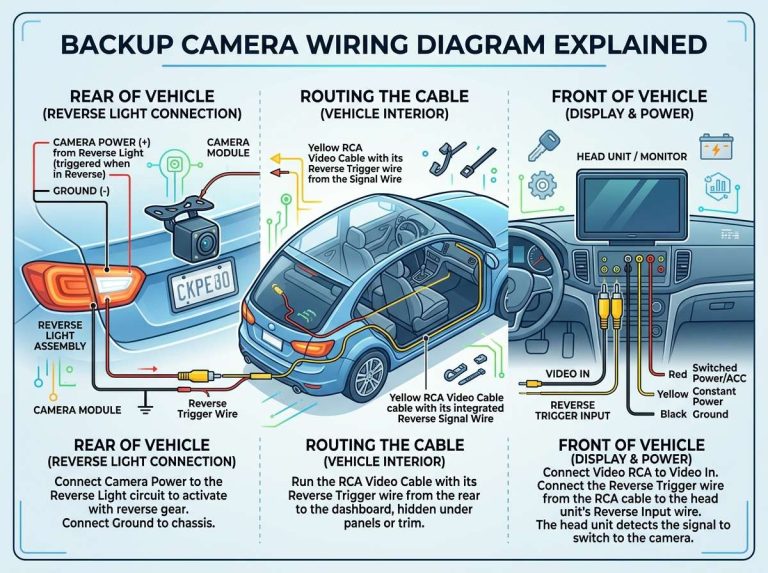
Your backup camera connects to your vehicle through wiring and electrical connectors. Loose connections or damaged wires can cause the camera to malfunction or stop working entirely.
Check your camera’s connectors a few times a year. If you can safely access them, gently wiggle the connector to make sure it’s secure. A loose connection might seem fine one day and cause problems the next.
Look for visible signs of corrosion on the metal connectors. Corrosion appears as white, green, or blue crusty buildup. This buildup prevents good electrical contact and causes the camera to fail.
If you see corrosion, you can try cleaning it carefully with a pencil eraser or fine-grit sandpaper. Rub gently to remove the crusty layer. Once clean, apply a small amount of dielectric grease to the connector. This specialized grease protects against future corrosion and helps maintain good electrical contact.
If your camera’s wiring looks damaged, frayed, or cut, don’t ignore it. Damaged wires can create electrical problems or safety hazards. Have a professional inspect or replace damaged wiring.
Protect Your Camera from Physical Impact
Your backup camera sticks out from your vehicle, making it vulnerable to bumps, scrapes, and impacts. Even a minor hit can knock it out of alignment or cause internal damage.
Be cautious in tight parking situations. Give yourself extra space when backing into narrow spots. Slow, steady backing is always safer than rushing.
If you have a rear bumper protector or guard, make sure it doesn’t cover your camera lens or block its view. Some aftermarket protectors can interfere with camera function.
Avoid harsh car washes where brushes contact the camera directly. Hand washing is gentler on your camera and lets you control the water pressure and direction. Touchless automated washes are also safer than brush washes.
After any minor collision or impact near your camera, check it for damage. Even if everything looks normal, the alignment might be slightly off. A misaligned camera won’t show you what’s actually behind your car, which creates safety issues.
Monitor Your Display Screen for Problems
Your backup camera’s image appears on your car’s display screen. This screen is just as important as the camera lens itself.
Check your backup camera display every time you reverse. The image should be clear, properly aligned, and update smoothly without lag.
Common display problems include:
- Black screen or no image
- Frozen image that doesn’t update
- Distorted or warped picture
- Lines or colored streaks on screen
- Dim or faded image
If you notice any of these issues, first try restarting your vehicle. Sometimes a simple reboot fixes temporary glitches.
Check your camera’s power connection. A loose power wire can cause the display to malfunction. If you can safely access the connection, tighten it firmly.
If problems continue, the issue might be with the display unit itself, the wiring between the camera and display, or the camera. Professional diagnosis is needed for persistent display issues.
Keep your display screen clean too. Dirt or smudges on the touch screen can make it hard to see the camera image clearly. Use a microfiber cloth to gently wipe the display screen regularly.
Test Your Camera Alignment
Your backup camera should show you what’s directly behind your vehicle. If the image is misaligned, you might miss obstacles or underestimate distances.
Test your camera’s alignment by backing into a level parking space and checking what the screen shows. The image should match what’s actually behind your car. Lines should appear straight, not tilted or warped.
If your camera’s image is consistently off to one side or angled incorrectly, the camera might have shifted. This can happen after a bump or from vibration over time.
Some backup cameras allow manual angle adjustment. Check your camera model’s manual to see if adjustment is possible. If the camera cannot be adjusted or if adjustment doesn’t help, professional realignment might be needed.
Regular alignment checks catch problems early before they become safety issues.
Guard Against Temperature Extremes
Extreme heat and cold can damage your backup camera’s electronics and affect how it functions.
In very hot climates, park in shade when possible. Direct sun baking your camera over long periods can damage internal components and warp plastic housing. Avoid covering your camera lens, as this can trap heat and moisture.
In cold climates, ice buildup on your camera lens will create a completely blocked or fuzzy image. Before backing up in icy conditions, clear away any ice or snow covering the lens. Use warm water from a spray bottle if needed, then dry immediately.
Extreme temperature changes can also cause condensation inside your camera housing. This foggy buildup on the interior of the lens creates a hazy picture. Parking in a heated garage or covered space helps minimize temperature fluctuations.
Replace Your Camera Batteries if Applicable
Some backup camera systems use battery-powered wireless components. If your system has wireless elements, check the batteries periodically.
Weak or dead batteries will cause your camera to lose connection with the display screen. You might notice the image drops out intermittently or the camera stops working entirely.
Most wireless backup cameras use AA or AAA batteries. Check them every six months and replace them annually, or whenever the system fails to connect.
Always use fresh, quality batteries from a trusted brand. Cheap batteries can fail quickly or leak, causing additional damage.
Schedule Professional Inspections
While regular maintenance tasks are simple and affordable, sometimes you need professional help.
Schedule a professional backup camera inspection every two to three years, or sooner if you notice problems. A professional can check:
- Electrical connections and wiring integrity
- Camera lens condition and clarity
- Display screen functionality
- Overall system performance
- Alignment accuracy
Professionals have diagnostic tools that can identify problems you might miss. Catching issues early prevents expensive repairs later.
Common Backup Camera Problems to Watch For
Even with great maintenance, problems sometimes happen. Knowing what to look for helps you address issues quickly.
Grainy or pixelated image: This usually means your lens needs cleaning, or there’s an electrical connection problem. Start by cleaning your lens. If the problem continues, have the wiring checked.
No image or black screen: Check your camera’s power connection first. If power is good, the camera lens, display unit, or wiring might be damaged. Professional diagnosis is needed.
Image cuts out randomly: A loose connector is often the culprit. Check all accessible connections and tighten them. If cutting out continues, internal damage might be present.
Foggy or hazy lens: Clean your lens first. If haziness persists even after cleaning, moisture might be trapped inside. Your camera housing seal might need replacing.
Distorted or warped image: Your camera might be misaligned. Check alignment and have a professional realign it if needed.
Camera only works sometimes: Loose connections or corroded connectors cause intermittent problems. Clean and secure all connections.
Create a Maintenance Schedule
The best way to stay on top of backup camera maintenance is to create a simple schedule.
Monthly tasks:
- Check for visible damage or cracks
- Clean the lens
- Test image clarity on your display
Quarterly tasks (every three months):
- Inspect gaskets and seals
- Check electrical connectors for corrosion
- Test camera alignment
Annually:
- Deep clean the entire camera housing
- Replace batteries if applicable
- Have a professional inspection
Keeping your backup camera working smoothly is much easier than replacing it. A few minutes of maintenance each month keeps your rear view crystal clear and your backing up safe and confident.
Final Thoughts on Backup Camera Care
Your backup camera is an investment in safety. It helps you avoid accidents, protects people around your vehicle, and gives you peace of mind every time you reverse. Treating it with care through regular maintenance keeps that investment working for years.
The maintenance tasks described here are simple, affordable, and take just a few minutes. No special tools or technical skills are needed for most jobs. Just a soft cloth, distilled water, and basic attention to your camera’s condition will keep it performing well.
Stay vigilant about keeping your lens clean, protect your housing from damage and moisture, check your connections, and watch for signs of problems. When you notice something wrong, address it promptly before a small issue becomes an expensive repair.
Your backup camera works hard to keep you safe every single day. Give it the care it deserves, and it will keep showing you exactly what’s behind you for years to come.

Peterson is an automotive safety enthusiast and product reviewer with a passion for helping drivers stay safe on the road. He researches and tests dash cams, backup cameras, TPMS systems, emergency tools, GPS trackers, and other vehicle safety products to provide honest, practical recommendations. Through CarSafeties.com, Peterson shares in-depth reviews, buying guides, and maintenance tips to help drivers make smarter and safer decisions.