Backup Camera Troubleshooting Guide
Why Your Backup Camera Matters More Than You Think
Your backup camera is one of the most useful safety features in your car. It helps you see what’s behind you when you reverse, keeps you from hitting obstacles, and makes parking so much easier. But like any piece of technology, backup cameras can stop working when you need them most.
In this article
The good news is that many backup camera problems are simple to fix. You don’t need a degree in mechanics or expensive tools to get your camera working again. In this guide, I’ll walk you through the most common issues people face with their rear view cameras and show you how to fix them yourself.
What Is a Backup Camera and How Does It Work?
Before we jump into fixes, let’s talk about what a backup camera actually does. When you put your car in reverse, the camera turns on automatically. It captures video of what’s behind your vehicle and sends that image to your dashboard screen.
The system has three main parts. First, there’s the camera itself, usually mounted on your rear bumper or tailgate. Next, there’s the wiring that connects the camera to your vehicle’s electrical system. Finally, there’s the display screen in your dashboard that shows you the video feed.
All three parts need to work together perfectly. If any one piece fails, your entire system stops functioning. That’s why we need to check each part when something goes wrong.
No Image on Your Screen? Here’s What To Do
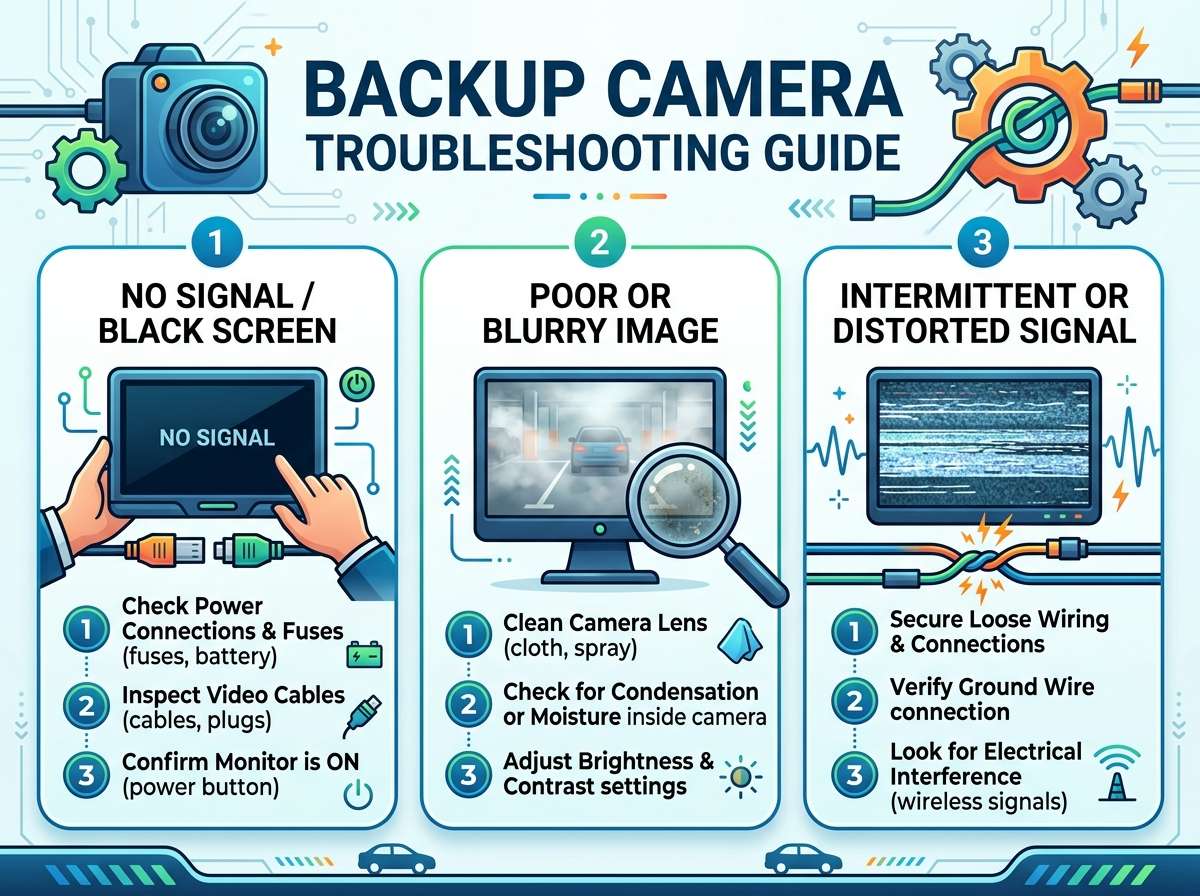
The most common problem people report is a blank screen when they put their car in reverse. Don’t panic. This issue has several possible causes, and most of them are easy to fix.
Check Your Reverse Light Connection
Start by looking at your reverse lights. When you shift into reverse, do your reverse lights turn on? Your backup camera gets power from the same wiring as your reverse lights. If the lights don’t work, the camera won’t get power either.
If your reverse lights are off, you likely have a wiring problem. The connector that powers the reverse lights might be loose or corroded. You can find this connector near your brake light assembly. Gently pull on the wires to make sure everything is connected. If you see green or white corrosion on the metal contacts, that’s oxidation blocking power from flowing through.
You can fix corrosion easily. Unplug the connector, wipe the metal contacts with a clean cloth, and plug it back in. This small action fixes the problem for many people.
Inspect Your Camera Cable
The cable that runs from your camera to your dashboard is like the umbilical cord of your backup system. If this cable gets damaged or disconnected, you won’t see anything on your screen.
Look at your camera’s cable where it connects to the camera itself. Make sure the connection is snug. Sometimes vibrations from driving can loosen these connections over time. If the connection looks loose, unplug and replug it.
Now follow the cable from your camera toward the front of your car. It usually runs along the inside of your bumper or underneath your vehicle. Look for damage like cuts, cracks, or exposed wires. If the cable is damaged, you’ll need to replace it.
Test Your Display Screen
Your dashboard screen might be working fine, but it needs to be set to the right input. Some cars automatically switch to the backup camera view when you reverse. Others require you to push a button or select the camera from a menu.
Check your car’s manual for instructions on how to view the backup camera. Look for a button or menu option labeled “Camera,” “Reverse Camera,” or “Rear View.” Try pressing it or scrolling through the options.
If your screen has been on a different input (like radio or navigation), you might not see the camera feed even though it’s working. Switching to the camera input should solve this.
Your Image is Blurry or Unclear
A fuzzy, unclear camera image can be just as frustrating as no image at all. You can’t park safely if you can’t see what’s behind you clearly.
Clean Your Camera Lens
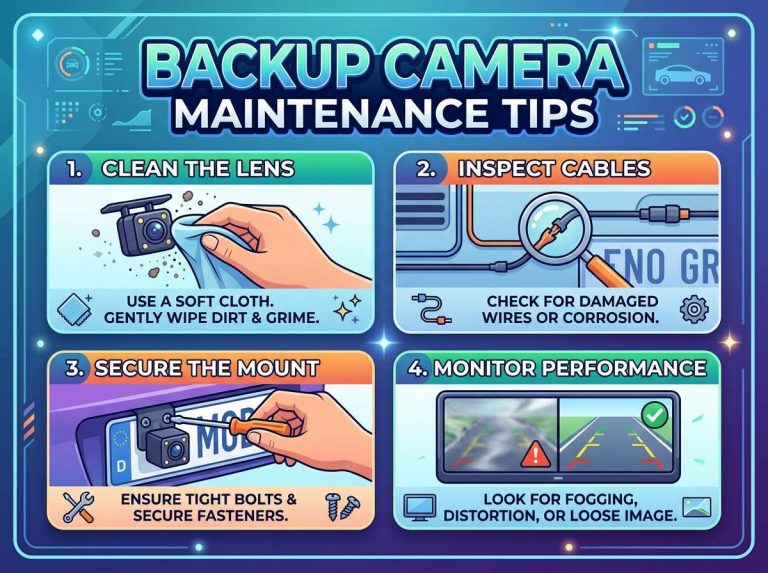
This is the easiest fix on the list. Your backup camera lens is on the outside of your vehicle, exposed to dirt, mud, rain, and road spray. A dirty lens will give you a blurry picture every single time.
Simply grab a clean cloth and some water. Gently wipe the camera lens clean. If the lens is really dirty, you can use a mild soap with water, then rinse thoroughly. Dry it with a soft cloth.
Do this cleaning once a month as part of your car maintenance routine. You’ll get a crystal clear image when the lens stays clean.
Check for Moisture on the Lens
Sometimes water gets inside the camera housing. This causes condensation to build up on the inside of the lens, making your image foggy or blurry.
If you suspect moisture inside the camera, turn on your car and let it run. The heat from the engine will help dry out the moisture. The condensation should clear after ten to fifteen minutes of driving.
If moisture keeps coming back, your camera housing might have a crack or the seal might be broken. This usually means the camera needs to be replaced.
Adjust Your Display Settings
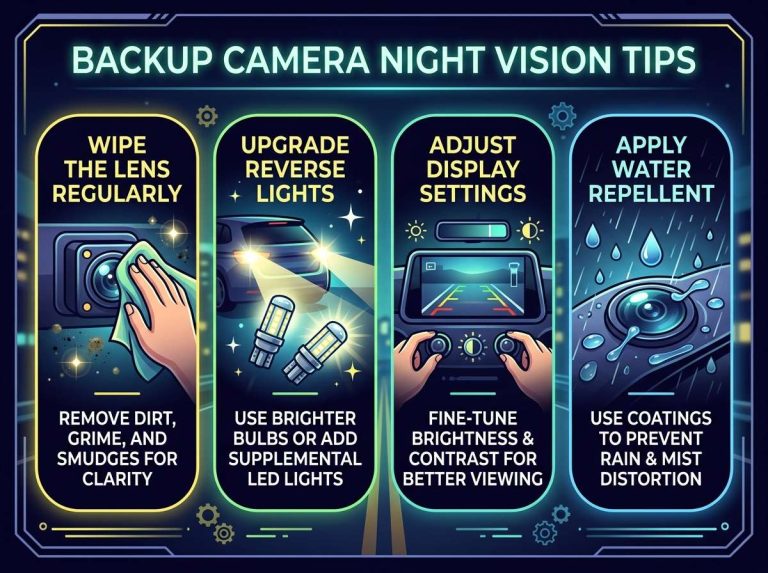
Your dashboard screen might have a display setting that’s making your image look blurry. Check your car’s display settings menu. Look for options like “Brightness,” “Contrast,” or “Sharpness.” Try adjusting these settings to see if it improves your image quality.
Your Camera Image is Inverted or Upside Down
Looking at your screen and seeing the world upside down is confusing and useless. Fortunately, this problem has a simple fix.
Your backup camera image should be flipped automatically by your car’s system. Most vehicles have a setting that controls whether the image appears normal or inverted. Check your dashboard menu for a “Mirror Image,” “Flip Image,” or “Camera Orientation” setting.
Turn this setting on or off depending on what you see. Your image should immediately flip to show the correct orientation. Once you see the right way around, leave that setting where it is.
The Screen Goes Black When You Reverse But No Picture Shows Up
You press reverse, the screen lights up, but nothing appears. This is different from a completely blank screen because you know the system is trying to work.
Check Your Video Cable Connection
The cable that carries the video signal from your camera to your screen might be loose. This cable is different from the power cable. It usually has specific connectors that only fit one way.
Locate where this cable connects to your camera. Make sure the connection is firm and fully seated. Do the same at the dashboard end if you can access it. Push each connector together with a gentle click.
Look for a Blown Fuse
Your backup camera system is protected by a fuse, just like everything else in your car. If this fuse has blown, your camera won’t get power or the signal won’t transmit.
Your car’s fuse box is usually under the steering wheel, under the hood, or in the trunk. Check your owner’s manual to find the exact location and which fuse is for your backup camera.
Open the fuse box and look for the backup camera fuse. It should be labeled. Pull it out gently and look at it. If the wire inside the fuse is broken or the glass looks blackened, the fuse has blown.
Replace the blown fuse with a new one of the exact same amp rating. Use only the correct amperage. Using the wrong fuse can damage your system or cause a fire.
Your camera should work immediately after you install a new fuse.
Verify Your Reverse Sensor Switch
Your car has a reverse sensor switch that tells your system when you’ve shifted into reverse. If this switch is stuck or broken, your camera won’t turn on.
This switch is usually located at your transmission or near your gear shift. When the switch works properly, shifting into reverse triggers the power to turn on your camera.
You’ll need to locate this switch using your owner’s manual. You can test it by having someone watch your reverse lights while you shift into reverse. If the lights come on, the switch is working. If they don’t, the switch needs to be replaced.
Your Camera System Cuts Out While You’re Reversing
Starting to back up with a clear picture, then having the camera image freeze or disappear is dangerous. This problem usually points to a loose connection or electrical issue.
Tighten All Connections
Check every connection in your backup camera system. This includes the connection at the camera itself, the wiring connectors near your bumper, and the connections at your dashboard screen.
Use your fingers to push each connector together firmly. Make sure you hear or feel a click. Sometimes a connection just needs a gentle push to work perfectly again.
Look for Corroded Connectors
Corrosion around your electrical connectors will cause intermittent problems. The camera might work sometimes and not other times. This inconsistency is a classic sign of corrosion.
If you find corrosion (it looks like white, green, or blue powdery buildup), unplug the connector and wipe it clean with a dry cloth. If the corrosion is heavy, use a small brush to scrub it away. Plug the connector back in and test your camera.
Check Your Ground Wire
Every electrical system needs a ground connection to complete the circuit. Your backup camera system has one too. If the ground wire is loose or corroded, you’ll get intermittent function.
Look for a black wire connected to metal on your vehicle frame near your camera. Make sure it’s connected firmly. If you see corrosion here too, clean it up the same way you’d clean a corroded connector.
Your Camera Image is Dark Even When Everything Else Works
You can see the picture, but it’s too dark to be useful. This issue usually relates to lighting or sensor settings.
Clean Your Lens Again
Even a little bit of dirt can make your image darker than it should be. Clean the camera lens carefully with a soft cloth and water.
Adjust Your Screen Brightness
The image might be fine, but your dashboard screen brightness is too low. Many cars have automatic brightness adjustment. Try turning this off and manually adjusting the brightness to see if it helps.
Look in your display settings menu for brightness or illumination options. Increase the brightness and see if your camera image gets brighter.
Check Your Camera Sensor Settings
Some backup camera systems have sensor settings you can adjust. These settings control how the camera responds to light. Look in your car’s menu for camera-specific settings beyond just brightness. You might find options like “Exposure” or “Sensor Gain” that you can adjust to brighten the image.
Dealing with a Physical Crack or Damage
If your camera lens is physically cracked or broken, you need to replace the entire camera unit. This is one problem you can’t fix with cleaning or adjustment.
A cracked lens won’t improve with time. Water and dirt will get inside through the crack. Your best option is to buy a replacement camera that matches your vehicle make and model. You can find these online or at auto parts stores.
Installation might require removing your bumper and running new wires, which can be complex. Many people choose to have a professional handle this job.
When You Need to Get Professional Help
Some backup camera problems are beyond the scope of basic troubleshooting. You should seek professional help if:
Your camera has visible physical damage or cracks that can’t be repaired. The camera cable runs through parts of your car you can’t safely access. You’ve tried all the basic fixes and nothing worked. You’re uncomfortable working with your car’s electrical system. Your vehicle is still under warranty and you want to avoid voiding it.
A professional mechanic can diagnose the problem correctly and fix it safely. They have the tools to test your system properly and ensure everything works as it should.
Preventing Future Backup Camera Problems
Once you get your camera working, you’ll want to keep it that way. A little bit of prevention goes a long way.
Wash your camera lens regularly. Make it part of your weekly car wash routine. Clean the lens gently with a soft cloth and water.
Avoid harsh car washes that spray directly at your bumper. The high-pressure water in automatic car washes can damage camera housings and force water inside.
Check your camera connections seasonally. Every few months, do a quick visual inspection of your camera and its connections. Look for any signs of corrosion or loose wires.
Park carefully to avoid bumping your bumper. Even small impacts can loosen your camera or damage its housing.
Keep your dashboard screen clean and use it gently. Avoid pressing buttons or the screen itself too hard, which could damage the display.
Understanding Different Types of Backup Cameras
Different vehicles have different camera designs. Understanding which type you have can help you troubleshoot better.
OEM cameras are cameras that came with your vehicle from the factory. These are integrated into your car’s computer system. They usually have the best compatibility and easiest troubleshooting.
Aftermarket cameras are added later by the owner or a shop. These might not integrate as smoothly with your car’s existing system. They sometimes require additional wiring or adapters.
Wireless backup cameras transmit their signal without a physical cable. These are less common in newer vehicles but might be in some older models or aftermarket systems. Wireless systems can have signal interference problems that wired systems don’t have.
Knowing your camera type helps you understand which troubleshooting steps apply to your situation.
Common Mistakes People Make When Troubleshooting
Learning from others’ mistakes can save you time and frustration.
Don’t assume the camera is broken without checking the simple things first. Nine out of ten camera problems are just loose connections or dirty lenses.
Don’t ignore corrosion. This is the number one cause of electrical problems. Clean those connectors.
Don’t replace expensive parts when you haven’t tested the basics. Check fuses, connections, and settings before buying a new camera.
Don’t use the wrong amperage fuse. Using a 20-amp fuse when you need a 15-amp fuse can cause serious damage.
Don’t spray high-pressure water directly at your camera during car washes. This is the best way to force water into places it shouldn’t go.
Don’t assume your camera system is the same as your friend’s. Different vehicles have different designs and different problems.
Your Backup Camera Step-by-Step Quick Reference
Here’s a quick list to follow when your backup camera stops working:
- Check if your reverse lights turn on when you shift into reverse.
- Look at the camera lens and clean it if it’s dirty.
- Check all physical connections and push them in firmly.
- Look for corrosion on metal connectors and clean it away.
- Check your dashboard menu settings and make sure you’re viewing the camera input.
- Verify your reverse lights are working.
- Check the backup camera fuse and replace it if it’s blown.
- Inspect the camera cable for visible damage.
- Test the reverse sensor switch.
- If nothing works, get professional help.
Frequently Asked Questions About Backup Cameras
Can I clean my backup camera with compressed air? You can use compressed air gently, but avoid directing it right at the lens for long periods. Stick with a soft cloth for the safest cleaning.
How long do backup cameras usually last? Most backup cameras last ten to fifteen years with proper care. Regular cleaning and careful driving help them last even longer.
Will my backup camera work if my car is off? No, your camera needs power from your car’s battery. It only works when your vehicle is running or the ignition is on.
Can I install a backup camera myself if my car didn’t come with one? You can install an aftermarket camera yourself if you’re comfortable with wiring, but it’s complicated. Many people prefer having a professional do this work.
What’s the difference between a backup camera and a 360-degree camera system? A backup camera shows only what’s behind your vehicle. A 360-degree system shows views from all angles around your car. They work differently and have different troubleshooting needs.
Why does my backup camera image sometimes lag or delay? A slight delay is normal. A very noticeable lag usually indicates a loose cable connection or a problem with your display processor.
Can extreme cold affect my backup camera? Extreme cold can make connections brittle and cause intermittent function. It rarely causes permanent damage though. Warming up your vehicle usually solves the problem.
Wrapping Up Your Backup Camera Troubles
Your backup camera is an important safety tool that makes driving easier every day. When something goes wrong, it’s frustrating. But as you’ve learned, most problems have straightforward solutions.
Start with the simplest fixes like cleaning and checking connections. Move on to testing fuses and settings. Only after trying these basics should you consider that you need professional help or a new camera.
Keep your camera clean and maintain good connections, and you should have years of reliable service. If problems do pop up, remember this guide and work through the troubleshooting steps one at a time.
Your backup camera will be working smoothly again in no time. Safe driving and happy reversing!

Peterson is an automotive safety enthusiast and product reviewer with a passion for helping drivers stay safe on the road. He researches and tests dash cams, backup cameras, TPMS systems, emergency tools, GPS trackers, and other vehicle safety products to provide honest, practical recommendations. Through CarSafeties.com, Peterson shares in-depth reviews, buying guides, and maintenance tips to help drivers make smarter and safer decisions.