Car Alarm Sensitivity Adjustment Guide
Nothing ruins a quiet night faster than a car alarm that goes off for no reason. A truck rumbles by, the wind picks up, or a leaf lands on your hood, and suddenly your car is screaming at the whole street. If this sounds familiar, you’re not alone. Car alarm sensitivity is one of the most common headaches for drivers, and the good news is that you can fix it yourself in most cases.
In this article
This guide walks you through everything you need to know about adjusting your car alarm sensitivity. We’ll cover why alarms go off too easily, how to find the sensitivity dial, step-by-step adjustment instructions, and tips to keep your system working right without driving your neighbors crazy.
Why Car Alarms Get Too Sensitive
Car alarms rely on sensors to detect motion, impact, or changes in the cabin. These sensors are supposed to catch real threats, like someone trying to break in or tow your car away. But when the sensitivity is cranked up too high, the alarm reacts to things that pose no danger at all.
Here are some common triggers for a hair-trigger alarm:
- Strong wind rocking the car body
- A passing truck causing vibration through the ground
- Heavy rain or hail hitting the roof
- A cat or bird landing on the hood
- Nearby construction or fireworks
- Someone brushing against the car while walking past
- Temperature swings that cause tiny movements in the frame
Most factory alarms and aftermarket systems come with a default sensitivity setting that’s a bit too aggressive for everyday use. The manufacturer would rather have the alarm trigger too often than miss a real theft attempt, so they lean toward oversensitive settings out of caution. That’s great for security, but not so great for your sanity.
Types of Sensors That Control Sensitivity
Before you touch any dial or button, it helps to know what kind of sensor your alarm uses. Different sensors respond to different triggers, and each one has its own way of being adjusted.
Shock Sensors
Shock sensors detect impact, like a bump, a knock, or someone slamming a car door nearby. These are the most common cause of false alarms because they pick up vibration from almost anything touching the car.
Motion or Proximity Sensors
These sensors use radar or ultrasonic waves to detect movement near or inside the car. They can be tripped by branches swaying close to a window, a person walking past, or even a dog sniffing around the bumper.
Tilt Sensors
Tilt sensors are built to catch attempts to tow the car or lift it off the ground. They react to changes in the car’s angle. A steep parking spot or a bumpy driveway can sometimes set these off by mistake.
Glass Break Sensors
These listen for the specific sound frequency of breaking glass. They’re usually reliable, but a loud clap, a slamming door, or even certain types of music can occasionally confuse them.
Knowing which sensor is causing your trouble makes the adjustment process much faster, since you won’t waste time tweaking settings that have nothing to do with the problem.
Tools You’ll Need
You don’t need a garage full of gear for this job. Most sensitivity adjustments only require:
- A small flathead or Phillips screwdriver
- Your car alarm’s owner manual (or the model number to search online)
- A flashlight, since alarm modules are often tucked in dark corners
- Patience, because fine-tuning takes a bit of trial and error
Some newer systems let you adjust sensitivity through a mobile app or a control panel, so grab your phone too if your alarm connects to one.
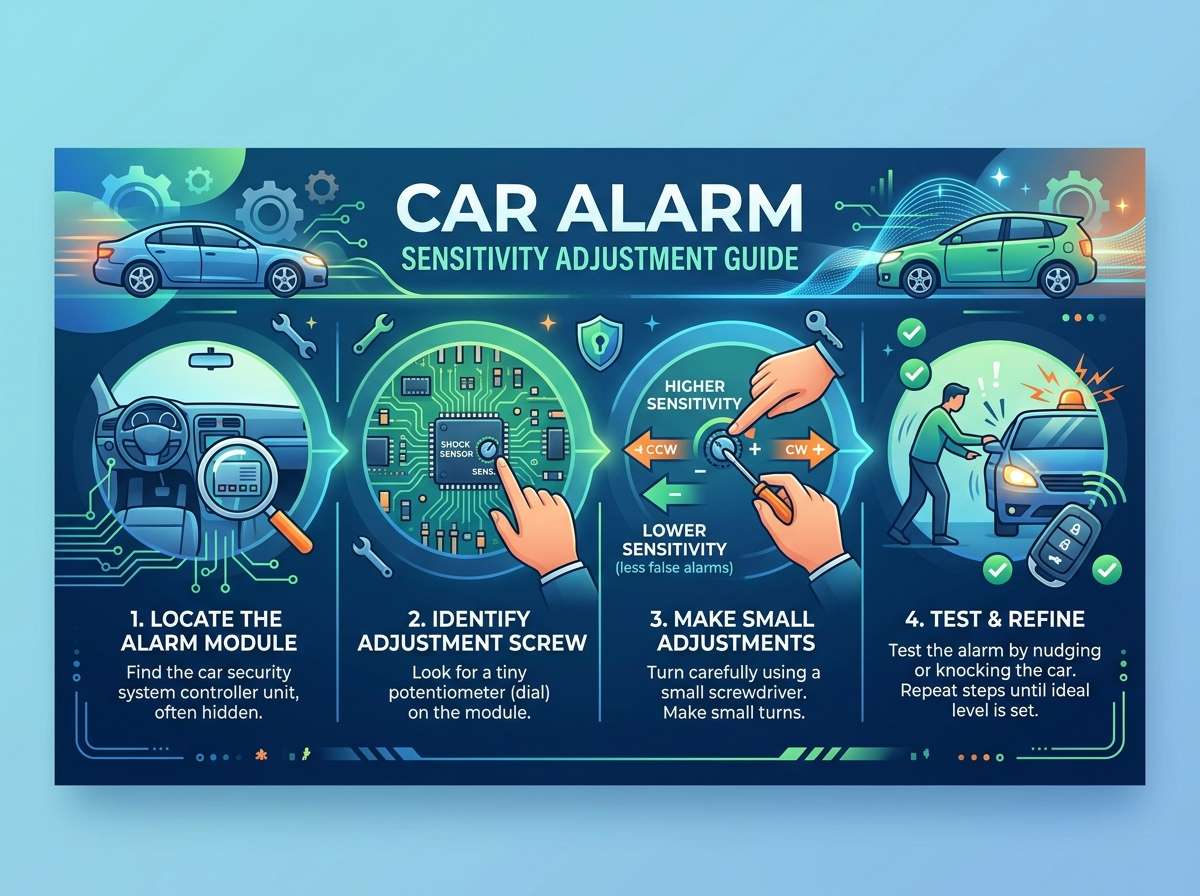
Step 1: Find the Alarm Module
The sensitivity dial or button is usually located on the main alarm control unit. Common hiding spots include:
- Under the dashboard, near the steering column
- Behind the kick panel on the driver’s side
- Near the fuse box under the hood
- Tucked inside the glove compartment
If your car came with a factory alarm, the sensitivity settings might be buried inside the onboard computer menu instead of a physical dial. In that case, you’ll access it through the dashboard display or an infotainment screen setting.
Aftermarket alarms almost always have a small rotary dial with numbers or plus and minus marks. This dial controls how much force or motion is needed to set off the alarm.
Step 2: Locate the Sensitivity Dial
Once you’ve found the module, look closely for a small dial, usually about the size of a coin. It might be labeled “SENS,” “SHOCK,” or simply have a plus and minus sign on either end. Turning it toward the plus side increases sensitivity, while turning it toward the minus side lowers it.
Some systems have two separate dials, one for shock sensitivity and another for the second stage warning (a lighter tap that gives a quick warning chirp before the full alarm sounds). If your car has two dials, you can fine-tune each stage separately for better control.
Take a picture of the dial’s starting position before you touch it. This way, you can always go back to the factory setting if your adjustments don’t work out.
Step 3: Turn Off the Alarm Before Adjusting
Always disable the alarm system before making any changes. Fiddling with a live sensor while the system is armed can trigger the siren right in your face, which is startling and pointless. Use your key fob or ignition key to disarm the system fully, then open the hood or door panel where the module sits.
Step 4: Make Small Adjustments
Here’s the golden rule for this whole process: adjust in small steps. Turning the dial too far in one direction often swaps one problem for another. Go too sensitive, and you get constant false alarms. Go too low, and the alarm might not catch an actual break-in attempt.
A good approach looks like this:
- Turn the dial slightly toward the lower sensitivity side.
- Close the door gently and test by tapping the car body with your hand at a normal walking pace.
- Check if the alarm reacts appropriately, not too easily and not ignoring a real knock.
- Repeat with slightly stronger taps to simulate accidental bumps.
- Adjust again if needed, moving only a quarter turn at a time.
This slow process might feel tedious, but it saves you from swinging between extremes and having to start over.
Step 5: Test in Real Conditions
Lab testing in your driveway is useful, but real-world conditions are the real test. Park your car in its usual spot overnight and see how it behaves. Note any false triggers and what likely caused them: wind, traffic noise, a passing animal, or something else.
If the alarm still goes off too easily after a few nights, go back to the module and nudge the sensitivity down a bit more. If it seems too relaxed and doesn’t react to a firm tap on the window, bump it up slightly.
Give yourself a few days of testing before deciding the setting is right. Weather changes, so a calm night doesn’t guarantee the same result during a windy one.
Adjusting Sensitivity Through a Mobile App
Many modern alarm systems, especially those installed as part of a smart car security package, let you control sensitivity right from your phone. If your system supports this, here’s the general process:
- Open the connected app on your phone.
- Go to the settings or device menu.
- Look for an option labeled “sensitivity,” “shock level,” or “impact threshold.”
- Use the slider or numbered scale to raise or lower the setting.
- Save your changes and test the car as described above.
App-based systems are often easier to fine-tune because you can make changes without opening any panels, and some even let you set different sensitivity levels for day and night.
Common Mistakes to Avoid
A lot of people run into the same snags when adjusting their alarm. Here’s what to watch out for:
Cranking the dial all the way down. This might stop false alarms completely, but it also makes the system nearly useless for actual security. A thief could bump the car repeatedly with barely a reaction from the alarm.
Skipping the test phase. Adjusting the dial once and assuming it’s perfect is a recipe for frustration. Weather and location both affect how the alarm behaves, so testing over several days matters.
Ignoring the second-stage warning. Many systems chirp softly before the full alarm sounds. If this warning stage is also too sensitive, it can wake you up just as much as the siren itself.
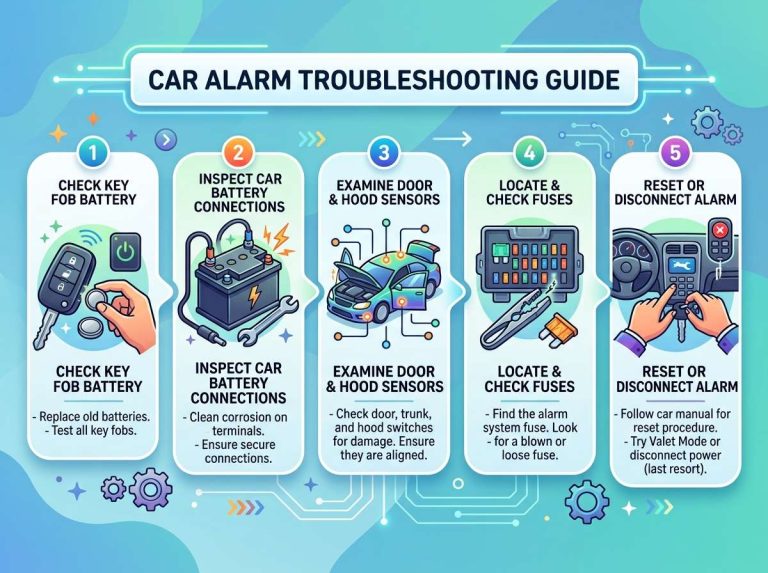
Forgetting to check the battery. A weak car battery can cause voltage drops that confuse the alarm module, making it act erratically no matter how you adjust the sensitivity. Always rule out battery issues first.
Not consulting the manual. Every alarm brand labels its dials and menus a bit differently. Skimming the manual for five minutes can save you an hour of guessing.
When to Call a Professional
Most sensitivity issues can be solved with the steps above, but there are times when it’s smarter to bring in a professional installer or mechanic:
- The dial adjustment doesn’t change the alarm’s behavior at all, which could mean a wiring issue.
- The alarm goes off randomly with no clear pattern, even after several rounds of testing.
- You have a complex system tied into remote start, GPS tracking, or a factory security network.
- The alarm module itself looks damaged, corroded, or has loose wiring.
A shop that specializes in car alarms and security systems can run a full diagnostic and usually solve stubborn issues within an hour.
How Weather Affects Sensitivity
Weather plays a bigger role than most people realize. Cold air makes metal contract, and this tiny shrinking can shift how a shock sensor sits inside its housing, sometimes making it slightly more reactive. Heat does the opposite, sometimes loosening things just enough to dull the sensor’s response.
Wind is the biggest culprit for outdoor false alarms. Strong gusts rock the car’s suspension just enough to trigger a shock sensor that’s set too high. If you live somewhere windy, lean toward the lower end of the sensitivity range and rely more on the tilt sensor for towing protection instead.
Rain and hail can also fool glass break sensors, since heavy droplets hitting the windshield create a sound pattern that’s close to shattering glass. If storms in your area often set off your alarm, check if your system has a rain-adjustment mode, since some higher-end alarms include this feature.
Balancing Security and Peace of Mind
The goal of sensitivity adjustment isn’t to make your alarm silent forever. It’s about finding the sweet spot where the system still catches real threats but stops overreacting to harmless bumps and background noise. Think of it like tuning a guitar string: too loose and it won’t play right, too tight and it snaps under pressure.
A well-tuned alarm should:
- React clearly to a firm knock or attempted break-in
- Stay quiet during light wind, rain, or passing traffic
- Give a soft warning chirp for minor contact before sounding the full siren
- Hold steady across different weather conditions without needing constant tweaks
Reaching this balance takes a little patience, but once it’s dialed in, you’ll barely think about your alarm system again, which is exactly how it should be.
Quick Reference Checklist
Keep this checklist handy the next time your alarm acts up:
- Locate the alarm module and sensitivity dial
- Take a photo of the starting position
- Disarm the system before adjusting anything
- Turn the dial in small increments
- Test with light and firm taps after each change
- Monitor real-world performance for several days
- Check the battery if behavior seems inconsistent
- Consult the manual for brand-specific labels
- Call a professional if wiring or module damage is suspected
Final Thoughts
A car alarm that goes off at every gust of wind is more than annoying, it can also make neighbors and passersby tune out real emergencies, since everyone assumes it’s just another false trigger. Taking twenty minutes to adjust the sensitivity properly protects both your peace of mind and your car’s actual security.
Start slow, test often, and don’t be afraid to make small tweaks over a few days until the alarm feels just right. Once you find that balance, your car will stay protected without turning into the neighborhood’s least favorite noise machine.

Peterson is an automotive safety enthusiast and product reviewer with a passion for helping drivers stay safe on the road. He researches and tests dash cams, backup cameras, TPMS systems, emergency tools, GPS trackers, and other vehicle safety products to provide honest, practical recommendations. Through CarSafeties.com, Peterson shares in-depth reviews, buying guides, and maintenance tips to help drivers make smarter and safer decisions.