Types Of Backup Cameras Explained
Backup cameras, also called rear view cameras, help drivers see what is behind a vehicle when reversing. Many newer cars include one, but many older vehicles do not. This article explains the main types of backup cameras in plain language.
You will learn how each type works, where the camera is usually placed, and how the main styles compare. You will also see simple tips for clear images and common mistakes to avoid. The goal is to help you understand your choices before you buy or install anything.
Key Takeaways
- A backup camera shows the area behind a vehicle on a screen when you shift into reverse.
- The main types are wired, wireless, factory-built, aftermarket kits, and mirror-integrated units.
- Installation difficulty, cost, and signal reliability vary by type.
- Clean lenses, correct positioning, and knowing guide lines improve how well a camera works.
- A camera is a helpful aid, but it does not replace checking your surroundings yourself.
What Is a Backup Camera?
A backup camera is a small camera mounted at the rear of a vehicle. It sends a live video image to a screen inside the car. The screen usually turns on automatically when the vehicle is put in reverse.
Most backup cameras use a standard video signal. The image appears on a dash display, a mirror, or a connected phone or tablet. Some systems also show lines that suggest the path of the vehicle.
How a Backup Camera Helps You Reverse Safely
Rear areas can hide low objects such as posts, toys, curbs, and small animals. A backup camera shows many of these areas that are hard to see from the driver seat. This can help drivers notice obstacles sooner.
The camera does not remove the need for care. Weather, dirt on the lens, and the camera’s field of view can all limit what you see. Drivers still need to look over their shoulders and use mirrors.
Where Backup Cameras Are Usually Mounted
Most backup cameras sit near the rear license plate area, the trunk lid handle, or the upper rear bumper. These spots give a wide view of the space behind the vehicle. The exact position depends on the vehicle design.
The camera should sit in a stable place with a clear view and be protected from road spray and impacts where possible. Placement affects both the angle and how much of the ground is visible.
The Main Types of Backup Cameras
Backup cameras fall into a few broad groups. Each differs in how it connects, who installs it, and where the image appears. Knowing these groups makes shopping easier.
Wired Backup Cameras
Wired backup cameras connect to the display with a physical cable. The cable runs from the rear of the vehicle to the screen, often along trim panels and under carpeting. In many designs, this cable carries both the video signal and power.
Wired systems are generally steady because the signal does not travel through the air. They are common in aftermarket kits, though installation takes more time because the cable must be routed carefully.
Wireless Backup Cameras
Wireless backup cameras send their image to the screen by radio signal instead of cable. The camera still needs power, usually from the reverse light circuit or a separate source.
Wireless units are often easier to fit because there is less cable to hide. However, distance, metal bodies, and other electronics can affect signal quality.
Built-In Factory Backup Cameras
Factory backup cameras come installed by the vehicle maker. The camera, wiring, and screen are designed to work together, and the screen is often part of the infotainment or dash system.
Because the system is built in, it usually works without extra setup. The main limit is that these systems cannot be easily upgraded or moved to another vehicle.
Aftermarket Backup Camera Kits
Aftermarket kits are sold separately and fitted after a vehicle leaves the factory. A typical kit includes a camera, a cable or wireless receiver, and a monitor or mirror. Kits are useful for older cars that never had a camera.
Kits vary widely in quality and features. Some suit do-it-yourself fitting, while others suit a professional installer. Reading the parts list helps you judge what you will need to buy.
Mirror-Integrated Backup Cameras
Mirror-integrated systems place a small screen inside the rearview mirror. The mirror reflects like a normal mirror when the screen is off, and shows the camera image when you reverse.
This style keeps the dash clean and needs no separate monitor. Screen size is limited, and the mirror must be replaced or upgraded, so check fit and compatibility before buying.
Wide-Angle and Standard-Angle Lenses
Lenses differ in how much area they capture. A wide-angle lens shows more of the sides and ground behind the vehicle, while a standard-angle lens shows a narrower view with less distortion.
Wide views can show more obstacles but may make objects look smaller or curved. Standard views look more natural but may miss items near the corners. The better choice depends on the vehicle layout and your needs.
How Backup Cameras Work
A backup camera follows a simple chain. Light enters the lens, a sensor turns it into a digital image, and a signal carries that image to a screen. Knowing each step helps explain why image quality varies.
Camera Sensors and Image Quality Basics
The sensor records light. Better sensors usually produce sharper images in dim conditions. Resolution describes how many picture details the sensor can capture.
A sharp sensor paired with a dirty lens or a low-resolution screen will still look soft. Each part of the chain matters.
Display Options: Dash Screens, Rearview Mirrors, and Phones
Dash screens are the most common display. They sit in the center console or dash and show full-color images. Many factory systems use this format.
Rearview mirror displays and phone or tablet displays offer other choices. Phone-based systems need a receiver and an app, and they depend on the phone staying charged and connected.
Power Sources and Wiring Basics
Most backup cameras draw power from the vehicle’s electrical system. A common approach ties the camera to the reverse light circuit, so the camera turns on when the car shifts into reverse.
Some kits use a separate power feed instead. Wiring should be done carefully so it does not drain the battery or interfere with other systems. If you are unsure, a professional can handle this step.
Backup Camera Types Compared
Comparing the main types side by side helps beginners set priorities. Installation effort, cost, and signal reliability often matter most.
Ease of Installation for Beginners
Factory systems need no installation because they come built in. Wireless kits are often the simplest aftermarket option because they avoid long cable runs. Wired kits take more time because the cable must be hidden along the vehicle body.
Mirror-integrated units can be tricky to fit, since the mirror itself is replaced. A beginner who feels unsure should consider professional fitting.
Cost Differences Between Camera Types
Prices change often and vary by brand, region, and features, so exact figures are not given here. Factory systems are included in the vehicle price. Aftermarket kits cost less than a full factory package, but installation fees can add up.
Mirror-integrated units often cost more than basic dash-mounted kits because of the mirror hardware. Comparing the full package, including fitting, gives a fairer picture than the sticker price alone.
Signal Reliability and Interference
Wired connections are usually the most stable because the signal stays inside a cable. Wireless signals can weaken over distance or when they pass through metal and other electronics. Some drivers notice flickering or a delayed image in these cases.
Other radio devices nearby can also cause interference. Checking the operating range listed for a wireless kit helps set realistic expectations.
Tips for Getting the Most From a Backup Camera
Good habits make a camera more useful. Simple steps like cleaning the lens and learning the screen can improve what you see.
Keeping the Lens Clean and Positioned Correctly
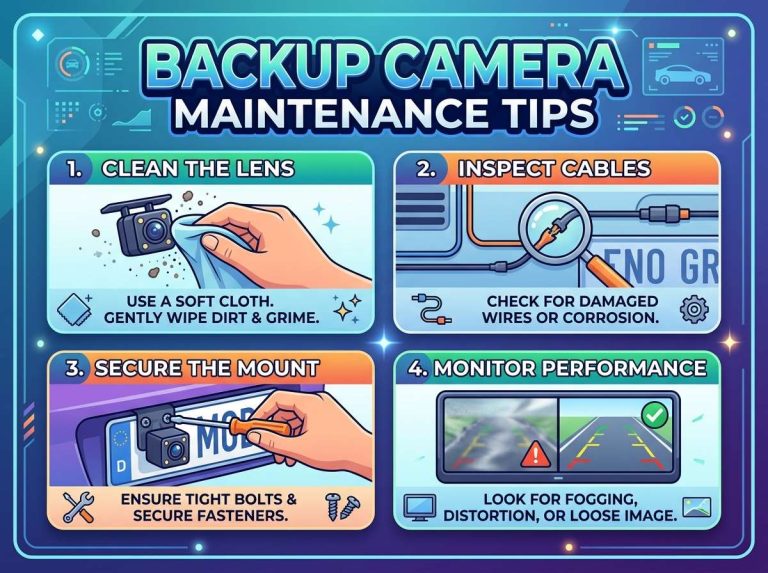
Dirt, water spots, snow, and road grime can blur the image. Wipe the lens with a soft cloth before driving, and check it after car washes and rain.
A camera that has shifted or tilted shows a different area than intended. Make sure it stays firmly mounted and aimed as designed.
Knowing Guide Lines on the Screen
Many systems display guide lines that suggest the vehicle’s path. These lines often move as the steering wheel turns, helping you judge the space needed for a turn.
Guide lines are estimates, not exact measurements. Their accuracy depends on setup and the surface behind the vehicle, so use them as a general reference.
Night Vision and Low-Light Performance
Many cameras include infrared lights or low-light sensors to help at night. These features can show more detail in darkness, though the image is often less colorful. Performance varies a great deal between models.
Street lights and reversing lights also affect what you see. Dim conditions can still make distance hard to judge, so slow down and use mirrors after dark.
Common Mistakes to Avoid
Beginners often make a few predictable errors. Knowing them in advance can prevent problems.
Relying Only on the Camera While Reversing
A camera shows only part of the area behind a vehicle. Objects can sit outside the view or appear differently than expected.
Turn your head, check the mirrors, and reverse slowly. The camera works best as one tool among several.
Skipping Checks Before Installation
Before fitting an aftermarket kit, confirm that it suits your vehicle and screen. Check the wiring diagram and parts list to avoid wasted money or damaged components.
Test the system before final mounting. Confirm the image appears when reverse is selected and that the cable is secure.
Frequently Asked Questions
Are backup cameras required by law?
Rules differ by country and region, so check the requirements where you live. Many places set rules for newer vehicles. Local transport authorities can confirm the current position.
Can I add a backup camera to any vehicle?
Most vehicles can take an aftermarket kit, but fit depends on the car’s layout and electrical system. Some models need special wiring or mounting parts. Checking compatibility before buying saves time.
Do wireless backup cameras work reliably?
Wireless cameras work well for many drivers when the signal is strong. Distance, metal bodies, and interference can weaken the image. The stated range helps you judge suitability.
Do backup cameras work at night?
Many cameras handle low light, and some use infrared for more detail in darkness. Image quality varies by model. Using mirrors and reversing slowly remains wise after dark.
Is professional installation necessary?
Professional fitting is not always required. Some kits suit confident do-it-yourself fitters, especially wireless or simple wired designs. Wiring into the reverse light circuit or fitting a mirror can be tricky, though, and a professional can help avoid electrical problems.
Conclusion
Backup cameras come in several main types, including wired, wireless, factory-built, aftermarket kits, and mirror-integrated units. Each differs in installation effort, cost, and signal reliability. Lens angle and display choice also shape what you see.
A camera is a helpful aid, but it works best alongside mirrors and careful driving. Keeping the lens clean and knowing the guide lines will help you get the most from any system.

Peterson is an automotive safety enthusiast and product reviewer with a passion for helping drivers stay safe on the road. He researches and tests dash cams, backup cameras, TPMS systems, emergency tools, GPS trackers, and other vehicle safety products to provide honest, practical recommendations. Through CarSafeties.com, Peterson shares in-depth reviews, buying guides, and maintenance tips to help drivers make smarter and safer decisions.