How to Pick the Right Dash Cam ?
Why You Need a Dash Cam (Yes, Really!)
Let’s be honest. Accidents happen on the road all the time. You’re driving down the street, minding your own business, when suddenly—crash! Someone hits your car. Now you’re stuck in a mess trying to figure out who was at fault.
In this article
A dash cam can change everything.
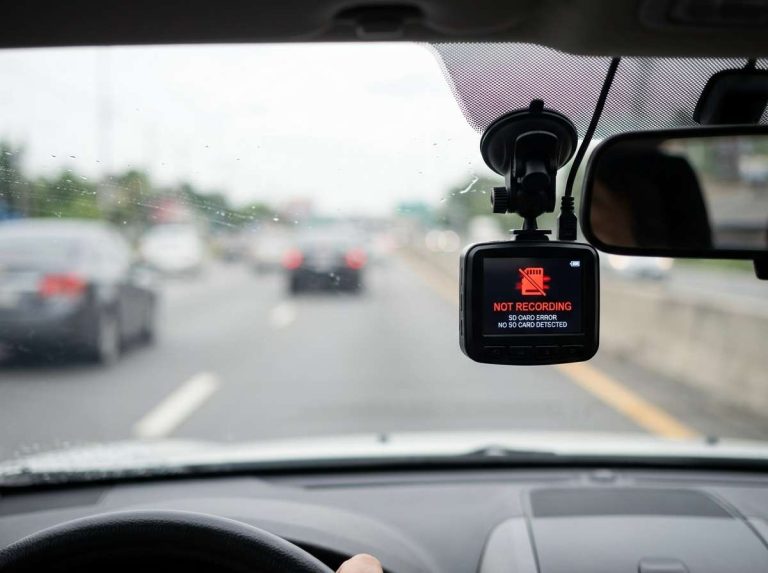
This small camera sits on your windshield and records video of the road ahead. It captures everything that happens during your drive. If there’s an accident, you have proof. If someone claims you hit them and runs away, you have evidence. If a crazy driver cuts you off, you have it all on video.
But here’s the thing: not all dash cams are the same. Some are cheap garbage that won’t help you when you need it most. Others cost way too much and do things you’ll never use. So how do you pick the right one?
That’s what we’re here to talk about.
What Is a Dash Cam Anyway?
Before you start shopping, let’s make sure you understand what you’re buying.
A dash cam is a simple device. It’s a small camera you mount on your windshield or dashboard. It runs while you drive. It records video to a memory card. When something happens on the road—an accident, a hit-and-run, bad weather, whatever—you’ve got the footage saved.
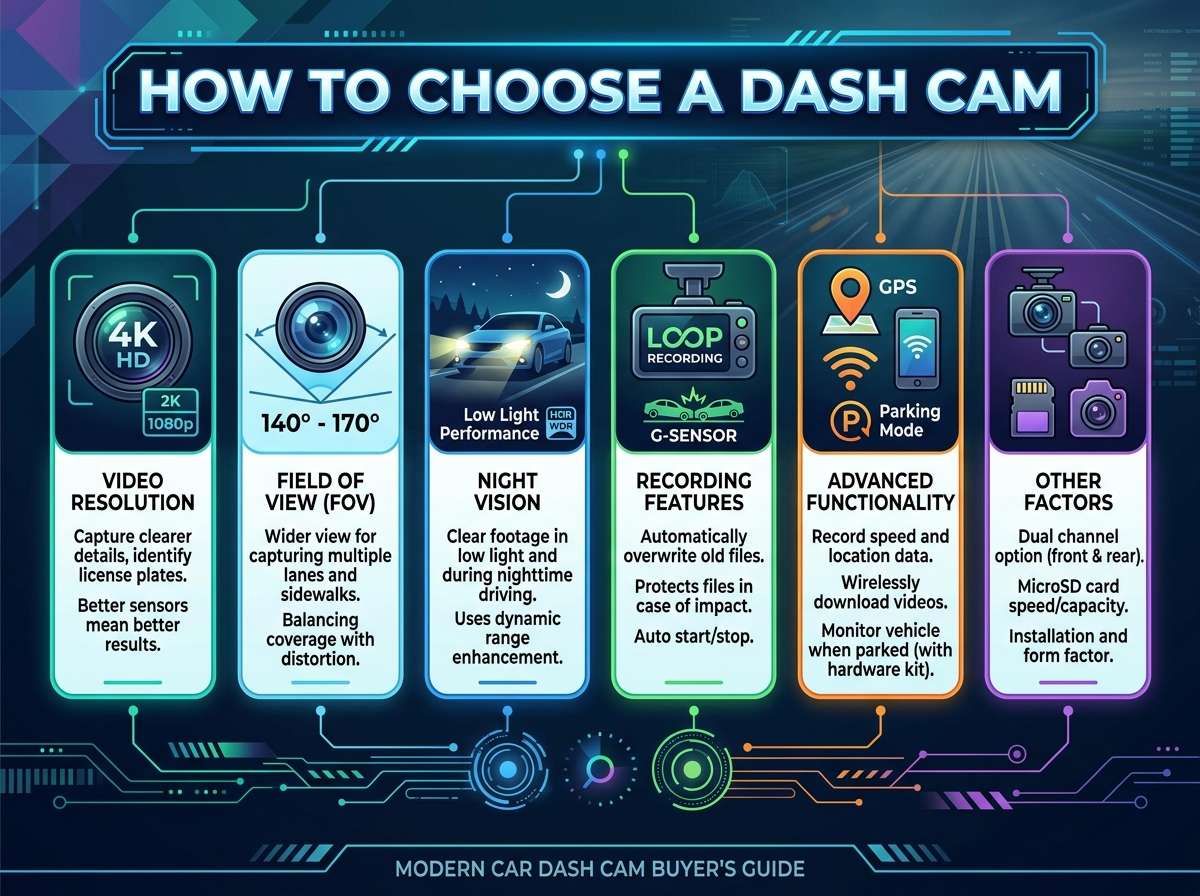
Most dash cams come with a loop recording feature. This means once your memory card is full, the camera starts writing over the oldest videos. You don’t have to worry about your card running out of space. The camera just keeps recording, replacing old footage with new.
Some dash cams record just the front of your car. Others record both front and back. Some even record what’s happening inside your vehicle. There are dash cams that only turn on when they sense motion. Others run all the time while you’re parked.
The options can feel overwhelming. But once you know what to look for, it gets much easier.
Resolution Matters More Than You Think
The first thing to look at is video resolution.
Resolution tells you how clear your videos will be. Higher resolution means you can see more detail. You can read license plates. You can see a person’s face. You can spot a street sign.
Here’s the basic breakdown:
1080p (Full HD) gives you clear video. You can see most details you need. License plates are readable most of the time. This used to be the standard, and honestly, it still works fine for many people. Videos at this resolution won’t use up your memory card as fast.
1440p sits in the middle. It’s better than 1080p but not as extreme as 4K. The video is crisp and clear. You can read license plates easily. It’s a solid choice if you want quality without going overboard.
4K is the newest standard. These videos are super sharp. You can see tiny details from far away. A license plate is crystal clear even if the car is in the next lane. The downside? 4K videos eat up memory cards fast. You’ll need bigger cards and faster cards.
1080p at 60fps is another option some people like. The fps (frames per second) number matters too. Regular cameras shoot at 30fps. Cameras shooting at 60fps capture twice as many frames per second. This makes fast movements look smoother. If you want to catch every detail of a crash, 60fps is nice.
So which should you pick? Here’s my take: If you want to read license plates and see faces clearly, go 1440p or 4K. If you’re on a tight budget or you drive mostly on calm roads, 1080p is fine. Most people fall somewhere in the middle and pick 1440p.
Frame Rate and Smooth Video
Let’s talk about frame rate for a second. It sounds technical, but it’s not.
Frame rate is how many pictures the camera takes every second. Most cheap cameras shoot at 30fps. Better cameras shoot at 60fps. A few shoot even higher.
Why does this matter? Because fast movement looks choppy at low frame rates. If a car zips through the scene, a 30fps camera might only catch 3-4 images of it. A 60fps camera captures twice as many images. The movement looks smoother and more natural.
For dash cam purposes, 30fps is usually enough. But if you drive on busy highways with fast-moving traffic, 60fps is better. You’ll catch more details of quick movements.
Night Vision Is Critical
Here’s something people don’t always think about: you drive at night.
Your dash cam needs to see in the dark. Otherwise, it’s useless when you need it most.
There are two ways dash cams see in low light:
Infrared lights shine invisible light on the road. The camera picks it up. Some dash cams have a bunch of small infrared LEDs. These work okay but can be harsh. They work best close to your car.
Low-light sensors are built into the camera itself. These cameras are just naturally better at seeing in darkness. The sensor is more sensitive. It picks up more light. The video comes out brighter and clearer.
Here’s the truth: low-light sensors are way better than infrared. They give you natural-looking video that’s actually useful. You can see the road ahead clearly. You can read signs and plates.
When you’re shopping, look for these terms: “low-light performance,” “night vision,” or “WDR” (which stands for wide dynamic range). These all mean the camera does well in darkness.
Test this before you buy. Look up some dash cam videos on the internet. Watch footage taken at night. See if you can actually read the road signs and license plates. If the night video looks like a dark mess, keep looking.
Field of View Explained
Field of view is the width of what the camera can see.
Imagine you’re standing in your car looking forward. You can see some things to your left and right. A dash cam is the same way. The wider its field of view, the more of the road it captures.
Wide angle (140°-180°) captures a huge area. You see lanes to your left and right. You see ahead pretty far. This is great for catching nearby cars and what’s happening around you.
Standard angle (90°-140°) captures what’s in front of you and some to the sides. This is what most people get.
Narrow angle (below 90°) focuses on what’s far ahead. You see less of your surroundings but more detail of distant objects.
Here’s what I recommend: pick a camera with a field of view between 120° and 160°. This gives you a good balance. You see plenty of what’s happening around you. You still see details ahead. You won’t miss side traffic or lane changes.
One thing to watch out for: very wide angle lenses sometimes distort the image. Straight roads look curved. Lines bend weird. This looks strange in videos, and it can make it harder for others to understand what happened. A good camera balances wide field of view without crazy distortion.
Front Versus Front and Back
Do you need a camera that records both directions?
A single-camera system records only what’s ahead of you. It captures what happens in front of your car.
A dual-camera system has one camera in front and one in back. The front camera records the road ahead. The back camera records traffic behind you and your trunk.
Here’s when you need a dual system:
You commute on busy highways. You want to capture hit-and-runs from behind. You care about recording rear-end collisions. You have a bad tailgater problem. You want full protection front and back.
Here’s when a single camera is fine:
You mostly drive in town on calm roads. You care most about front-facing accidents. You’re on a budget. You don’t want to deal with two memory cards.
The trade-off is money and complexity. Dual systems cost more. You need twice the memory card space. You might need to run two cables. But you get twice the coverage.
My advice? If you can afford it and it’s easy to install, go dual. If you’re budget-conscious or you rarely drive on highways, a front-only camera works fine.
Interior Cameras for Extra Peace of Mind
Some dash cams also record inside your car.
Interior cameras point at the driver and passenger seats. They capture what happens inside the vehicle. This matters if you use your car for rideshare. It protects you if someone claims you did something you didn’t. It also records any theft or damage that happens while you’re not looking.
If you drive for a service like Uber or Lyft, an interior camera is a smart move. If you just drive yourself around, it’s probably not necessary. It’s more of a nice-to-have feature.
Storage and Memory Cards
Your dash cam records to a memory card.
The card needs to be fast enough to handle video recording. Not all memory cards work. You need what’s called a “dashcam-rated” card. These are built to handle constant writing and rewriting. Regular memory cards get worn out faster.
Here’s what to look for:
Storage size: How much video do you want to keep? A 64GB card holds about 6 hours of 1080p video. A 128GB card holds about 12 hours of 1080p. A 256GB card holds about 24 hours. For 4K video, those numbers are much smaller. A 64GB card only holds about 1.5 hours of 4K.
Most people buy either 128GB or 256GB. This gives you a day or two of driving before old videos get written over.
Speed rating: Look for cards marked V30 or higher. This means the card is rated for continuous video recording. Cards marked U3 also work. Don’t buy cards marked V10 or lower—they’re too slow.
Some people buy two memory cards. They swap them out and keep one as a backup. This way, if something happens, you have a card with the accident on it before it gets written over.
Display Screen Size and Usability
Should you get a dash cam with a big screen?
Some dash cams have small screens (1-2 inches). Some have bigger screens (3-5 inches). Some have no screen at all.
The screen helps you see what the camera is recording. You can frame the shot right when you install it. You can review videos quickly.
But here’s the deal: you spend your time driving, not watching the screen. A big screen is nice to have, but it’s not essential. Once you install the camera and get it aimed right, you might barely use the screen again.
A small screen is fine for most people. It lets you set things up and review footage. You don’t need a huge display.
One exception: if you want to review footage before you get home, a bigger screen is more comfortable.
Parking Mode and Security
What happens when you park your car?
Most dash cams stop recording when you turn off the engine. The footage is saved. That’s it.
But some cameras have a special parking mode. When you park, the camera switches to a low-power mode. It watches for motion. If someone walks by or bumps your car, it starts recording. This is great if you’re worried about theft, vandalism, or hit-and-runs while you’re parked.
Parking mode needs a special hardwired power connection. This keeps the camera powered even when your car is off. You need to install it properly so it doesn’t drain your car battery.
If you park in a safe area, parking mode is a nice extra. If you park on the street in a rough neighborhood, it’s worth getting.
GPS and Speed Recording
Some dash cams have built-in GPS.
The GPS marks your location and speed on the video. This can be useful for proving what happened. You can show where the accident occurred and how fast you were going.
But here’s the thing: do you really need it? In most cases, the video footage is enough. You can see what happened. You can see the road. You can see traffic signs.
GPS is a nice-to-have feature. It can help in certain situations. But it shouldn’t be the main reason you pick a camera.
Sound and Audio Recording
Should your dash cam record sound?
Many do. The camera picks up noise from the road, your radio, conversations inside the car, and anything else happening around you.
Audio can be useful as extra evidence. But it’s also more annoying sometimes. You hear every bump, every wind gust, every minute of radio noise. Some people find it distracting when they review footage.
Also, be careful about privacy. If you transport passengers, they might not be okay with being recorded and having their conversations saved. Check your local laws too. Some places have rules about recording people without their permission.
Audio is fine to have, but don’t let it be your main decision factor. Video is what matters most.
Brand Reputation and Reviews
Here’s something really important: buy from a trusted brand.
Dash cams are not cheap. You’re spending real money. You want the thing to actually work when you need it.
Read reviews online. Look at what real customers say. Not just the stars—read the actual comments. See if people complain about the same problems. See if users have had to return units.
Good dash cam brands include the ones that have been around for years. They have customer support. They update their software. People leave good reviews consistently.
Cheap no-name brands might save you money upfront. But if the camera fails when you really need it, you’ve lost everything. Spend a little extra for peace of mind.
Installation and Warranty
How hard is it to install?
Some dash cams are super easy. You stick them on your windshield with an adhesive mount. You plug in the USB cable for power. Done. Takes 5 minutes.
Others need to be hardwired. You run cables behind your headliner and down your dashboard. You connect them to your car’s power supply. This takes longer, but it looks cleaner.
If you’re not handy, pick a camera with an easy adhesive mount. If you don’t mind getting under the dashboard, hardwiring is fine.
Also check the warranty. Good cameras come with at least a 1-year warranty. Some come with 2 or 3 years. A long warranty means the company stands behind their product.
Price and Your Budget
How much should you spend?
Cheap dash cams: $50-$100. These are basic. They work, but they might not have all the features. Night vision might be poor. Durability might not be great.
Mid-range dash cams: $100-$300. These are what most people buy. Good video quality. Decent night vision. Reliable brands. Good features. This is the sweet spot.
High-end dash cams: $300+. These have everything. 4K video. Great night vision. Dual cameras. Interior recording. Tons of features.
Here’s my honest take: spend between $150-$250. You get a solid camera that will work well and last. You don’t waste money on features you’ll never use. You don’t cheap out and regret it later.
Different Types of Drivers Need Different Cams
Your driving habits matter.
Commuters on calm roads: You need a basic setup. A single front camera. 1080p or 1440p resolution. Good night vision. Nothing fancy. Save your money.
Highway drivers: Get a dual-camera system. You spend a lot of time with cars around you. You want front and rear coverage. Good frame rate to catch fast-moving traffic.
Rideshare drivers: Get an interior camera. You need protection from passengers. You need to record what happens inside your car. A front camera is important too.
Delivery drivers: Similar to rideshare. Interior and front cameras. You’re always on the road. You need good protection.
City drivers in busy areas: Get good wide-angle coverage. You need to see traffic coming from sides. A single front camera is probably fine.
Think about your specific situation. Don’t buy features you won’t use.
App Control and Connectivity
Many newer dash cams connect to your phone.
You can use an app to see live video from your camera. You can review footage without getting out of the car. You can change settings. Some apps let you share videos directly.
This is a cool feature, but it’s not essential. Many people never use the app. They just use the memory card or the cable connection to review footage.
If you like tech and want extra convenience, get a camera with app control. If you want to keep things simple, skip it.
Making Your Final Decision
Here’s your game plan:
Step 1: Think about your needs. Do you want front only or front and back? Do you need interior recording? What’s your budget?
Step 2: Research cameras in your price range. Look for good reviews. Read what real users say. Check the specifications.
Step 3: Make a list of 3-5 cameras you like. Compare them side by side. Look at resolution, night vision, field of view, and brand reputation.
Step 4: Read customer reviews for each one. This is important. Look for common complaints. See what people love about each model.
Step 5: Pick the one that best fits your needs and budget. Don’t overthink it. None of the good options are bad choices.
Installation Tips
Once you buy your camera, install it right.
Mounting position: Place it high on your windshield, near the top. Aim it so it sees the road ahead clearly. You want to capture the lanes and the road, not the sky and clouds.
Power cable: Run the cable along the headliner and down the side of the windshield. Tuck it in so it’s hidden. Use clips to keep it neat.
Memory card: Format the card in the camera. Don’t format it on your computer first. The camera needs to set it up its own way.
Test it: Drive around and record some footage. Review the video. Make sure you can see the road clearly. Adjust the angle if needed.
Maintenance and Care
Your dash cam needs basic care.
Clean the lens: Every month, gently wipe the camera lens with a soft cloth. Dust and dirt reduce video quality.
Check the mount: Make sure the camera is still secure. Heat and vibration can loosen adhesive mounts over time.
Back up important footage: If something bad happens, copy the video off the memory card right away. Save it to your computer. Don’t let it get written over.
Update firmware: Some cameras get software updates. Check the manufacturer’s website every few months. Update your camera if new versions are available.
Common Mistakes to Avoid
Don’t make these mistakes:
Buying the cheapest option: You get what you pay for. A $40 dash cam will disappoint you.
Picking 4K just because it exists: Unless you really need it, 1440p is fine. 4K uses too much memory card space.
Ignoring night vision quality: You’ll use your dash cam at night. Don’t pick a camera with weak night vision.
Getting too many features you won’t use: All those extra features just complicate things. Keep it simple.
Not reading reviews: Reviews from real users tell you everything you need to know.
Wrapping It Up
Picking a dash cam doesn’t have to be complicated.
Focus on the basics: good video quality, solid night vision, reliable brand, and fair price. Those four things will get you a camera that works.
Don’t get distracted by fancy features you’ll never use. Don’t buy the cheapest thing just to save money. Spend a reasonable amount on a good camera from a trusted brand.
Once you’ve got your camera installed, you can relax. You’re protected. When something happens on the road, you’ve got proof. That peace of mind is worth the investment.
So do your research. Read some reviews. Compare a few options. Pick the one that fits your needs. Install it properly. And then enjoy the road knowing you’re covered.
Your dash cam will be the best money you spend on your car. Let’s hope you never need the footage. But if you do, you’ll be incredibly glad it’s there.

Peterson is an automotive safety enthusiast and product reviewer with a passion for helping drivers stay safe on the road. He researches and tests dash cams, backup cameras, TPMS systems, emergency tools, GPS trackers, and other vehicle safety products to provide honest, practical recommendations. Through CarSafeties.com, Peterson shares in-depth reviews, buying guides, and maintenance tips to help drivers make smarter and safer decisions.