Dash Cam Memory Card Problems
Dash cam memory card problems are among the most common issues owners run into. A dash cam records video onto a small card, and when that card fails, the camera may stop recording or lose footage you need. This article explains what goes wrong, why it happens, and what you can do about it.
You will learn what a memory card does inside a dash cam and how loop recording affects it. You will also see the typical warning signs, the main causes, and simple steps for prevention and recovery. No technical background is needed to follow along.
Key Takeaways
- Most dash cam memory card problems come from heat, constant rewriting, and the wrong type of card.
- Check the card regularly and format it inside the dash cam to keep data clean.
- Use a card rated for dash cam or high endurance use, not a basic card from a drawer.
- Replace the card on a sensible schedule instead of waiting for it to fail.
- Back up important footage before you format or replace a card.
Dash Cam Memory Card Problems: What Beginners Need to Know
A dash cam writes video to its memory card all the time while the car is running. This is very different from how a phone or camera uses a card. Because of that constant writing, the card works harder than most storage cards.
Many problems are not a sign that the camera is broken. Often the card is simply the weak link. Knowing the basics makes it easier to spot trouble early.
What a Dash Cam Memory Card Does
The memory card is the storage space where every recorded clip is saved. Without it, the dash cam has nowhere to keep video. Most dash cams use a small card called a microSD card.
Why Dash Cams Need a Memory Card to Record
The camera captures images through its lens and sends them to a processor. The processor then saves the video files onto the card. If the card is missing, full, or damaged, the recording cannot be saved.
Some cameras show a warning when no card is inserted. Others may appear to record but save nothing. This is one reason regular checks matter.
How Continuous Loop Recording Overwrites Old Footage
Most dash cams use loop recording. The camera records in short clips, such as a few minutes each. When the card is full, it deletes the oldest clips to make room for new ones.
This keeps the camera running without manual work. However, it means the card is erased and rewritten again and again. Over months, this heavy use is a major reason cards wear out.
Common Dash Cam Memory Card Problems
Problems often show up in a few recognizable ways. Learning the signs helps you act before you lose important footage.
The Card Is Not Recognized or Shows an Error
The camera may display a message such as “card error,” “format card,” or “no card.” Sometimes the card works in one device but not another. This often points to file system damage or a worn card.
Recording Stops Without Warning
A dash cam may stop recording on its own, sometimes with no message. This can happen when the card cannot keep up with the data being written. It can also happen when the card has bad sectors.
Footage Is Missing, Blurry or Corrupted
You may find clips that will not play, freeze partway through, or show distorted images. Missing clips are especially frustrating after a collision or near miss. Corruption usually means the data was not written correctly.
The Card Fills Up Too Quickly
If the card seems full much sooner than expected, the cause may be large file settings, a card that is too small, or damaged storage areas. Sometimes the camera keeps old files that were not cleared properly. Checking the recording resolution can help narrow this down.
Card Wears Out Over Time
Flash memory has a limited number of write cycles. Heavy loop recording uses up those cycles faster than typical photo storage. A card that once worked well may gradually become unreliable.
That said, wear is gradual, so a worn card often shows warning signs first. Slower write speeds, occasional errors, and missing clips are common early clues. Noticing these signs early gives you time to act.
Why Dash Cam Memory Cards Fail
Dash cam cards face conditions that most storage cards never see. Knowing these causes makes prevention easier. In most cases, more than one factor is involved.
Heat, Cold and Sunlight Inside a Car
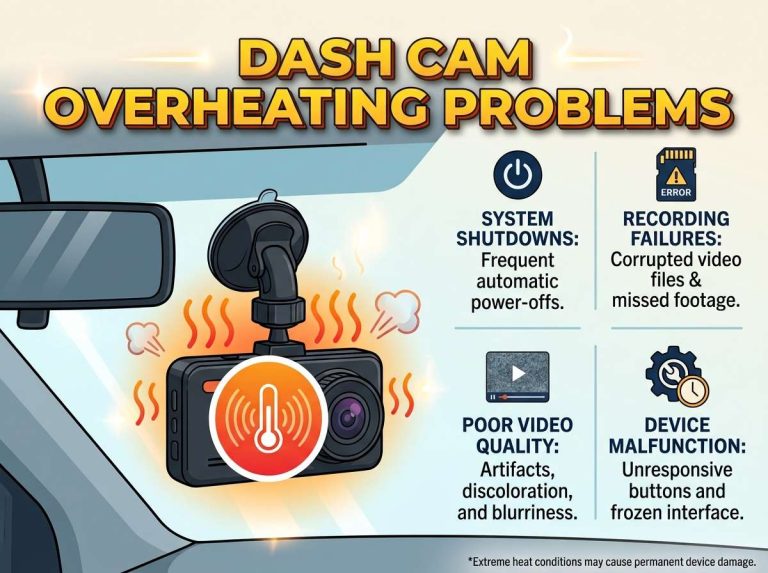
A car can become very hot when parked in the sun. Temperature swings between hot days and cold nights also stress the card. Extreme heat can damage the internal parts and shorten the card’s life.
Sunlight through the windscreen can raise the temperature near the camera. Mounting position matters, and so does where the card sits in the device.
Constant Writing and Rewriting of Data
Loop recording writes new data continuously. Each clip is saved, deleted, and saved again over the same space. This steady workload is much heavier than normal photo use.
Because of this, a card used for dash cam recording may need replacing sooner than a card used in a camera for family photos.
Using a Standard Card Instead of a High Endurance Card
Standard cards are designed for occasional use, such as storing photos or music. High endurance cards are built to handle long periods of repeated writing. They are made for tasks like dash cam or security camera recording.
Using a basic card in a dash cam is a common mistake. It may work for a while, but it often fails sooner.
Power Interruptions and Improper Ejection
Pulling the power while the camera is writing can corrupt files. This can happen when the car is turned off suddenly or the power cable is disconnected. Removing the card while the camera is still active can cause similar damage.
Most dash cams handle shutdown carefully, but sudden power loss is still risky. A stable power connection helps protect the card.
How to Prevent Dash Cam Memory Card Problems
Prevention is usually easier than recovery. A few simple habits can greatly reduce the chance of trouble. None of them require special tools.
Picking a Card Rated for Dash Cam Use
Look for a card labeled as high endurance or designed for dash cams. Check that it matches the capacity and speed the camera supports. Your dash cam manual usually lists the recommended card types.
Buying from a known seller and checking the packaging for clear details is also wise. Counterfeit cards are sold online and can perform poorly.
Formatting the Card Inside the Dash Cam
Formatting the card in the dash cam itself helps keep the file system clean. This is usually done through the camera menu. Doing it or two is a common routine for many owners.
Always check that you have saved any footage you need before formatting, since formatting erases everything on the card.
Checking the Card Regularly
Look at the camera’s status screen or app to confirm recording is working. Watch for error messages or missing clips. A quick check every few weeks can catch problems early.
Also play a recent clip from time to time. This confirms that the footage is saved properly and can still be viewed.
Replacing the Card on a Sensible Schedule
Many owners replace the card or two, depending on how much the camera records. Heavy use, high heat, or frequent errors may call for an earlier change. Waiting for total failure risks losing footage.
Keep the old card in a safe place for a while rather than throwing it away right away. This gives you a fallback if you need it.
Step-by-Step: What to Do When the Card Has an Error
If the camera shows an error, do not panic. A calm, orderly approach gives you the best chance of saving footage. Follow these steps in order.
Turning Off the Dash Cam and Removing the Card Safely
- Turn off the dash cam and wait until it has fully shut down.
- Remove the card gently, following the camera’s instructions.
- Store the card in a protective case while you check it to avoid bending or dust damage.
Testing the Card on a Computer or Card Reader
Insert the card into a computer using a card reader. Check if the drive appears and if files can be opened. Many operating systems offer a built-in error check tool for storage drives.
If the card does not appear at all, the problem may be the reader or the card itself. Try a different reader before drawing conclusions.
Backing Up Important Footage Before Formatting
Copy any clips you need to a computer or external drive before doing anything else. Formatting erases the card, so backups come first. Keep the copies in more than one place when the footage matters.
Recovery software may sometimes retrieve files from a damaged card, but results vary. Professional help may be needed for important recordings.
When to Replace the Card Instead of Reformatting
Reformatting can fix minor file system issues. However, repeated errors, slow writing, or failure to record after formatting usually mean the card is worn out. In that case, replacement is the safer choice.
A new card is inexpensive compared with the cost of missing footage. Picking a replacement that meets the camera’s requirements keeps the system working reliably.
High Endurance vs Standard Memory Cards Compared
Both card types look similar on the outside, which can confuse beginners. The differences lie in how the card is built and what it is designed to handle. Knowing these differences helps you choose wisely.
What High Endurance Means in Plain Terms
High endurance means the card is built to survive more write and erase cycles. It is designed for tasks that run for long periods, such as continuous recording. The exact rating varies by brand, so check the product details.
Standard cards are fine for photos and occasional file storage. They are not designed for constant overwriting.
Speed Classes and Capacity: What Matters for Dash Cams
Speed classes indicate how quickly a card can write data. A card that is too slow may cause dropped frames or recording gaps. Your camera manual will usually state the minimum speed class needed.
Capacity matters too. A larger card holds more footage before looping, but the camera may only support a certain maximum size. Always match the card to the camera’s specifications.
Price and Value Differences
High endurance cards usually cost more than standard cards of the same capacity. The extra cost reflects their design for heavy use. For a device that records constantly, many owners see this as good value.
Very cheap cards with unclear specifications may not perform as stated. Paying a fair price from a reliable source is often the better choice.
Real-World Examples of Memory Card Trouble
Two common situations show how card problems tend to appear in daily life. They are typical examples rather than specific cases.
A Parked Car Recording Overnight in Summer Heat
A dash cam in a parked car may keep recording while the interior becomes very hot. Heat can stress the card, and the camera may begin showing errors the next morning. Owners often notice this only when they check the footage.
Parking in shade, using a parking mode with appropriate power settings, and checking the card regularly can reduce this risk.
A Card That Fills Up During a Long Road Trip
On a long drive, a camera may write large amounts of footage in a short time. If the card is too small or too slow, recording gaps may appear. The owner might find that clips from the trip are incomplete.
Checking the card’s capacity and speed class before a long trip helps prevent this. Carrying a spare card is also a practical habit for many drivers.
Frequently Asked Questions
How often should I replace my dash cam memory card?
Many owners replace their card or two, depending on how much the camera records. Heavy use, high heat, or repeated errors may call for an earlier change. Checking the card regularly helps you decide the right timing.
Can I use any microSD card in my dash cam?
Not every microSD card is suitable. Check your camera manual for the supported capacity and speed class. A high endurance card designed for dash cam or security camera use is usually the safest choice. A basic card may work at first but often fails sooner under constant recording.
Why does my dash cam say the memory card is full when it is not?
This can happen when the camera has trouble reading the card’s file system or cannot clear old files properly. Formatting the card inside the dash cam often fixes this. If the message returns after formatting, the card may be worn and should be checked or replaced.
Does formatting the card erase all my footage?
Yes, formatting erases everything stored on the card. Always copy any clips you need to a computer or another drive first. Once a card is formatted, recovering the old files is difficult and not guaranteed.
What should I do if my dash cam footage is missing after an incident?
Stop using the card right away so new recordings do not overwrite the missing clips. Remove it carefully and try to read it on a computer. If the footage is important, consider professional data recovery, since results are not guaranteed.
Conclusion: Keeping Your Dash Cam Memory Card Reliable
Dash cam memory card problems usually come from heat, constant rewriting, and using the wrong type of card. Power interruptions and improper removal add further risk. Knowing these causes makes trouble easier to avoid.
In short, choose a high endurance card that matches your camera, check it regularly, and format it inside the device. Back up important footage and replace the card before it fails. A little routine care goes a long way toward keeping your recordings safe.

Peterson is an automotive safety enthusiast and product reviewer with a passion for helping drivers stay safe on the road. He researches and tests dash cams, backup cameras, TPMS systems, emergency tools, GPS trackers, and other vehicle safety products to provide honest, practical recommendations. Through CarSafeties.com, Peterson shares in-depth reviews, buying guides, and maintenance tips to help drivers make smarter and safer decisions.