Why Is My Backup Camera Blurry?
Have you pulled your car into reverse and noticed that your backup camera display looks fuzzy, out of focus, or just not as clear as you’d like? You’re not alone. Blurry backup cameras are one of the most common frustrations car owners face, and the good news is that most of these issues are fixable without spending a fortune at a dealership.
In this article
Your backup camera plays a crucial role in keeping you safe when reversing. A blurry image defeats the whole purpose of having one. In this guide, we’ll explore why your backup camera looks like you’re viewing the world through frosted glass, what causes each type of blur, and how you can get a crystal-clear picture of what’s behind your vehicle.
Why Does Your Backup Camera Get Blurry in the First Place?
A blurry backup camera is not a random mystery. Several real, physical reasons cause this problem. Let’s talk about the most common culprits and how they affect your camera’s picture quality.
The Lens Gets Dirty or Smudged
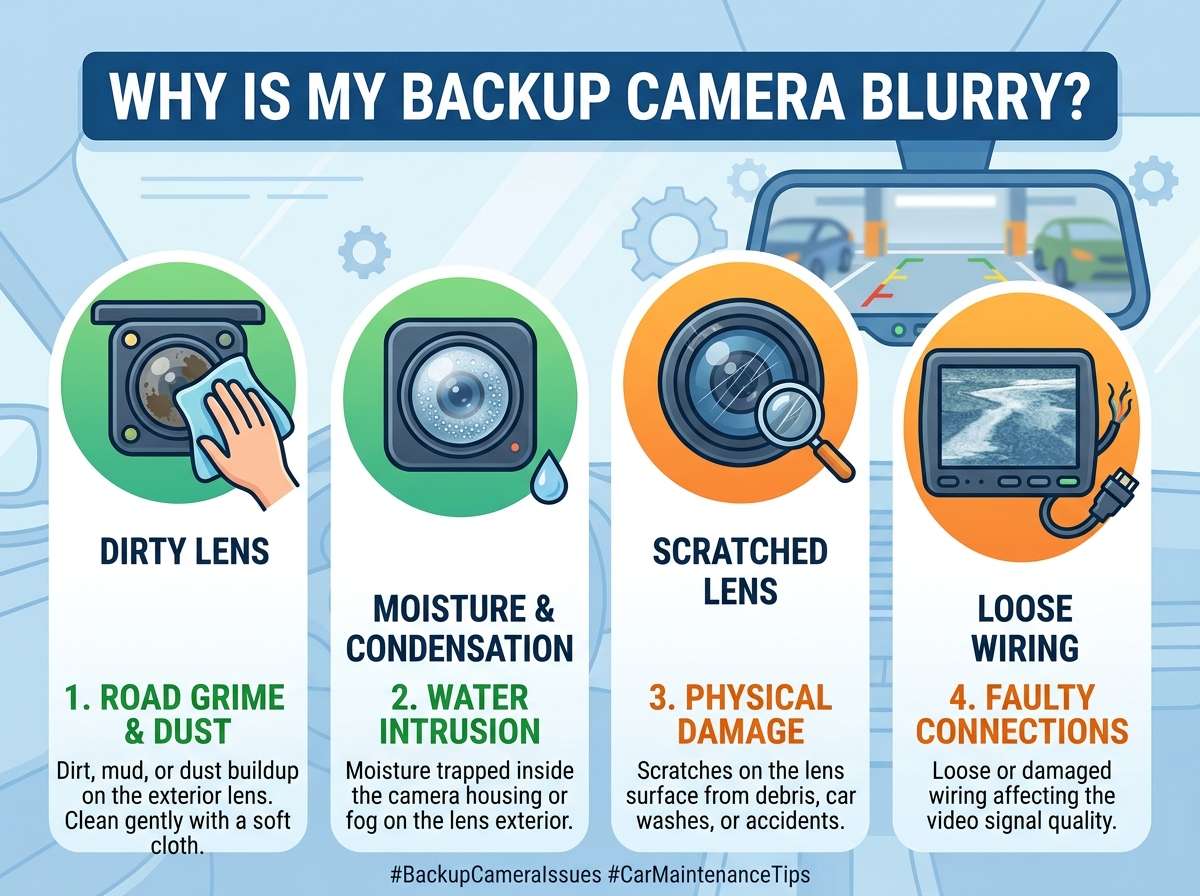
The fastest way to ruin your backup camera feed is to let the lens get covered in grime. Your backup camera sits right at the rear of your vehicle, exposed to dirt, mud, rain, salt spray, and bird droppings. Over time, a thin film of dirt builds up on the lens.
When you put your car in reverse, you see what appears to be a blurry or hazy image. The problem isn’t with the camera’s electronic sensors. Instead, you’re looking through a dirty window. This is the most common reason backup cameras fail to deliver sharp images.
The lens is typically very small, sometimes no larger than a pencil eraser. Even a light coating of dust or grime is enough to scatter light and blur the entire image. Road salt and moisture can also create a film on the lens that reduces contrast and clarity.
Condensation Forms Inside the Camera Housing
Moisture inside the backup camera is sneaky. Your camera has a lens and electronic components sealed inside a protective housing. When temperature changes happen rapidly, condensation can form on the inside of that lens.
This typically happens after you wash your car or park it overnight when temperatures drop significantly. The moisture gets trapped inside the sealed unit. As light tries to pass through the lens, it hits these water droplets, causing the image to look foggy or out of focus.
Unlike dirt on the outside, you can’t simply wipe away internal condensation. However, it usually clears up as the camera warms up and the moisture evaporates. If condensation keeps coming back regularly, it means moisture is entering your camera housing, and you may need to check the camera’s seals.
Incorrect Focus or Autofocus Not Working Properly
Some backup cameras have autofocus features similar to smartphone cameras. The camera’s electronics automatically adjust the focus to show the clearest picture of what’s behind you. When the autofocus system malfunctions, everything looks blurry.
Autofocus systems rely on sensors and electronic controls to work smoothly. If these components develop issues, the camera stays stuck at the wrong focus distance. You might see a sharp image of something 10 feet away while everything closer or farther is out of focus.
Budget backup cameras sometimes have fixed focus systems that work best at certain distances. If your camera is set to focus at 6 feet but you need to see objects 15 feet away, the image will appear blurry for objects at that distance.
The Camera’s Image Sensor Needs Cleaning
Deep inside your backup camera sits an image sensor that captures light and turns it into the video you see on your display. If this sensor accumulates dust or debris, the image quality degrades significantly.
This is different from cleaning the outside lens. The image sensor sits behind the lens inside the sealed housing. Dust particles on the sensor create spots or overall haze in your image. The more dust accumulates, the blurrier and less clear your backup camera feed becomes.
You typically can’t clean the image sensor yourself without taking the camera apart. This is a professional job if you decide to go that route.
Wiring Problems and Loose Connections
Sometimes the blur isn’t actually a lens problem at all. Loose electrical connections between your backup camera and the display screen can cause image quality issues that look like blur.
Your backup camera connects to the display through a video cable. This cable carries the signal from the camera to your screen. If the connection is loose, corroded, or damaged, the signal becomes weak or distorted. A weak signal displays as a blurry or pixelated image on your screen.
Check where the camera cable connects to your camera unit and where it connects to your display. If corrosion has formed on the metal connectors, this reduces the quality of the signal being transmitted.
The Display Screen Itself Might Have Issues
Here’s something people often overlook: sometimes your backup camera is working perfectly fine, but your display screen has the problem.
If the display resolution is low or the screen is damaged, the backup camera feed can look blurry even if the camera itself is crystal clear. Your display screen might have a crack, pixel damage, or simply be an older, lower-resolution screen with poor image quality.
To test this, look at other things displayed on that same screen. If movies, photos, and other images also look blurry or low quality, the issue is probably your display, not your backup camera.
Lens Fogging in Cold or Humid Weather
Cold weather brings a special challenge for backup cameras. When you go from a warm garage to freezing temperatures outside, the lens temperature drops rapidly. This can cause the glass lens to fog up internally, similar to your car’s windows fogging up.
Humid climates present an ongoing challenge. If you live near the ocean or in an area with high humidity, moisture constantly tries to enter your camera housing. Over time, the seals that keep moisture out wear down.
The lens fogging issue is temporary in most cases. As your camera warms up, the fogging clears. But if fogging happens every time you go outside in cold weather, your camera’s seals are likely compromised.
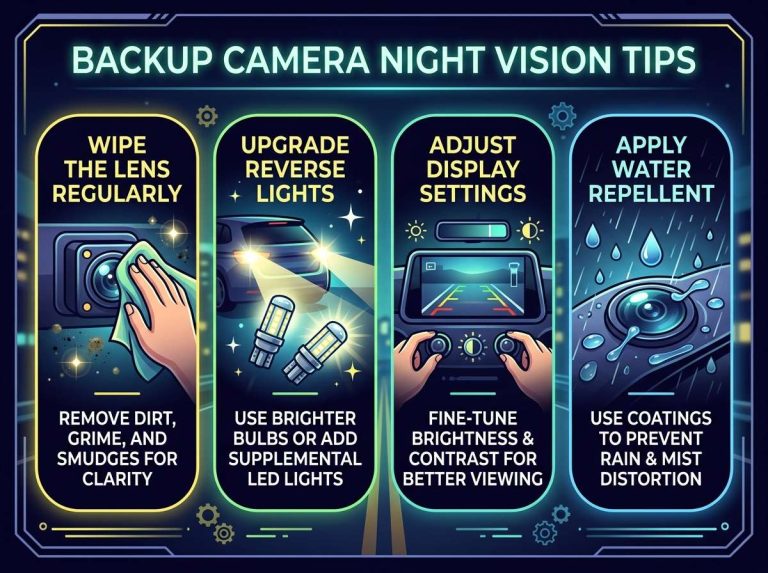
Poor Night Vision or Low Light Performance
Some backup cameras struggle to produce clear images in low light conditions. This is especially noticeable at night or in dimly lit areas like covered parking structures.
The camera sensor might have low sensitivity to light, meaning it doesn’t capture as much light information as better-quality cameras. The camera compensates by increasing digital gain, which amplifies the signal but also amplifies noise. The result is a grainy or blurry image.
This is more of a limitation issue than a malfunction. Budget backup cameras often have poor night vision performance.
Diagnosing the Exact Cause of Your Blurry Backup Camera
Before you spend money fixing your backup camera, let’s figure out exactly what’s wrong with it. Some simple tests will help you pinpoint the issue.
Start With a Visual Inspection
Put on your cleaning gloves and walk around to the back of your car. Take a close look at the backup camera lens. Is it visibly dirty, smudged, or covered in a film?
Use a soft, lint-free cloth to gently clean the lens. Don’t use rough materials that might scratch the glass. Use distilled water if tap water leaves spots. Once you’ve cleaned the lens, put your car in reverse and see if the image is clearer.
If cleaning the lens works, you’ve found your problem. You may need to clean it regularly, especially if you drive in dirty conditions.
Check for Condensation
If the image looks foggy right after you wash your car or after a cold night, condensation is likely the cause. Don’t clean the lens if it’s foggy from inside. Instead, let your car warm up and run the backup camera for a few minutes.
Park your car in sunlight or a warm area for 15 to 30 minutes. The internal condensation should evaporate naturally. If the blur disappears after warming up, you know condensation was the problem.
If condensation keeps happening repeatedly, note when it occurs. This tells you something about how moisture is entering your camera system.
Test the Display Screen
Put your car in reverse and look at the backup camera image. Now switch to another camera view or the navigation system on the same screen. How does that look?
If other functions on your display look clear and sharp, your backup camera itself has the blur issue. If everything on that display screen looks blurry or low quality, the problem is likely your display screen, not the camera.
Inspect the Camera Cable Connections
If you’re handy with cars, you can check the cable connections. Locate where your backup camera cable connects to the camera unit, usually at the very back of your vehicle. Look for corrosion on the metal connectors.
Also find where the camera cable connects to your display screen or head unit. Gently disconnect and reconnect the cable. Sometimes a loose connection is all that’s causing your blur issues. Corrosion can be carefully cleaned with electrical contact cleaner.
Listen for Buzzing or Grinding Sounds
Some backup cameras have autofocus motors. If you hear buzzing or grinding sounds coming from the camera area, the autofocus mechanism might be struggling or failing.
This kind of mechanical failure typically requires camera replacement rather than cleaning.
How to Fix Your Blurry Backup Camera
Once you know what’s causing the blur, here are the fixes for each situation.
Cleaning the Backup Camera Lens
This is the easiest fix and works for most people. Here’s how to do it safely:
First, turn off your car. You don’t want the camera powering on while you’re working on it.
Use a dry, soft microfiber cloth, similar to what you’d use to clean eyeglasses. Gently wipe the lens in circular motions. Don’t press hard.
If dry wiping doesn’t remove all the grime, use distilled water on the cloth. Distilled water won’t leave mineral deposits like tap water does. Wipe the lens again with a dry cloth afterward.
For stubborn dirt or salt deposits, use a specialized lens cleaning solution made for camera lenses. Apply it to your cloth, not directly to the lens. Avoid getting liquid into the camera housing.
Some people use compressed air to blow away loose debris first. Hold the can upright and use short bursts. Don’t shake the can or use it at extreme angles, as this can spray liquid.
Dealing With Condensation
If condensation is your only issue, the fix is waiting. Run your car’s heater and let the vehicle warm up for 15 to 30 minutes. The internal condensation will evaporate.
Prevent future condensation by keeping your camera clean and checking that the camera housing isn’t cracked. A cracked housing allows moisture inside.
If you wash your car, be careful not to spray water directly at the camera with high pressure. This can force water into the housing.
In humid climates, consider parking your car in a garage overnight. This reduces temperature changes that trigger condensation.
Replacing a Faulty Backup Camera
If cleaning and basic maintenance don’t fix the blur, your camera might need replacement. This is the right choice if your camera has mechanical damage, if the image sensor is defective, or if the autofocus mechanism has failed.
Backup camera replacement costs vary widely. Aftermarket cameras start around $50 to $150. Factory replacement cameras from dealerships cost more, often $200 to $400 plus installation labor.
Many car owners choose aftermarket backup cameras because they offer good quality at a lower price. Installation requires running a power cable from your rear light assembly and a video cable from the camera to your display head unit. This usually takes 1 to 2 hours and costs $100 to $200 in labor if you use a professional installer.
Fixing Loose Connections
If your camera cable is loose, carefully disconnect it and reconnect it firmly. Ensure the connector is fully seated with no pins exposed.
For corrosion, use electrical contact cleaner. Spray it onto the corroded connector and wipe with a dry cloth. Let it dry fully before reconnecting.
If the cable itself is damaged, you’ll need to replace the cable. This involves running a new cable from the camera to your display, similar to the replacement process.
Upgrading to a Higher Quality Camera
If you’ve cleaned your camera and it’s still not as clear as you’d like, your current camera might just be low quality. Budget backup cameras have inherent limitations in image clarity and night vision performance.
Upgrading to a higher-quality camera or a camera with built-in infrared night vision can significantly improve your backup view. Modern backup cameras offer HD resolution, wider viewing angles, and much better low-light performance.
This is an investment fix rather than a repair fix, but if you drive frequently and reversing safely is important to you, the improvement is worth considering.
Preventing Future Backup Camera Problems
A little prevention saves you from frustration and expense later. Here’s how to keep your backup camera working at its best.
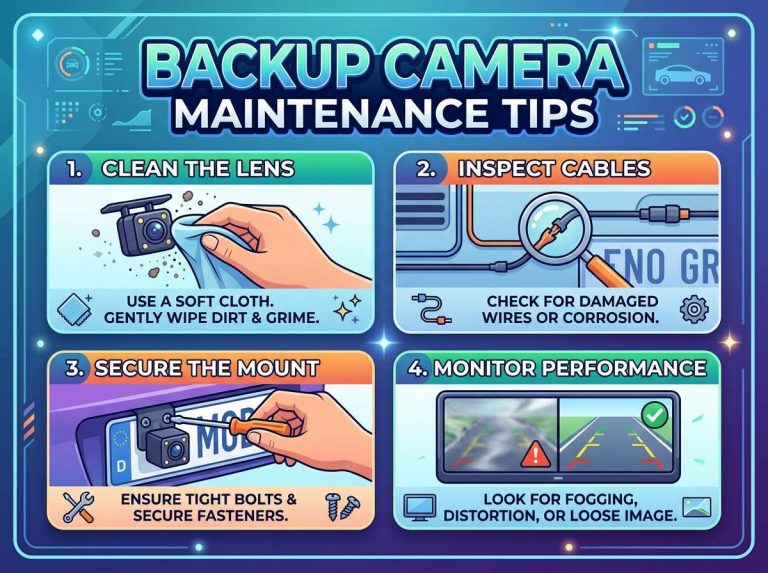
Clean Your Camera Lens Regularly
Make it part of your regular car maintenance routine. Every month or so, check the backup camera lens and clean it if needed. In winter or dirty driving conditions, clean it more frequently.
This simple habit prevents dirt buildup and keeps your image clear. It takes just 30 seconds.
Park Carefully to Avoid Impacts
Your backup camera is mounted on your bumper or tailgate. Avoid low-clearance parking situations or backing into tight spots where the camera might get bumped or damaged.
Impacts damage the camera mechanically and can crack the lens or housing. Even small cracks allow water inside.
Wash Your Car Gently
When washing your car, don’t aim a high-pressure spray directly at the camera. Use a gentle flow of water from a regular hose.
Similarly, automatic car washes sometimes aim spray at the camera. Consider hand washing or using touchless car washes to reduce water pressure on your camera.
Check Connections Annually
Every year or so, do a quick inspection of your backup camera cable connections. Look for corrosion and ensure cables are fully connected.
This catches connection issues before they become bad enough to notice in your images.
Invest in Quality From the Start
If you’re buying a new backup camera, don’t just go for the cheapest option. A slightly more expensive, higher-quality camera will serve you better long term.
Quality backup cameras have better seals to keep moisture out. They have more sensitive image sensors for clearer images. They last longer and provide better performance in all conditions.
What to Expect From a Well-Functioning Backup Camera
Now that we’ve talked about what goes wrong, let’s clarify what a properly working backup camera should look like.
A good backup camera shows a clear, bright image with sharp focus. You should be able to see obstacles like curbs, bollards, and other vehicles with detail. The view should include enough width to see what’s immediately to the side of your vehicle as well as directly behind.
In normal daylight conditions, the image should be noise-free and not washed out. The color should be accurate.
In low light, the image might be darker but should still be discernible and not overly grainy.
A backup camera isn’t meant to work perfectly in pitch darkness, but it should help you navigate even at night.
Backup Camera Technology Trends
Backup camera technology continues to improve. Modern cameras often feature:
Wider viewing angles that show more of the area behind your car. Traditional cameras show about 120 degrees. Newer models often show 150 to 180 degrees.
Integrated guide lines that appear on your display. These lines show you where your vehicle will travel based on your steering angle. Some systems use dynamic guide lines that move as you turn.
Night vision with infrared illumination. These cameras have built-in infrared LEDs that allow them to see in complete darkness without relying on visible light.
Multiple cameras that provide different perspectives. Some systems combine a backup camera with side-view and forward-view cameras for complete surround visibility.
Wireless connections that eliminate cable issues. Some newer backup cameras transmit their signal wirelessly rather than through a physical cable. This reduces wiring complexity and cable-related problems.
Processing and enhancement. Some systems use digital processing to enhance the image. They sharpen edges, adjust brightness automatically, and improve clarity.
Common Misconceptions About Backup Camera Blur
Let’s clear up some myths you might have heard about backup cameras.
Myth: Backup camera blur is always a sign the camera is broken.
Reality: Most of the time, a blurry backup camera can be fixed with simple cleaning or troubleshooting. Complete camera failure is less common than lens contamination.
Myth: You need to replace your entire head unit if the camera looks blurry.
Reality: The display head unit is rarely the problem. Usually, it’s the camera lens or connections. Replacing just the camera is much cheaper.
Myth: All backup cameras will eventually get blurry.
Reality: A well-maintained backup camera can stay clear for the life of your vehicle. Regular cleaning and careful washing prevent most issues.
Myth: Expensive backup cameras never get blurry.
Reality: Even premium backup cameras can collect dirt or develop condensation. The difference is that better cameras have superior seals and image quality that helps them perform better even when slightly dirty.
Final Thoughts
A blurry backup camera is usually not a major repair situation. Start by cleaning the lens, which solves the problem in most cases. If cleaning doesn’t help, work through the other troubleshooting steps to identify the real issue.
Pay attention to when the blur happens. Does it occur immediately after washing your car? That points to condensation. Does it happen in low light? That might be a camera quality issue. Does the blur appear suddenly in one location? That could indicate a loose connection.
Regular maintenance prevents most backup camera problems. Clean your lens monthly, check your connections yearly, and wash your car gently to protect your camera.
A clear backup camera is too important for safety to ignore. Whether you fix it yourself with cleaning or invest in a new camera, making sure your backup view is sharp pays for itself in confidence and safety every time you reverse. Your backup camera should help you park and reverse with clarity and peace of mind.

Peterson is an automotive safety enthusiast and product reviewer with a passion for helping drivers stay safe on the road. He researches and tests dash cams, backup cameras, TPMS systems, emergency tools, GPS trackers, and other vehicle safety products to provide honest, practical recommendations. Through CarSafeties.com, Peterson shares in-depth reviews, buying guides, and maintenance tips to help drivers make smarter and safer decisions.