Backup Camera Not Working After Car Wash
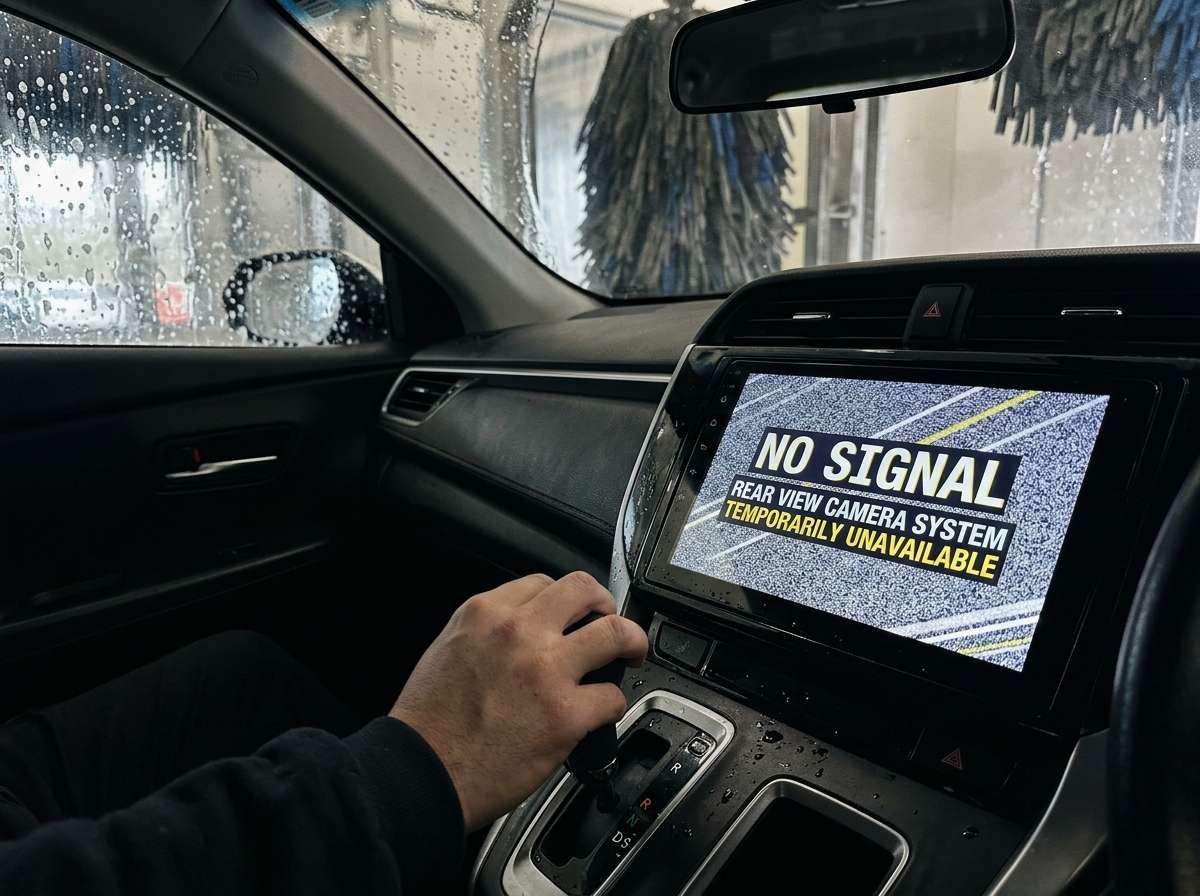
Your backup camera was working fine. You took your car through a car wash. Now it’s dead. You back up and nothing shows on your screen. No image. No grid lines. Just darkness. This happens more than you think, and the good news is that it’s usually fixable.
In this article
Let’s talk about why your backup camera stops working after a wash and how you can get it running again.
Why Your Backup Camera Dies at the Car Wash
Water is the enemy of electronics. Your car’s backup camera system has sensitive parts that don’t like moisture. When you run your car through an automatic wash, water hits your vehicle from every angle at high pressure.
The camera itself sits at the back of your car. It’s exposed. Water can get into the lens, the connector, or the wiring. A car wash shoots water with serious force. That pressure can push water into tiny gaps around your camera.
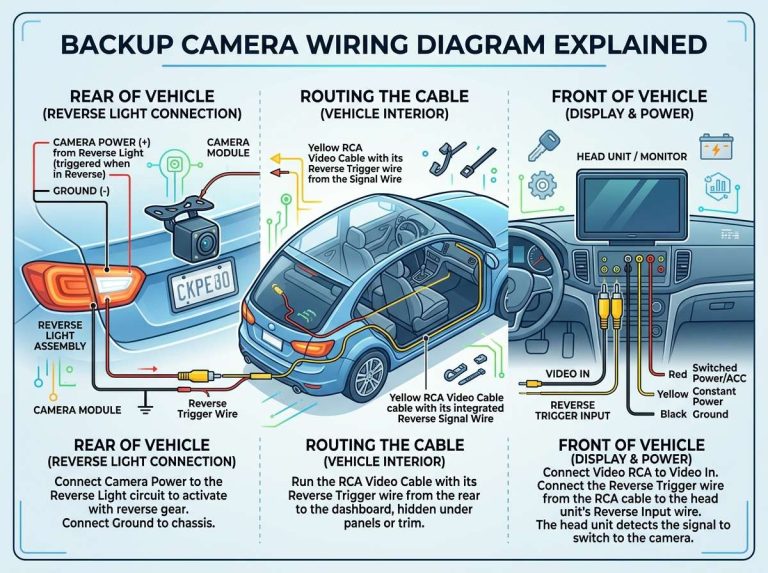
Your backup camera needs an electrical connection to work. This connection runs from the camera to a control module. The wires travel through your vehicle. When water enters these connections, it creates problems.
The connector might get wet. Wet connectors don’t transmit electrical signals well. The water blocks the connection or causes corrosion. Corrosion is rust forming on the metal parts. Rust stops electricity from flowing through.
Some cameras have sealed connectors. Others don’t. Older cars have cameras with less protection. Newer vehicles often have better seals. But even new cars can have issues if water gets into the right spot.
The Most Common Cause: Water in the Connector
The connector is usually the culprit. Your backup camera has a connector where the wiring attaches. This connector sits somewhere on your car. It might be under the bumper, inside the trunk, or mounted to the camera itself.
These connectors have a rubber seal. The seal keeps water out. But it’s not perfect. High-pressure water can slip past the seal. Once water gets inside, the metal contacts get wet.
The camera sends a video signal through this connector. If water disrupts the signal, you get no picture. You might see a black screen. You might see a freezing image. You might see nothing at all.
The good news is that water in the connector is usually temporary. As the connector dries out, it often works again. You don’t need to buy a new camera. You just need patience.
Water Inside the Camera Lens
Sometimes water gets directly into the lens. This is less common but it happens. When water sits on the glass lens, it distorts the image. You might see a foggy picture. You might see a blurry feed. You might see nothing.
The lens has a small rubber gasket around it. This gasket prevents water from entering. But pressure from a car wash can force water past this seal. Once inside, water sits between the glass and the sensor.
The sensor is the part that captures the image. If water blocks it, there’s no signal to send to your screen. Your backup camera becomes useless.
Fortunately, your lens will dry out. Water evaporates. As it leaves, your camera will start working again. This can take hours or days. Don’t panic if it doesn’t work right away after a wash.
Damaged Camera Wiring
The wires running to your backup camera are another weak point. These wires connect the camera to your car’s electrical system and display screen. They have plastic insulation. The insulation protects the wire metal inside.
A car wash doesn’t usually damage the insulation. But it can push water into weak spots. If the insulation has a tiny crack, water can get inside. Wet wires cause shorts or bad connections.
A short circuit is when electricity flows where it shouldn’t. Your car’s computer might turn off your backup camera to protect itself. You’ll get no image until the system resets.
Most wires run through protected areas under your car. But some wires are exposed. Water can sit on these exposed wires for hours or days. As time passes, corrosion builds up.
Control Module Issues
Your backup camera connects to a control module. This is a computer box that processes the camera signal. When you put your car in reverse, the control module receives a signal. It then tells your screen to display the backup camera feed.
Water can damage this control module too. If water gets into the module, it can cause electrical problems. The module might stop working entirely. Or it might work only sometimes.
The control module usually sits inside your car, under the dashboard or in the trunk. It’s more protected than the camera. But water can still reach it if it enters through openings in your vehicle.
What You Should Do First
Your backup camera just stopped working. What now? Don’t panic. Follow these steps.
First, turn off your car. Let it sit for a while. Your vehicle’s electrical system draws power from the battery. Water and electricity don’t mix well when current is flowing. Turn off the power and give the wet parts time to dry.
Second, open your trunk. Leave it open. Air circulation helps moisture evaporate. Don’t close it back up for at least an hour. Two hours is even better. If you can leave it open overnight, do it.
Third, check your backup camera lens. Walk to the back of your car and look at the camera. Is there visible condensation on the lens? Is it fogged up? This tells you that water got into or onto the lens area. That’s normal after a car wash.
Fourth, check the connector. You’ll need to locate where the camera wires connect. For most cars, this is under the bumper. You might need to remove a plastic cover. Look for a black plug where wires meet. Is it wet? Does it have water droplets? If yes, you found the problem.
Don’t try to dry it yourself yet. Just observe. Let the car air dry naturally first.
Drying Out Your Backup Camera System
If you identified water in the connector or on the lens, help it dry. Open your trunk and leave it open. This lets air flow around the wet parts. Air circulation speeds up evaporation.
You can also park your car in the sun. The sun’s heat helps water evaporate. Direct sunlight on your trunk area is ideal. Park there for a few hours.
Some people use a hair dryer. You can point a hair dryer at the connector or lens. Use low heat. High heat might damage components. Aim the warm air at the wet area for five to ten minutes. Stop before it gets hot to the touch.
Don’t use high heat or compressed air. Compressed air can push water deeper into components. High heat can crack delicate parts like the lens.
The waiting method works best. Just let time do the job. Water evaporates naturally. Within a few hours to a full day, your camera should work again. Many people find their camera working normally the next morning.
When Water Damage Is Permanent
Sometimes the damage is done. Your backup camera doesn’t work even after drying. What does this mean?
Permanent damage happens when water causes corrosion. Corrosion eats into the metal contacts. Once the metal is damaged, the connection doesn’t work. Water also can fry electronic components inside the camera or control module.
You’ll know there’s permanent damage if your camera doesn’t work after sitting for a full day with the trunk open. If it doesn’t work after air drying overnight, something is broken.
Permanent damage also shows up as distorted images that don’t improve. You might see lines on the screen. You might see flickering. These are signs of electrical damage that won’t fix itself.
If you suspect permanent damage, don’t try to fix it yourself. Your car’s backup camera system is complex. The wiring runs through your vehicle. The control module sits in a specific location. Getting it wrong can damage other parts.
Replacing Your Backup Camera
If your camera is truly broken, you’ll need a new one. Backup camera replacement is doable for many car owners.
Your first step is finding the right camera for your car. Backup cameras are not one-size-fits-all. Your car has a specific camera model. It fits your bumper. It works with your display system.
Check your car’s manual. The manual lists the camera model. You can also visit an auto parts store. Tell them your car’s year, make, and model. They’ll find the right camera for you.
Backup cameras cost between thirty dollars and three hundred dollars. The price depends on your car brand. Luxury cars have expensive cameras. Basic cars have cheaper options.
You have two choices: OEM or aftermarket. OEM cameras are made by the car manufacturer. They’re usually more expensive. But they guarantee perfect fit and function.
Aftermarket cameras are made by other companies. They’re cheaper. They work well with most cars. But compatibility varies. Make sure the aftermarket camera works with your specific vehicle.
Installing a New Backup Camera
Installing a new camera is an intermediate task. You’ll need basic tools. A screwdriver, a small wrench, and maybe a trim removal tool are all you need.
Start by removing the old camera. Most cameras attach with two or three bolts under the bumper. You might need to remove a plastic trim piece first. Take off the bolts and slide out the old camera.
Disconnect the electrical connector. It simply unplugs. You might need to press a small clip to release it.
Now install the new camera. Align it the same way the old one sat. Bolt it in place. Reconnect the electrical connector. Push it in until it clicks.
Test your camera before you reassemble everything. Put your car in reverse. Check your screen. Does the image show? Is it clear? Good. Now reassemble any trim pieces.
The whole job takes about thirty minutes. It’s not difficult. Even someone with no experience can do it.
DIY Fixes Before Replacing Your Camera
Before you buy a new camera, try some fixes. These are simple steps that might work.
Check Your Fuse
Your backup camera runs on power from your car’s electrical system. The power comes through a fuse. A blown fuse stops the camera from working.
Look in your car’s fuse box. The manual shows you where it is. Find the backup camera fuse. The manual lists which one it is. Pull it out and look at it. The metal strip inside should be intact. If it’s broken, the fuse is blown.
Buy a new fuse of the same size. Fuses cost about a dollar. Push the new fuse in. Test your camera again. If a fuse blows again, something is drawing too much power. Don’t keep replacing it. Get professional help.
Disconnect and Reconnect the Camera
Sometimes a loose connection is the issue. Water might not have caused permanent damage. The connector just lost contact.
Locate your camera’s connector under the bumper. Unplug it. Count to thirty while it’s unplugged. This clears any electrical charge.
Plug it back in firmly. Make sure it clicks into place. Test the camera. Does it work now?
Check the Control Module Connections
Your control module also has connectors. These are under your dashboard or in your trunk. Follow your manual to find the module.
Look at the connectors on the module. Are they wet? Are they clean? Gently unplug each connector and plug it back in. Make sure they seat properly.
Test your camera. It might work now.
Inspect Your Screen Connection
Your backup camera connects to your screen. The screen sits in your dashboard. Behind the screen are connectors. These connectors can get wet too.
You’ll need to remove your screen. This is more complex than checking the camera connector. If you’re not comfortable with this, skip it. Get professional help.
When to Call a Professional
Some backup camera problems are beyond DIY fixes. Know when to call a mechanic.
Call a professional if water got into your control module. The control module is complex. It controls other car systems too. Damaging it can cause bigger problems.
Call a professional if you found water but drying didn’t help. Something is damaged. Finding the exact problem requires diagnostic equipment.
Call a professional if you tried the fixes and nothing worked. Your mechanic has tools to test each component. They can pinpoint exactly what’s broken.
Call a professional if you don’t feel comfortable removing trim pieces or connectors. Breaking plastic trim is easy. Once broken, it’s expensive to replace.
A mechanic charges for diagnosis. Expect to pay fifty to one hundred dollars for them to find the problem. Knowing what’s broken helps you decide if fixing it is worth the cost.
Prevention: Keeping Your Camera Safe
The best solution is prevention. Here’s how to protect your backup camera from water damage.
Use a Touchless Car Wash
Touchless washes use high-pressure water only. They don’t have brushes. They’re gentler on your car’s exterior. Your backup camera gets less pressure exposure. Water is less likely to force its way into connectors.
Hand washes are even better. They use lower pressure. But touchless washes are the next best thing.
Avoid High-Pressure Spray
If you’re using a pressure washer, keep it away from your backup camera. Don’t spray directly at the bumper. Spray the sides and top of your car instead. Keep the pressure at a medium level.
When someone else washes your car, tell them to avoid high-pressure spray at the bumper area. They might not realize the risks.
Seal Connectors
You can apply waterproof sealant to your camera connector. This adds extra protection. Use dielectric grease. It’s designed for automotive electrical connections.
Apply it to the connector before a wash. The grease creates a water-resistant barrier. It won’t hurt your camera. It helps prevent water from entering.
Park Smart
After a car wash, park with your trunk open or slightly ajar. This helps excess water drain. It also allows air to circulate and dry out any moisture. Don’t close the trunk for an hour or two after a wash.
Check Your Camera Regularly
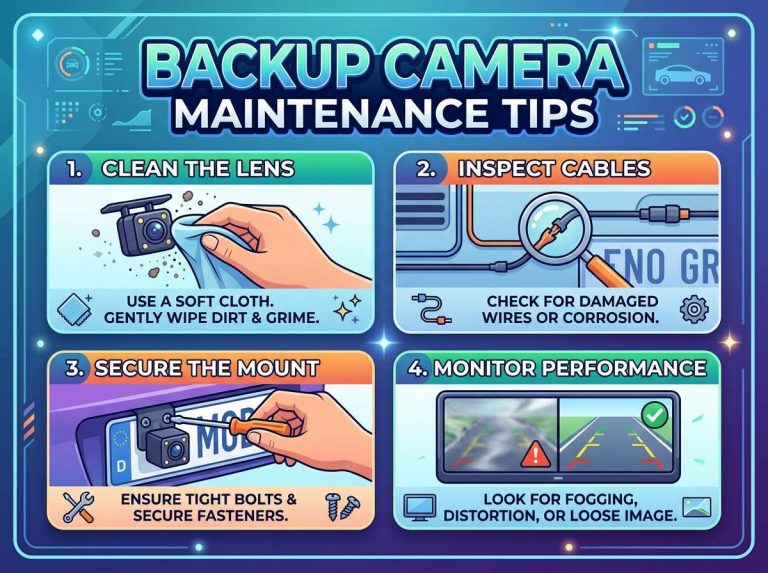
Every month, do a quick visual inspection. Look at your backup camera lens. Is it clean? Is there any corrosion around the connector? Catching problems early saves headaches later.
What Happens If You Ignore the Problem
Ignoring a broken backup camera is risky. Your backup camera helps you see obstacles behind your car. When backing up, you can’t always see what’s behind you. Your backup camera fills that gap.
Without it, you’re more likely to hit something. You might hit another car. You might hit a person. You might hit a parking bollard or sign. Even a small accident costs money to fix.
Legally, you’re also at risk. If you hit something and you ignored a non-functioning backup camera, you’re liable. Insurance might not cover the accident. The accident becomes your fault entirely.
Kids and pets are the biggest concern. Children sometimes stand directly behind cars. Pets walk close to vehicles. Your backup camera could save their lives. Don’t ignore a broken one.
Summary: Getting Your Camera Back
Your backup camera stopped working after a car wash. Here’s what you know now.
Water is the most likely cause. It gets into connectors, the lens, or the wiring. Drying things out often solves the problem. Leave your trunk open. Let air circulate. Wait a full day. Your camera usually comes back to life.
If drying doesn’t work, the damage is permanent. You’ll need to replace the camera or fix the underlying problem. A new camera is affordable. Installation is straightforward for most people.
Call a professional if you’re uncomfortable with DIY fixes. Mechanics can diagnose the exact issue. They can tell you if fixing it is worth the cost.
Prevent future problems by avoiding high-pressure washes near your camera. Use touchless car washes. Park smart after washing. Check your camera regularly.
Your backup camera is a safety feature. It protects you and the people around your car. Keep it in working order. If a car wash breaks it, now you know exactly what to do.
Don’t stress. Your backup camera will probably work again tomorrow. Give it time to dry. Check it in the morning. You’ll likely see that image back on your screen. If you don’t, now you have a plan.
Start with the simple fixes. Check your fuse. Reconnect your connectors. Wait a day. Most backup camera problems fix themselves. Only replace your camera if nothing else works. And remember: prevention is easier than repair.
Your backup camera is tougher than you think. A little water from a car wash might scare you, but it’s usually not the end of the line. Take a breath. Let it dry. Your camera will probably be back to normal soon.

Peterson is an automotive safety enthusiast and product reviewer with a passion for helping drivers stay safe on the road. He researches and tests dash cams, backup cameras, TPMS systems, emergency tools, GPS trackers, and other vehicle safety products to provide honest, practical recommendations. Through CarSafeties.com, Peterson shares in-depth reviews, buying guides, and maintenance tips to help drivers make smarter and safer decisions.