How To Clear Check Engine Light With OBD2
Many drivers feel uneasy when the check engine light appears on the dashboard. The good news is that you can learn how to clear the check engine light with an OBD2 tool without special training. This guide explains what the light means, how an OBD2 scanner works, and how to erase a stored code safely.
Clearing the light does not always fix the problem. This article covers safety tips, when to visit a mechanic, and how a simple scan compares with a full professional repair.
Key Takeaways
- The check engine light is a warning from your car’s computer that something needs attention.
- An OBD2 scanner reads stored codes and can clear them from the car’s computer.
- Clearing the code only turns the light off. It does not repair the underlying fault.
- A flashing light signals a more urgent problem, so stop driving and get help.
- Always read the code first, so you know what the warning is about before you erase it.
What the Check Engine Light Means
The check engine light is part of your car’s onboard diagnostic system. The computer monitors the engine, emissions controls and many sensors. When a reading falls outside its normal range, the computer stores a fault code and turns on the warning light.
The light does not name the failed part. A scanner reveals the stored code, which gives far more useful clues.
Why the Light Turns On
The light can come on for many reasons. Some are minor, such as a loose fuel cap. Others are more serious, such as a misfire, a failing oxygen sensor or a faulty catalytic converter.
Solid Light Versus Flashing Light
A solid light usually means the computer has found a fault that is not an immediate danger, but you should still check it soon. A flashing light often points to an engine misfire that can damage the catalytic converter.
If the light flashes, reduce your speed, avoid heavy acceleration and arrange a repair shop visit as soon as you can.
What Is an OBD2 Scanner?
OBD2 stands for On-Board Diagnostics, second generation. It is a standard system used in most cars sold in the United States since the mid-1990s and in many other markets. An OBD2 scanner is a small tool that talks to your car’s computer through this connection.
The scanner reads stored fault codes, shows live sensor data and clears codes once the problem is handled. Many beginners start with a basic model.
How an OBD2 Port Connects to Your Car
The OBD2 port is usually under the dashboard on the driver’s side. It has a 16-pin connector. You plug the scanner straight in, and no tools are needed.
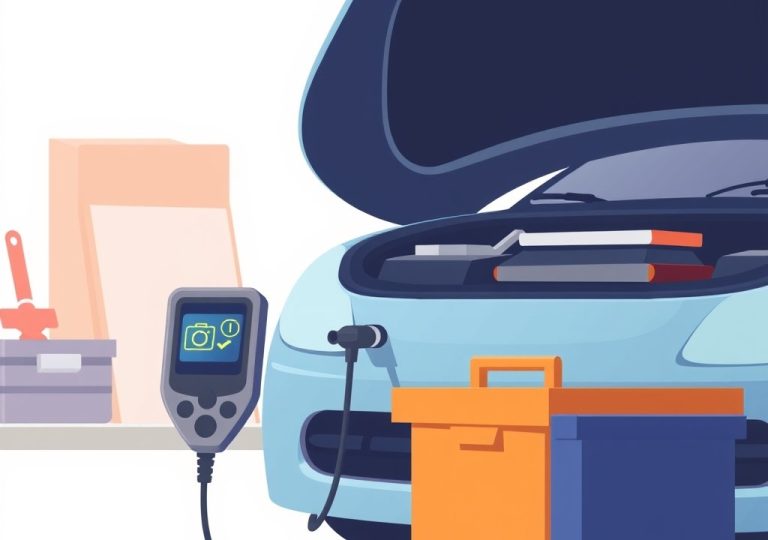
Once connected, the scanner powers up from the car and communicates with the engine computer. Most scanners show codes on a small screen or send them to a phone app.
Types of OBD2 Scanners for Beginners
Basic code readers are the simplest option. They show and clear codes, and they usually cost little. Bluetooth adapters pair with a smartphone app and display more detail on the phone.
Handheld scanners with larger screens offer extra features, such as live data. For reading and clearing codes, a simple code reader is often enough.
How to Clear a Check Engine Light with an OBD2 Scanner
Clearing the light is a short process once you know the steps. Read the code first, then erase it. Never skip the reading step.
Gather the Tools You Need
You need an OBD2 scanner with a display or a compatible smartphone app. Check the app requirements before you buy. Park somewhere safe with the engine off.
Read the Diagnostic Trouble Codes First
Diagnostic trouble codes, often called DTCs, are short combinations of letters and numbers. A code such as P0300 points to a random misfire, while P0420 relates to the catalytic converter. Write down every code before you erase anything.
A code shows where the computer detected a fault, not the exact cause. Looking up the code online helps you understand what it means.
Step-by-Step Guide to Erasing Codes
- Turn the ignition off and locate the OBD2 port under the dashboard.
- Plug the scanner firmly into the port.
- Turn the ignition to the on position without starting the engine.
- Pair the scanner with your app, if needed, and open the code reading function.
- Record each stored code and its description.
- Select the option to erase or clear the codes, then confirm.
- Turn the ignition off, wait a moment, and unplug the scanner.
Some scanners ask you to confirm twice before clearing. Read the on-screen prompts carefully.
Confirm the Light Stays Off After a Drive
Start the engine and check that the light is off. Then drive the car normally for a few days. Many cars need a full set of driving conditions before their monitors run again.
If the light returns, the fault is still present and the repair is still needed.
Why Clearing the Code Does Not Fix the Problem
Erasing a code removes the stored record and turns off the warning light. It does not repair the faulty part or system. If the condition returns, the computer records the fault again.
Clearing a code can still help after a confirmed repair. It shows if the problem is truly solved.
When the Light Comes Back
A returning light usually means the fault is still active. The computer checks each system during normal driving and stores a new code when a reading is still wrong. A repeat code is a clear sign to look deeper.
Write down the new code and compare it with the earlier one. Patterns help a mechanic find the real cause faster.
Common Causes Behind a Lit Warning Light
Many lit warning lights come from simple causes. A loose or damaged fuel cap is one common example. Worn spark plugs, a weak battery and a faulty oxygen sensor also trigger the light often.
Some causes are more costly, such as a failing catalytic converter. A professional can test each suspect part and confirm the real issue.
Safety Tips Before You Clear a Code
Safety comes first whenever you work near the engine or electrical system. Park on level ground, set the parking brake and keep the engine off while you plug in the scanner.
Never clear a code just to hide a problem before a long trip. A hidden fault can grow worse on the road.
When to Visit a Mechanic Instead
Visit a mechanic if the light flashes, the engine runs rough or the car loses power. Seek help quickly if you notice smoke, strange noises or a strong fuel smell. These signs point to a problem a scanner cannot fix.
A mechanic is also the better choice if the code points to a major system, since the repair may need special tools and training.
Steps to Avoid Losing Important Data
Before clearing codes, write down all codes, freeze frame data and notes about when the light appeared. Some scanners can save this data to a file or screenshot. Keep this record for the mechanic.
Clearing codes can also reset certain learned settings. The engine may idle or shift slightly differently for a short time while the computer relearns.
Clearing the Light Versus a Professional Repair
Doing the work yourself has clear benefits and limits. Weigh the costs, the risks and how urgent the problem seems before you decide.
Pros and Cons of Doing It Yourself
Doing it yourself can save time and money on simple faults. A basic scanner is a small purchase, and reading the code helps you understand the problem.
A scanner cannot test a part or confirm the cause. Clearing a code without a real fix can hide a growing fault. For a loose cap or a known minor issue, a home check is often sensible.
What a Mechanic Can Do That a Scanner Cannot
A mechanic can test parts directly and confirm the real cause. Many shops use advanced tools to read live data and run detailed tests. They can also complete the repair and check that it works.
A mechanic is usually the better choice for complex or safety-related faults. The extra cost often buys a more reliable result.
Frequently Asked Questions
Can I clear a check engine light without a scanner?
Some cars reset when you disconnect the battery for a short time. This method is less reliable and can erase other stored settings. A basic OBD2 scanner gives you more control.
Will clearing the code damage my car?
Clearing a code does not damage the car by itself. The risk comes from ignoring the fault behind it. Always read the code first and address the underlying problem.
Does disconnecting the battery clear the light?
In many cars, it can turn off the light. However, it may also reset radio presets and other settings. A scanner is usually a cleaner option.
Why did the light come back after I cleared it?
The light returns when the fault is still present. The computer checks systems during normal driving and stores a new code if a reading is still wrong. Read the new code and seek a proper repair.
Is a cheap OBD2 scanner good enough for beginners?
A basic code reader is often enough for reading and clearing codes. It suits simple checks and quick reference. For live data and deeper testing, a more advanced tool may help later.
Conclusion
Clearing the check engine light with OBD2 tools is a useful skill for any driver. Read the code first, write it down and then decide what to do next. Clearing the light only turns off the warning, so the real repair still matters. When the light flashes or the car behaves strangely, visit a mechanic promptly.

Peterson is an automotive safety enthusiast and product reviewer with a passion for helping drivers stay safe on the road. He researches and tests dash cams, backup cameras, TPMS systems, emergency tools, GPS trackers, and other vehicle safety products to provide honest, practical recommendations. Through CarSafeties.com, Peterson shares in-depth reviews, buying guides, and maintenance tips to help drivers make smarter and safer decisions.