Can OBD2 Scanners Damage a Car?
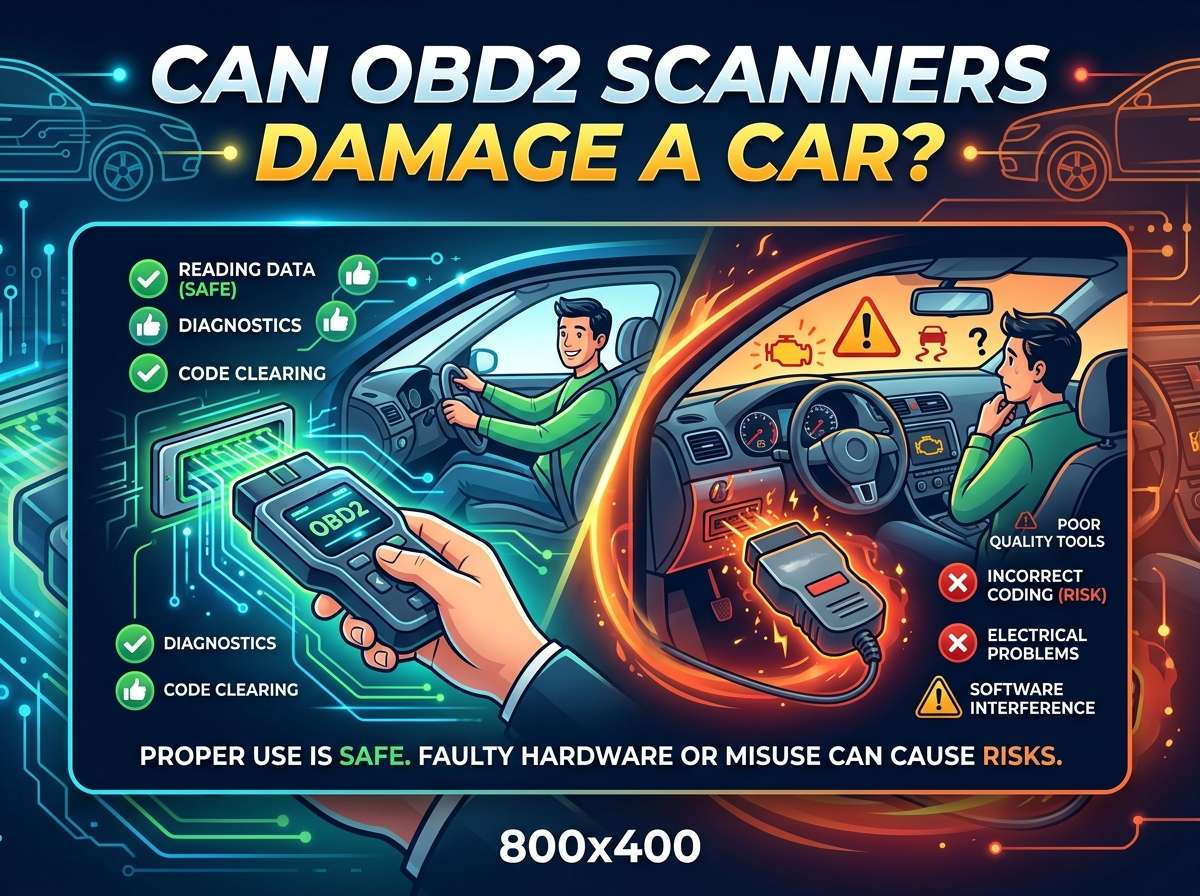
If you have ever held a small plastic device in your hand and wondered if plugging it into your car could break something, you are not alone. Many drivers feel a little nervous the first time they use an OBD2 scanner. The good news is simple: a normal OBD2 scanner will not damage your car when you use it the right way. These tools are built to read data, not to control your engine or mess with your car’s brain.
In this article
That said, there are a few small risks you should know about. This article walks you through how OBD2 scanners work, why they are safe in almost every case, and what mistakes could cause a problem. By the end, you will feel confident plugging one into your own car without any fear.
What Is an OBD2 Scanner and How Does It Work?
OBD2 stands for On-Board Diagnostics, second generation. Every car made after the mid-1990s has this system built in. It is basically a small computer network inside your vehicle that watches things like engine speed, oxygen levels, fuel mix, and dozens of other details.
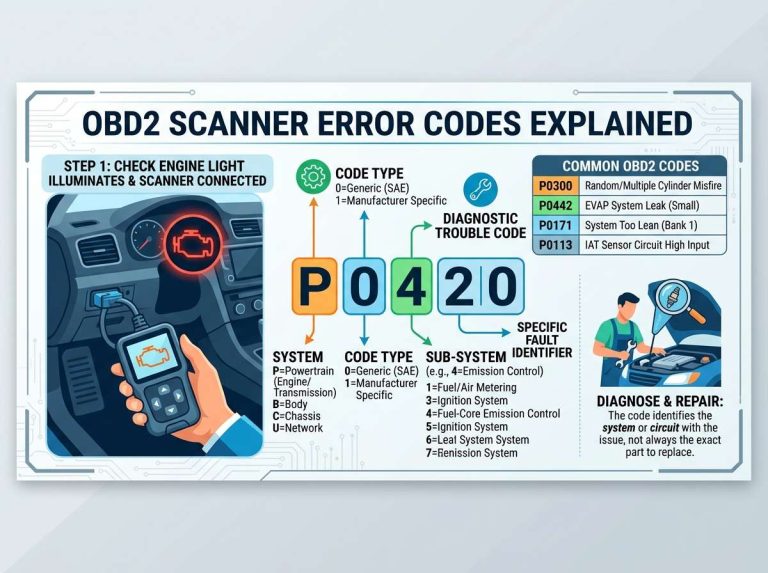
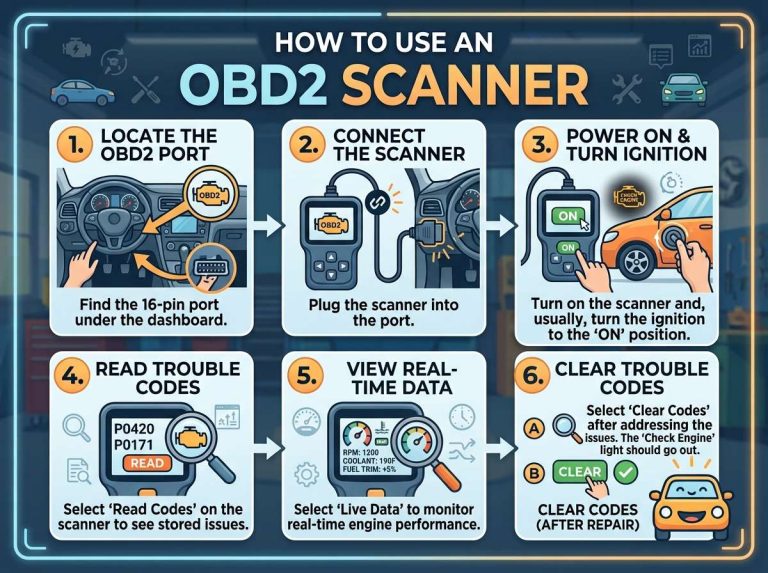
An OBD2 scanner is a handheld tool or a small device that plugs into a port under your dashboard. That port is usually easy to find, often near the steering wheel or under it. Once plugged in, the scanner talks to your car’s computer and pulls out information. It can show you trouble codes, live data like engine temperature, and sometimes even battery voltage.
Think of the scanner as a messenger. It asks your car’s computer a question, and the computer answers back. The scanner does not push commands into the engine or change how the car runs, unless you tell it to using specific functions built for that purpose.
Why OBD2 Scanners Are Generally Safe
The main reason these tools are safe is that they are designed to read data first. Basic and mid-range scanners mostly work in “read only” mode. This means they collect codes and information but do not send back any commands that could alter engine settings.
Car makers also build safety layers into the OBD2 system itself. The port and its wiring are protected against small power spikes, and the software on most scanners follows strict industry standards so it does not send strange or harmful signals to the car.
Millions of drivers, mechanics, and repair shops use these scanners every single day. If they caused frequent damage, garages would have stopped using them a long time ago. Instead, they are one of the most trusted tools in the auto repair world, right next to a torque wrench or a multimeter.
When Could an OBD2 Scanner Cause a Problem?
Even though these scanners are safe by design, a few situations can lead to trouble. None of these are common, but it helps to know about them so you can avoid them.
1. Plugging In or Unplugging While the Engine Is Running
Some scanners recommend that you plug them in before starting the engine, and unplug them only after turning the car off. Doing this while the engine runs is usually fine on most modern cars, but on older or more sensitive systems, sudden connection changes while the electrical system is active could cause a short glitch. It rarely damages anything permanently, but it can sometimes cause a temporary error code or make the dashboard flicker.
2. Using a Cheap or Poorly Made Scanner
Not every OBD2 scanner sold online is built with good quality parts. A cheaply made device with weak wiring or bad circuit protection could send an unstable electrical signal into your car’s system. This is rare, but it is one reason buying a scanner from a well known brand matters more than saving a few dollars.
3. Trying to Reprogram or Flash the Engine Control Unit
Basic scanners only read information. Advanced tools, sometimes used by professional technicians, can write new data into the engine control unit, also called the ECU. This process is called flashing or reprogramming. If someone without training tries this and the process gets interrupted, for example by a power loss or a software freeze, it can leave the ECU with incomplete data. That really can cause serious problems, sometimes even leaving the car unable to start.
For everyday drivers who just want to check codes or clear a warning light, this risk almost never applies, since most consumer scanners simply do not have this reprogramming feature turned on.
4. Low Car Battery During Scanning
If your car battery is weak or old, running a scan can sometimes cause a voltage drop. Low voltage during a data transfer might cause the scan to fail or freeze halfway through. This does not usually harm the car itself, but it can create a confusing false code or an incomplete scan result. It is a smart idea to check your battery health before doing a long diagnostic session, especially in cold weather when batteries lose power faster.
5. Software Glitches or Compatibility Issues
Some scanners are not fully compatible with certain car brands or specific model years. When a scanner sends signals the car’s computer cannot process correctly, you might see a strange code pop up or a warning light blink oddly. In almost every case, this clears up once you disconnect the scanner and restart the car. It is rarely a sign of actual damage, just a temporary miscommunication between two systems.
Common Myths About OBD2 Scanners
There is a lot of misinformation floating around about these tools. Let’s clear up a few myths so you can scan your car with peace of mind.
Myth: Scanning drains your car battery completely. Truth: A scan uses a tiny bit of power, similar to leaving your radio on for a short time. It will not drain a healthy battery.
Myth: Clearing codes can hide a real problem forever. Truth: Clearing a code only resets the warning light. If the actual issue is still there, the code will return once the car detects the problem again.
Myth: All scanners can rewrite your engine settings. Truth: Only specialized professional tools have this ability, and it is locked behind extra steps most consumer scanners do not include.
Myth: Using a scanner voids your car’s warranty. Truth: Simply reading codes with a basic scanner does not void a warranty in most cases. Warranty problems usually come from unauthorized repairs or modifications, not from checking diagnostic data.
How to Use an OBD2 Scanner Safely
Here are some simple steps to keep your scanning session smooth and safe.
- Turn the ignition to the “on” position, but keep the engine off before plugging in the scanner for the first time.
- Push the connector in firmly until it clicks, so it does not wiggle loose during the scan.
- Follow the instructions on the scanner’s screen or app carefully, especially if it asks you to start the engine partway through.
- Avoid touching or removing the scanner while it is actively pulling data.
- Once finished, follow the steps to end the session properly before unplugging.
- Keep your scanner’s firmware updated if it connects to an app, since updates often fix small bugs that could cause connection errors.
Following these small habits keeps the process clean and lowers any tiny risk even further.
Signs Something Went Wrong (And What To Do)
In the rare case something feels off after using a scanner, here is what you might notice and how to handle it.
- Dashboard warning lights that were not there before: Turn the car off, wait a minute, then start it again. Many false lights clear on their own.
- Engine running rough right after unplugging: This is almost always unrelated to the scanner and more likely a coincidence tied to another issue.
- Scanner freezing mid-scan: Disconnect it, restart your car, and try again with a different cable if the problem repeats.
- Car not starting after a reprogramming attempt: This is the only scenario that could point to a real issue, and it is best handled by a professional shop since it usually needs specialized equipment to fix.
For basic code reading and clearing, none of these serious situations should happen. They are more tied to advanced reprogramming tools used incorrectly.
Choosing Between Basic and Advanced Scanners
There is a wide range of scanners on the market, from simple code readers under a low price point to professional-grade tools used in repair shops. Basic models are perfect for everyday drivers who just want to know why a warning light turned on. Mid-range scanners add live data streams, freeze frame information, and sometimes battery testing. Professional tools go even further, offering bi-directional communication that lets a trained technician send test commands to specific parts, like turning on a fan or opening a valve for testing purposes.
For most people, a basic or mid-range scanner covers everything needed without any of the risks tied to advanced reprogramming features. If you are a hobbyist who enjoys working on cars, a mid-range tool with live data tracking gives you a great balance of features and safety.
Why Mechanics Trust OBD2 Scanners Every Day
Repair shops rely on these tools constantly because they save time and give clear answers. Instead of guessing why a check engine light turned on, a mechanic plugs in a scanner and gets a code pointing to the exact system involved, such as the oxygen sensor, ignition coil, or fuel system. This turns a long guessing game into a short, focused repair job.
Because these tools are so widely used in professional settings, thousands of scans happen daily across garages, dealerships, and home garages. If scanning caused frequent harm, the entire auto repair industry would have moved away from it long ago. Instead, it remains one of the most reliable diagnostic methods available.
Tips for First-Time Users
If this is your first time using an OBD2 scanner, keep these easy tips in mind:
- Read the manual that comes with your specific scanner model, since steps can vary slightly between brands.
- Start with a simple task, like reading a stored code, before trying anything more advanced.
- Keep your phone or scanner app updated if it pairs wirelessly with your device.
- Write down any codes you see before clearing them, in case you want to look them up or share them with a mechanic later.
- Do not attempt reprogramming or flashing unless you fully understand the process and have proper training.
These small habits build good scanning habits that keep both you and your car safe.
Final Thoughts
An OBD2 scanner is one of the safest and most useful tools you can own as a driver. It reads information instead of pushing changes into your engine, and the risks tied to it are extremely rare and usually linked to reprogramming attempts rather than normal code reading. As long as you use a good quality scanner, follow simple safety steps, and stick to basic diagnostic functions, there is nothing to worry about.
Cars have relied on this diagnostic system for many years, and it continues to be trusted by home users and professional mechanics alike. So the next time that check engine light turns on, feel free to grab your scanner, plug it in with confidence, and get the answers you need without any fear of hurting your car.

Peterson is an automotive safety enthusiast and product reviewer with a passion for helping drivers stay safe on the road. He researches and tests dash cams, backup cameras, TPMS systems, emergency tools, GPS trackers, and other vehicle safety products to provide honest, practical recommendations. Through CarSafeties.com, Peterson shares in-depth reviews, buying guides, and maintenance tips to help drivers make smarter and safer decisions.