GPS Tracker Maintenance Guide
A GPS tracker is a small tool that does a big job. It watches over your car, your bike, your pet, or even your kids, and it sends you real-time location data so you always know where things are. But like any gadget, a GPS tracker needs care to keep working well. Skip the upkeep, and you might face dead batteries, weak signals, or a device that just stops reporting.
In this article
This guide walks you through every part of GPS tracker maintenance in plain, easy language. No tech jargon, no confusing steps. Just clear tips you can use today to keep your tracker healthy for years.
Why GPS Tracker Maintenance Matters
Some people think a tracker is a “set it and forget it” device. That’s a mistake. A tracker has moving parts (in a small way), a battery, wiring, and a signal chip that all need attention now and then.
When you skip maintenance, small problems turn into big ones. A loose wire can cause total signal loss. A weak battery can die at the worst possible moment. Dust and dirt can block the antenna and mess up your GPS accuracy.
Good care means:
- Better battery life
- Stronger, more reliable signal
- Fewer false alerts
- A longer lifespan for your device
- Peace of mind that your asset tracking actually works when you need it
Think of it like changing the oil in a car. Small, regular actions save you from big repair bills later.
Know Your Tracker Type First
Before you dive into maintenance steps, it helps to know what kind of tracker you own. There are a few common types, and each one has its own quirks.
Hardwired trackers connect straight to a vehicle’s battery. These are common in fleet management and car tracking systems. They pull power directly from the engine, so battery drain isn’t usually an issue.
Battery-powered trackers run on their own internal battery. These are popular for asset tracking, luggage, or personal use. Battery life varies a lot, from a few days to several months, depending on the model and how often it pings for location updates.
OBD port trackers plug into your car’s diagnostic port. They’re easy to install and remove, but they can pop loose if not seated right.
Pet and personal trackers are usually small, rechargeable, and clipped onto a collar or bag. These need frequent charging and gentle handling since they’re exposed to weather, movement, and rough conditions.
Once you know your tracker type, the maintenance steps below will make a lot more sense.
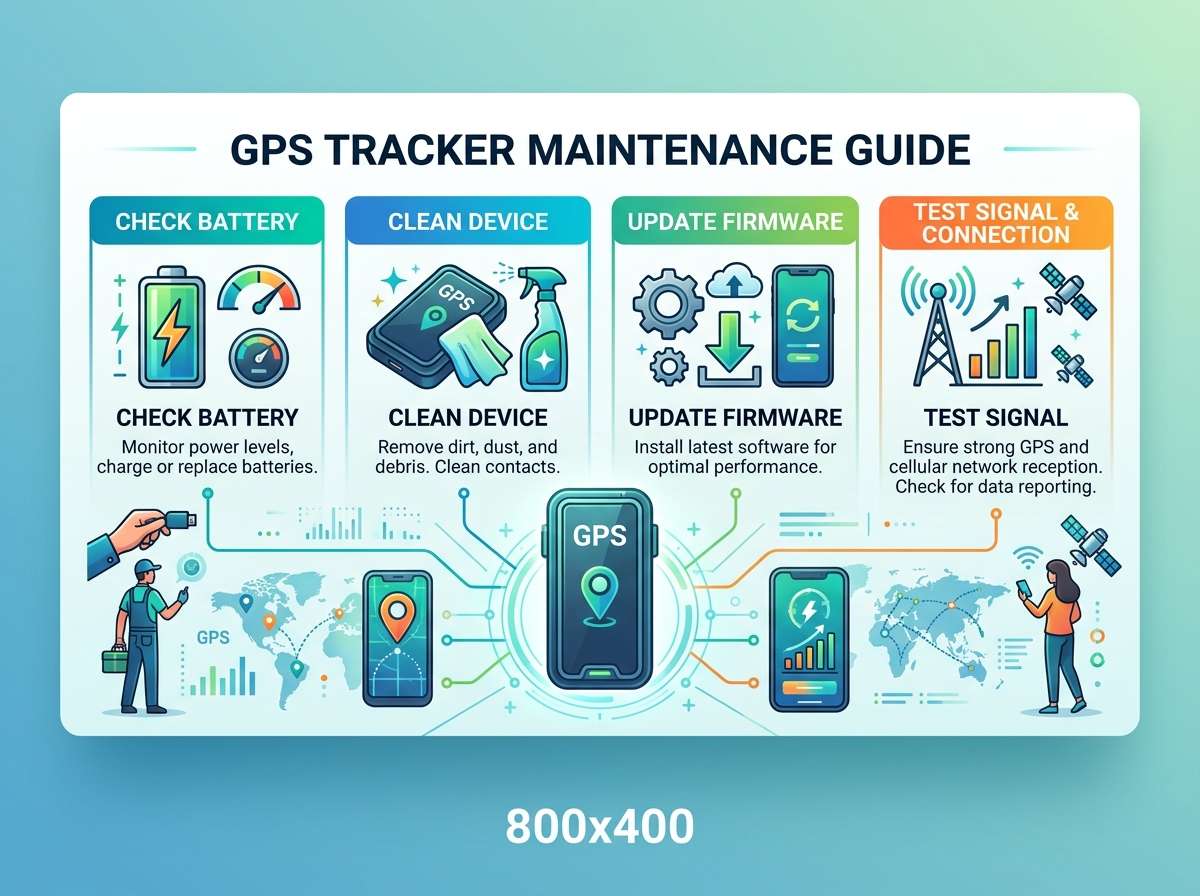
Check the Battery Regularly
Battery health is the number one reason trackers stop working. A dead battery means a dead signal, and that defeats the whole purpose of having a tracker.
Here’s how to stay on top of it:
- Check the battery level in the app or dashboard at least once a week for battery-powered units.
- Charge rechargeable trackers before they hit zero. Letting a lithium battery drain completely again and again shortens its lifespan.
- Store spare trackers with a partial charge, not a full one, if they’ll sit unused for a while. Full charges sitting idle can degrade battery cells faster.
- Replace old batteries once you notice the tracker dies much faster than it used to. This is a clear sign the battery has worn out.
- Avoid extreme heat. Leaving a tracker on a hot dashboard or in direct sunlight can shorten battery life fast.
If your tracker uses replaceable batteries (like coin cells), keep a small stock of fresh ones on hand. Cheap batteries often drain faster and leak more, so stick with trusted brands for anything you rely on for safety or vehicle tracking.
Keep the Device Clean
Dust, dirt, and moisture are silent enemies of any electronic device, and a GPS tracker is no exception.
- Wipe the outer shell with a soft, dry cloth. Avoid harsh chemicals that can damage the casing or seep into ports.
- For trackers mounted outdoors or under a vehicle, check for mud, grime, or corrosion buildup around the edges.
- Keep the antenna area free of debris, since even a thin layer of dirt can weaken the GPS signal.
- If your tracker isn’t waterproof, keep it away from rain, puddles, or heavy humidity. Water damage is one of the fastest ways to kill a tracker for good.
- Check connector ports for rust or dirt buildup, since a clogged port can cause charging issues or bad connections.
A five-minute wipe-down every couple of weeks goes a long way toward keeping the device in top shape.
Inspect Wiring and Connections
This step mostly applies to hardwired and OBD trackers. Loose wires or bad connections are a huge cause of tracking failures.
- Check that all wires are snug and not frayed or exposed.
- Make sure the OBD tracker is pushed all the way into the port. A loose fit can cause it to disconnect during bumps or rough roads.
- Look for signs of chewing or damage if you park near rodents or in areas with wildlife. Rodents love to chew on wiring.
- Secure any loose cables with zip ties or tape so they don’t rattle loose over time.
- If you notice burnt smells, sparking, or melted plastic near the wiring, stop using the tracker immediately and get it checked by a professional.
A stable connection means stable data. This one step alone prevents a huge chunk of common tracker problems.
Update the Firmware and App
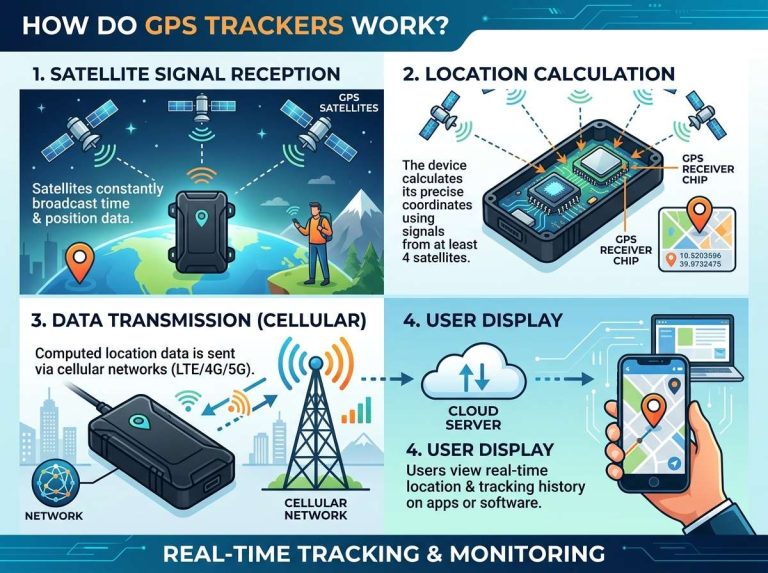
Most modern GPS trackers work with a mobile app or web dashboard. That software needs updates just like your phone does.
- Turn on automatic updates if the app offers that option.
- Check for firmware updates on the tracker itself through the manufacturer’s app or website.
- Updates often fix bugs, improve battery efficiency, and patch security holes.
- Skipping updates for too long can lead to compatibility issues, especially if your phone’s operating system updates but the tracker app doesn’t.
- Read update notes when you can. They often mention fixes for GPS drift, signal loss, or reporting delays, all things that affect your daily tracking experience.
Staying current with software keeps your tracker talking smoothly with satellites, cell towers, and your phone.
Test the Signal and Accuracy
A tracker that runs but reports bad locations isn’t much use. Testing signal accuracy regularly helps you catch problems early.
- Compare the tracker’s reported location with your actual location using a separate map app.
- Test in different environments: open sky, indoors, underground parking, and dense city areas. Signal strength changes a lot based on surroundings.
- If the tracker consistently shows locations that are way off, check for firmware issues, physical damage, or interference from nearby electronics.
- Metal surfaces, thick walls, and tunnels can block GPS signals naturally, so don’t panic if accuracy dips in those spots. That’s expected, not a fault.
- If poor accuracy continues in open areas with clear sky view, contact support or consider a replacement device.
Testing once a month keeps you confident that your tracker will do its job when it really counts.
Store Unused Trackers Properly
Sometimes you’re not using a tracker every day. Maybe it’s for a seasonal vehicle, a rental asset, or a backup unit. Storage matters just as much as active use.
- Keep it in a cool, dry place away from direct sunlight.
- Charge it to around fifty percent before long-term storage, especially for lithium battery units.
- Check on stored trackers every so often (every few weeks is a good habit) to make sure the battery hasn’t drained completely.
- Store in a padded case or box to avoid scratches, dust, or accidental damage.
- Label spare trackers with notes on last charge date and condition, so you’re not guessing when you pull them back out.
Good storage habits mean your tracker is ready to go the moment you need it again, without a scramble to fix issues first.
Watch for Common Warning Signs
Your tracker often gives hints before it fails completely. Catching these signs early saves you from bigger headaches.
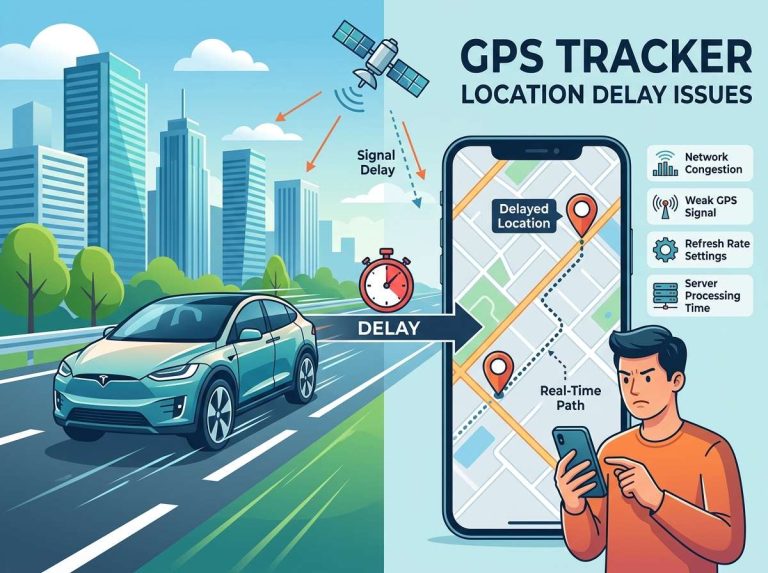
- Delayed updates: If location pings take much longer than usual, something’s off with either the signal or the battery.
- Frequent disconnects: Random drops in connection point to loose wiring, weak battery, or software bugs.
- Overheating: A tracker that gets unusually hot during normal use might have a battery or circuit issue.
- App errors: Constant crashes or error messages in the companion app can mean it’s time for an update or reinstall.
- Physical damage: Cracks, water spots, or a swollen battery casing are serious signs that call for immediate replacement.
Don’t ignore small glitches. They rarely fix themselves and often point to a deeper problem brewing.
Simple Maintenance Schedule You Can Follow
Here’s an easy routine to build into your habits, broken down by how often you should do each task.
Weekly:
- Check battery level
- Glance over the app for error alerts
- Wipe down the tracker if it’s visibly dirty
Monthly:
- Test location accuracy against a known spot
- Inspect wiring and connections (for hardwired units)
- Check for firmware or app updates
Every few months:
- Deep clean the casing and ports
- Check battery health and replace if needed
- Review storage condition for backup units
As needed:
- Replace batteries
- Fix loose wiring
- Update software right away when a new version drops
Sticking to a routine like this turns tracker care into a quick habit rather than a chore you dread.
Tips for Extending Tracker Lifespan
A few extra habits can add real years to your device’s working life.
- Avoid dropping or tossing the tracker around. Even sturdy models have limits.
- Keep it away from strong magnets, which can mess with internal sensors.
- Don’t leave it plugged in constantly if it doesn’t need to be. Overcharging can wear down battery cells over time.
- Use manufacturer-approved chargers and cables. Cheap third-party ones can cause power issues or even damage the battery.
- Register your device with the manufacturer if that option exists, since it often unlocks support, warranty coverage, and update notifications.
Small habits like these add up to a tracker that lasts far longer than one left to fend for itself.
When to Replace Instead of Repair
Sometimes maintenance isn’t enough, and a full replacement makes more sense than another repair. Here’s how to know it’s time:
- The battery no longer holds a charge, even after replacement.
- The casing is cracked, letting in dust or water.
- The tracker constantly shows wrong locations even after firmware updates.
- Repair costs are close to or higher than the price of a new unit.
- The device is old enough that it no longer gets software support from the manufacturer.
Replacing a worn-out tracker isn’t a failure of maintenance. It’s just part of the natural lifecycle of any electronic device.
Final Thoughts
Keeping a GPS tracker in good shape doesn’t take much time, but it makes a huge difference in how well it performs. A clean device, a healthy battery, solid wiring, and updated software are the building blocks of reliable tracking, whether you’re watching over a vehicle fleet, a delivery van, a pet, or personal belongings.
Build small habits into your week: a quick wipe-down, a battery check, a signal test now and then. These little actions protect your investment and give you real peace of mind. A well-maintained tracker means fewer surprises, stronger location accuracy, and a device that’s ready to work exactly when you need it most.
Treat your GPS tracker like any other tool that matters to your daily life. Give it a little attention, and it will keep giving you dependable, real-time tracking for a long time to come.

Peterson is an automotive safety enthusiast and product reviewer with a passion for helping drivers stay safe on the road. He researches and tests dash cams, backup cameras, TPMS systems, emergency tools, GPS trackers, and other vehicle safety products to provide honest, practical recommendations. Through CarSafeties.com, Peterson shares in-depth reviews, buying guides, and maintenance tips to help drivers make smarter and safer decisions.