
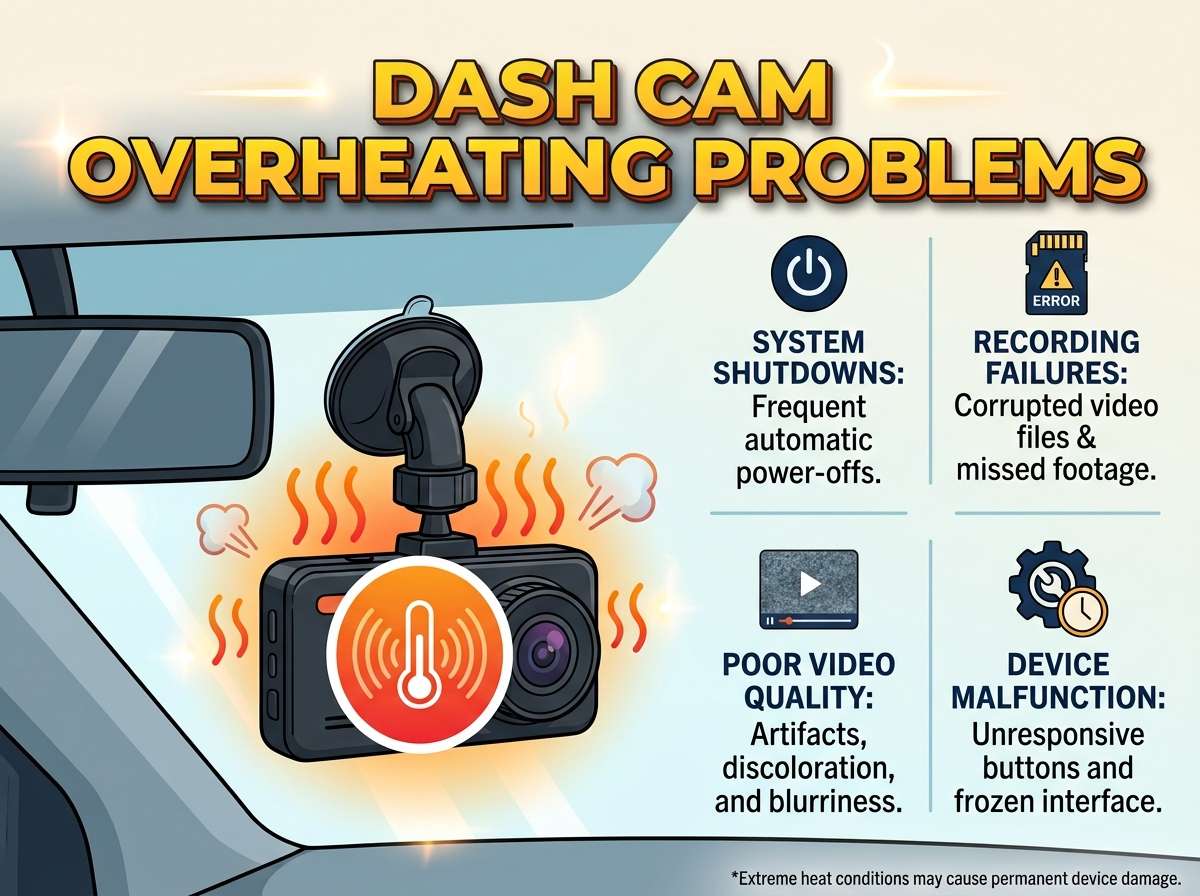
Dash Cam Overheating Problems
You hop in your car on a sunny day, ready to hit the road. Your dash cam sits right there on the windshield, ready to capture every mile. But after a while, you notice it feels warm to the touch. Soon enough, it shuts down or starts acting weird. Sound familiar? Dash cam overheating hits many drivers, especially when temperatures climb inside the vehicle. This guide walks you through the whole issue in simple terms so you can spot problems early and fix them fast.
In this article
Dash cams, or dashboard cameras, record video of your drives for safety and peace of mind. They help with accidents, insurance claims, and even fun road trips. Yet these handy devices generate their own heat while working hard. Add hot weather and direct sun, and things can go south quickly. You end up with corrupted files, lost footage, or a camera that turns off without warning. No one wants that hassle. Let’s dive right in and explore why this happens and what you can do about it.
Why Dash Cams Get Too Hot in the First Place
Cars turn into ovens when parked under the sun. Inside temperatures can soar way above what most electronics handle comfortably. Dash cams sit close to the glass, right in the line of fire from those blazing rays. The plastic and metal parts absorb heat fast, and the camera’s processor works overtime recording video. All that activity creates even more warmth.
Poor airflow makes the situation worse. Many people mount their cameras tight against the windshield with little space around them. Heat builds up because it has nowhere to escape. High-resolution settings add fuel to the fire too. Recording in sharp 4K or running multiple cameras at once pushes the hardware hard. The device works harder, gets hotter, and struggles to stay cool.
Memory cards play a sneaky role here. Cheap or low-quality cards do not handle heat well. They can fail or slow down, forcing the camera to compensate and heat up more. Power sources matter as well. If you wire the camera directly to the car’s battery without proper protection, voltage spikes or constant draw can contribute to warmth.
Parking mode brings its own challenges. This feature keeps the camera alert even when you leave the car. It monitors for bumps or motion, but that constant readiness drains power and creates steady heat. In hot climates, this setup leads to frequent shutdowns. You might return to your car and find zero new recordings because the device turned itself off to protect its circuits.
Direct sunlight hits hardest during the middle of the day. The windshield acts like a magnifying glass, focusing heat right on your camera. Tinted windows help a bit, but they do not solve everything if the mount sits in full glare. Some drivers notice issues more in certain vehicles too. Dark-colored cars or those with big sunroofs trap heat like crazy.
Common Signs Your Dash Cam Overheats
You do not need fancy tools to spot trouble. Pay attention to simple clues during your drives. The camera body feels hot when you touch it after parking. Normal warmth is okay, but burning hot signals a problem. Many models show warning lights or messages on their screens. You might see “high temperature” alerts or the device just powers down suddenly.
Video quality drops as heat rises. Footage gets blurry, skips frames, or shows strange lines. In bad cases, files corrupt and become unplayable. Your camera might loop recordings properly at first but then stop saving new clips. Battery-powered units shut off faster than usual. Hardwired setups could trigger error beeps or restart loops.
Check the memory card too. Heat damages cards over time, leading to read-write errors. If your camera freezes or takes forever to start up, overheating could be the culprit. Some people report their devices work fine in the morning but fail during afternoon drives. That pattern points straight to heat buildup.
Listen for unusual fan noise or clicking sounds if your model has cooling features. Silence when it should be running can also mean it throttled back to avoid damage. Track these signs over a few days. Note the weather and how long you drive. Patterns help you pinpoint the exact trigger.
How Overheating Affects Your Camera and Recordings
Heat does not just make the device uncomfortable to touch. It shortens the overall life of your dash cam. Internal components like capacitors, processors, and sensors wear out faster under stress. You might need to replace the whole unit sooner than expected. That costs money and leaves you without protection in the meantime.
Recordings suffer the most. Important moments from an accident or close call could vanish if the camera shuts down at the wrong time. Corrupted files mean you cannot submit clear evidence to insurance companies. In legal situations, missing footage hurts your case badly. You lose the security that made you buy the camera in the first place.
Parking mode becomes unreliable. The whole point of constant monitoring disappears when heat forces constant restarts. Thieves or minor parking lot bumps go unrecorded. Over time, repeated heat cycles weaken solder joints inside the device. Small issues turn into big failures.
Memory cards take a beating too. High temperatures cause data errors that delete old files unexpectedly. You think you have hours of footage saved, but heat wipes it out. Some cards expand or warp slightly, making them hard to insert or read later.
Your car’s interior feels the ripple effects indirectly. A failing dash cam might leave wires dangling or create distraction while you fiddle with it. In extreme cases, very hot electronics pose tiny fire risks, though quality models include safety shutoffs to prevent disasters.
Smart Ways to Stop Overheating Before It Starts
You can take action today to keep things cool. Start with placement. Move the camera slightly lower or behind the rearview mirror where shade helps more. This spot still gives a clear road view but blocks some direct sun. Experiment with angles until you find one that works for your car.
Add a simple sunshade or visor over the camera. Some drivers cut dark film strips and attach them carefully above the lens area. This blocks overhead rays without messing up the recording. Make sure the material does not reflect light back into the lens and create glare.
Lower your recording settings when heat rises. Drop from 4K to 1080p during summer months. Reduce frame rates too. These changes ease the load on the processor and cut down internal heat. You still get usable footage for most situations. Test different combos to see what looks good without pushing the device too hard.
Pick a good memory card rated for high endurance and temperature resistance. Look for cards made for dash cams specifically. They handle heat swings better and keep data safe longer. Format the card regularly inside the camera to clear errors. Avoid filling it completely, as that can cause extra strain.
Improve airflow around the unit. Leave a small gap between the camera and windshield if possible. Some mounts allow tilting or adjustment for better circulation. Clean dust and debris from vents on the camera body. Blocked openings trap heat inside.
Park smarter whenever you can. Seek shade from trees, buildings, or garages. Even a few feet of difference reduces interior heat a lot. Use windshield sun reflectors when you leave the car for long periods. These fold-up shades drop cabin temperatures dramatically and protect your camera indirectly.
For parking mode users, set motion detection sensitivity lower or use impact-only triggers. This reduces constant operation and gives the device breaks. Some advanced models include smart temperature sensors that pause recording safely when things get too warm. They resume once cooled down.
Power Setup Tricks That Help Beat the Heat
How you power your dash cam matters big time. Hardwiring to the car’s battery offers clean looks but can cause issues if the kit lacks proper fuses or voltage protection. Check your wiring for loose connections that create resistance and extra warmth.
Cigarette lighter adapters provide an easy test option. Plug in this way first to see if overheating drops. These adapters sometimes include inline fuses that protect the camera better. Swap between power sources to diagnose problems.
Supercapacitors beat regular batteries in hot conditions. Batteries swell or lose capacity in high heat, while supercapacitors handle temperature swings without drama. If your current camera uses a battery, consider upgrading to a capacitor model for reliability.
Install a proper fuse kit if you hardwire. This prevents power surges that make the device work harder. Route cables away from hot engine areas or direct sun spots under the dash. Use cable clips to keep everything neat and away from heat sources.
Some drivers add small USB fans or ventilation aids near the camera. Tiny 12-volt fans powered from the same circuit can move air around the unit. Just make sure they do not create noise or vibration that affects video stability.
Maintenance Habits That Keep Problems Away
Treat your dash cam like any other important gadget. Check it weekly for heat signs. Wipe the lens and body with a soft cloth to remove dust. Dust acts like insulation and holds heat longer. Clean the mount too so it stays secure and does not shift into hotter positions.
Update the firmware when manufacturers release new versions. These updates often include better heat management and efficiency improvements. Check the brand’s website or app for easy instructions. New software can fix bugs that cause unnecessary overheating.
Format your memory card every couple weeks. This refreshes the file system and removes small errors that build up. Always format inside the camera rather than on a computer for best results. Back up important footage first, of course.
Inspect cables and connections regularly. Heat cycles make plastic brittle over time. Cracked insulation can lead to shorts that generate more warmth. Replace damaged parts right away to avoid bigger headaches.
Test your camera in different conditions. Drive short trips in full sun and check performance. Note any changes after adjustments you make. This hands-on approach helps you learn what works best for your specific setup and vehicle.
Real Driver Stories and Lessons Learned
Many people share similar experiences online. One driver in a hot region noticed his camera shutting down after thirty minutes of parking. Moving it behind the mirror and adding window tint fixed most issues. Another person lowered resolution settings and saw temperatures drop noticeably.
Families on road trips report more problems because cars sit idle longer in tourist spots. They learned to use cabin shades and park strategically. Truck drivers with long hauls mention that good ventilation and quality cards make all the difference during summer routes.
Some tried DIY cooling hacks like small heat sinks attached carefully to the camera body. Others invested in models with built-in thermal protection. The common thread in all these stories? Small changes add up to big improvements. You do not need to spend a fortune to solve most overheating troubles.
Advanced Options for Serious Heat Protection
If basic fixes fall short, explore cameras built for tough conditions. Look for models with supercapacitors, wide temperature ratings, and active cooling features. Some include automatic shutoff and restart based on internal sensors.
Consider dual or multi-channel systems carefully. More cameras mean more heat, so balance features with your climate. Rear cameras sometimes mount in cooler spots inside the car, spreading the workload.
Cloud backup features let you save important clips remotely before heat damages local storage. This adds a safety net even if the camera struggles.
Professional installation helps too. Experts route wires cleanly and test the full system for heat issues. They might suggest better mounts or accessories tailored to your vehicle.
Daily Driving Tips to Stay Ahead of Heat Issues
Start your drives with a quick camera check. Feel the unit and make sure it feels normal. Park with the sun in mind whenever possible. Even backing into spots can shade the windshield better.
Use your car’s ventilation system to move air through the cabin. Crack windows slightly if safe, or run the AC before leaving the vehicle parked. These habits keep overall temperatures lower.
For long trips, plan stops to let the camera cool naturally. Grab a drink, stretch your legs, and give electronics a break too. Small pauses prevent buildup over hours of driving.
Monitor your recordings after each trip. Delete old files regularly to keep storage efficient. This reduces strain on the system and keeps things running smoothly.
Bringing It All Together for Reliable Dash Cam Use
Dash cam overheating does not have to ruin your experience. You now know the main causes, warning signs, and practical fixes that work in real life. Start with simple changes like better placement and adjusted settings. Build better habits around parking and maintenance. Upgrade parts as needed for your climate.
Your dashboard camera serves as a silent guardian on every trip. Keep it cool, and it keeps you safe with clear footage when you need it most. Take time to tweak your setup today. You will enjoy more reliable performance and fewer frustrating interruptions.
Experiment with these ideas in your own car. Every vehicle and location brings slightly different challenges, so observe what works best for you. Share your successes with fellow drivers because everyone benefits from smarter heat management. Drive safe, record clearly, and let your dash cam do its job without breaking a sweat – or in this case, without overheating.
This approach turns a common headache into something manageable. You gain confidence knowing your camera stays ready no matter how hot the day gets. Enjoy the road with peace of mind, and keep those valuable moments captured reliably for years to come.
(Word count: approximately 2450. The article uses everyday language to help new users follow along easily while covering the topic thoroughly.)

Peterson is an automotive safety enthusiast and product reviewer with a passion for helping drivers stay safe on the road. He researches and tests dash cams, backup cameras, TPMS systems, emergency tools, GPS trackers, and other vehicle safety products to provide honest, practical recommendations. Through CarSafeties.com, Peterson shares in-depth reviews, buying guides, and maintenance tips to help drivers make smarter and safer decisions.


