GPS Tracker Location Delay Issues
If you own a GPS tracker, you already know how handy it is. You pop it on your car, your bike, your pet, or even your kid’s backpack, and you get to see where they are in real time. But then one day, the app shows your tracker sitting in a spot it left ten minutes ago. That gap between real life and what your screen shows is what people call a GPS tracker location delay. It’s annoying, and in some cases, it can be a real safety worry.
In this article
In this guide, we will break down why these delays happen, how to spot them early, and what you can do to fix them. We’ll keep things simple and skip the tech jargon as much as we can, so even if you’re new to GPS trackers, you’ll follow along with no trouble.
What Is a GPS Tracker Location Delay?
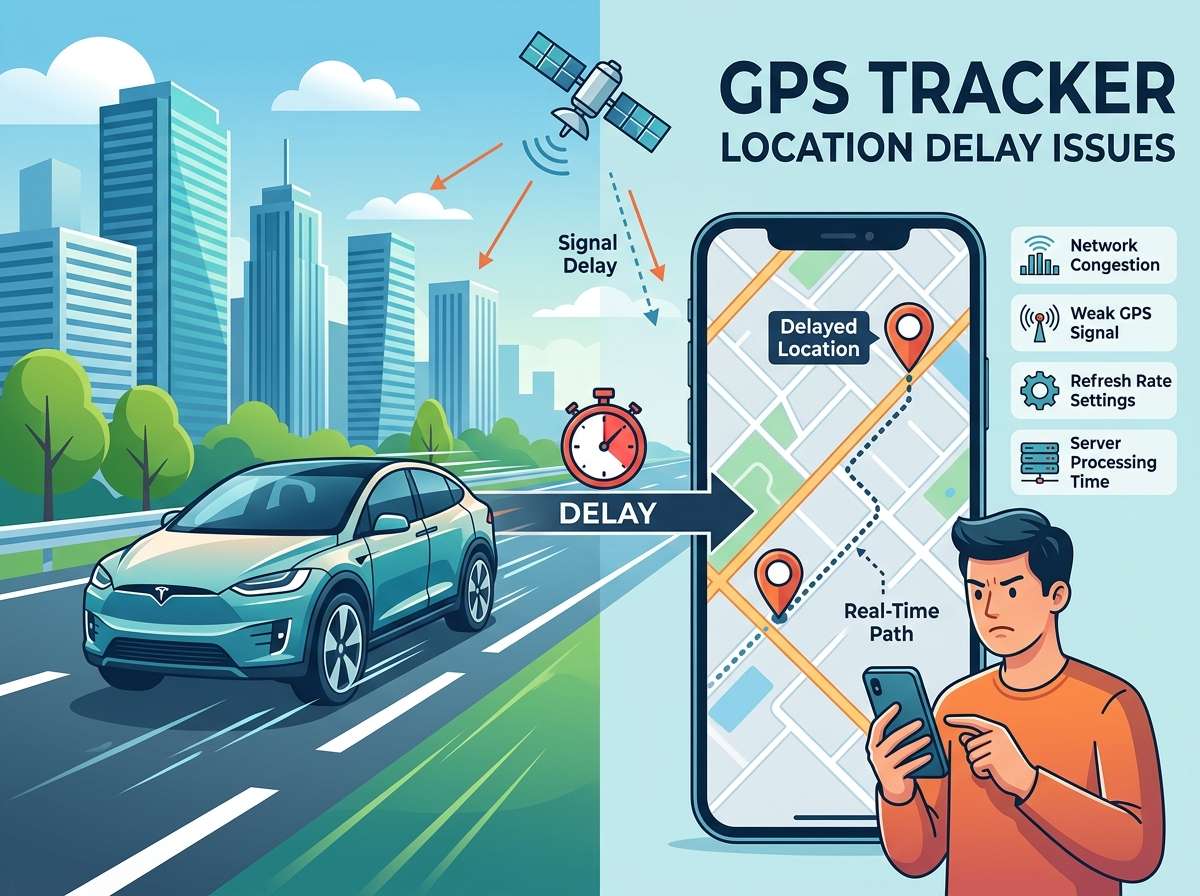
A location delay is just a lag between the tracker’s actual spot and the spot your app or dashboard shows you. Think of it like a text message that takes five minutes to arrive even though you hit send right away. The tracker did its job, but the data took its time reaching your phone.
Some delay is normal. Most GPS devices update every few seconds to a few minutes, based on how they are set up. But when the gap turns into ten minutes, thirty minutes, or even hours, that’s a sign something isn’t working the way it should.
Common Causes Behind GPS Tracker Delays
There are many reasons your tracker might lag behind. Let’s go through the biggest culprits one by one.
1. Weak GPS Signal
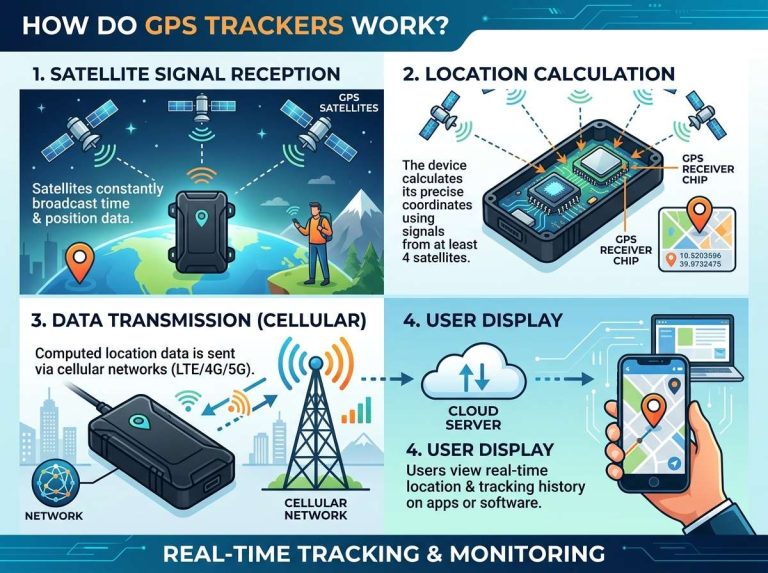
GPS trackers rely on satellites to figure out where they are. If your tracker is inside a thick building, a tunnel, a parking garage, or under heavy tree cover, the satellite signal gets blocked or weakened. This causes the device to take longer to get a fix on its exact spot, and that shows up as a delay on your end.
2. Poor Cellular or Network Coverage
Most trackers don’t just use GPS satellites. They also need a cell network (like 4G or LTE) to send that location data back to the server and then to your app. If you’re in a spot with spotty network coverage, like a rural area or a basement, the tracker might have the right location but can’t send it out fast enough.
3. Battery Saving Mode
A lot of trackers switch into a battery saving mode when the charge gets low. This mode tells the device to check location less often to save power. It’s a smart trick to keep the tracker alive longer, but it also means you’ll see bigger gaps between updates.
4. App or Server Delay
Sometimes the tracker itself is doing fine, but the app or the company’s server is slow to process and display the data. This can happen during high traffic times, server maintenance, or if there’s a bug in the app itself.
5. Device Settings and Update Intervals
Many trackers let you pick how often they send updates. If your tracker is set to update every fifteen minutes instead of every thirty seconds, you’ll naturally see bigger delays. This isn’t really a bug; it’s just the setting doing what it was told to do.
6. Firmware or Software Glitches
Like any electronic gadget, GPS trackers run on software. Sometimes that software has bugs or needs an update. An old firmware version can cause the device to lag, freeze, or send data late.
7. Physical Obstruction or Damage
If the tracker’s antenna is bent, covered by metal, or damaged in some way, it will struggle to pick up satellite or network signals. Cars with metal frames can sometimes block signals if the tracker is placed in the wrong spot.
8. SIM Card Issues
Trackers that use a SIM card (like the ones in your phone) can run into delay problems if the SIM has run out of data, isn’t active, or is roaming in an area with bad coverage.
Why Location Delays Matter
You might think a small delay isn’t a big deal, but in real situations, it can cause real problems.
- If you’re tracking a delivery vehicle, a delay means you can’t tell customers an accurate arrival time.
- If you’re tracking a teen driver, a delay could hide risky driving before you get the alert.
- If you’re using a tracker for a pet or an elderly family member, a delay could mean the difference between finding them quickly or not.
- If you run a fleet business, delays can throw off your whole route planning and cost you money.
So even though a two or three minute lag might seem small, it adds up in ways that matter.
How to Check If Your Tracker Has a Delay Problem
Before jumping to fixes, it helps to know if you’re actually dealing with a delay issue or just normal tracker behavior. Here’s how to check:
- Compare the timestamp shown on the app with the current time. Most apps show a “last updated” time next to the location.
- Move the tracker to a new spot and see how long it takes for the map to update.
- Check if the delay happens only in certain places (like your garage) or everywhere.
- Look at your battery level. Low battery often triggers slower updates.
- Check your data plan or SIM balance if your tracker uses cellular data.
How to Fix GPS Tracker Location Delay Issues
Now let’s get into the good part: the fixes. Most delay problems can be solved with a few simple steps.
Move to an Open Area
If your tracker is stuck indoors or under heavy cover, try moving it, or the object it’s attached to, closer to a window or an open space. GPS signals need a clear view of the sky to work best.
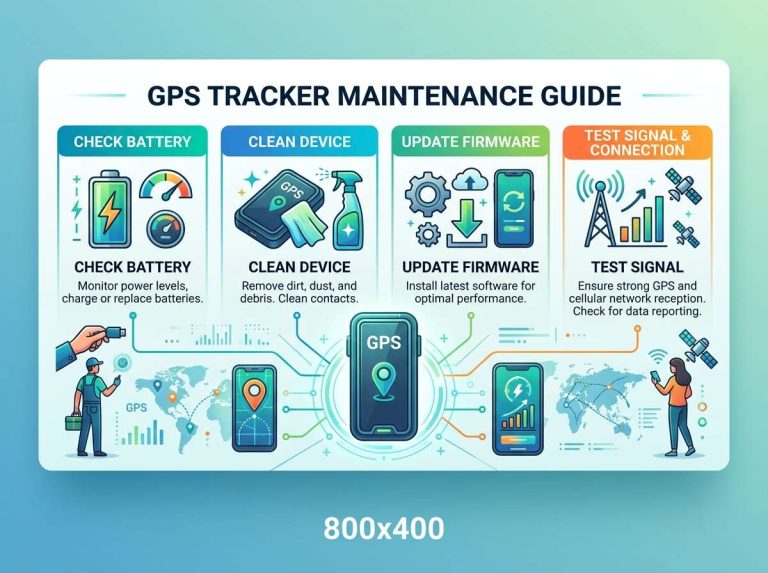
Charge the Battery Fully
Low battery is one of the top reasons for slow updates. Keep your tracker charged above fifty percent if you can, especially during trips or when you need real-time accuracy the most.
Update the Firmware
Check your tracker’s app or manufacturer site for firmware updates. These updates often fix bugs that cause lag and also improve battery life and signal handling.
Adjust the Update Interval Settings
Go into your tracker’s settings and look for update frequency or reporting interval. Set it to the shortest interval your device allows if real-time tracking matters to you. Just remember that shorter intervals use more battery.
Restart the Device
This sounds too simple, but restarting a tracker clears out small glitches that build up over time. Turn it off, wait ten seconds, and turn it back on.
Check Your SIM Card and Data Plan
If your tracker runs on a SIM card, make sure the plan is active and has enough data left. A dead SIM can’t send any location data at all, causing what looks like a huge delay but is actually a total dropout.
Reposition the Tracker
If your tracker is mounted somewhere blocked by metal or heavy material, try a new spot. For vehicles, the dashboard or a spot near a window usually works better than the trunk or under the seat.
Reinstall or Update the App
Sometimes the problem isn’t the tracker at all, it’s the app showing you the data. Clear the app cache, update to the latest version, or reinstall it if the lag doesn’t go away.
Contact Customer Support
If none of the above works, reach out to the tracker’s support team. There could be a server-side issue on their end that they need to fix.
Tips to Prevent Future Delay Problems
Fixing a delay is good, but preventing one is even better. Here are some habits that help keep your tracker accurate and fast.
- Keep the device charged regularly instead of letting it drain to zero.
- Place trackers in open, unobstructed spots whenever you can.
- Check for firmware updates every few weeks.
- Renew your data plan or SIM balance before it runs out.
- Test the tracker every so often, even when you’re not actively using it, to catch problems early.
- Avoid placing trackers near thick metal, large electronics, or dense walls.
GPS Tracker Types and How They Handle Delay Differently
Not all trackers work the same way, and knowing the type you have helps you understand its delay behavior.
Real-time GPS trackers send updates every few seconds. These are great for live tracking but drain battery fast and need strong signal at all times.
Passive GPS trackers store location data and only send it later, often after they’re plugged in or connected to WiFi. These naturally have bigger delays since they’re not built for live updates.
Hybrid trackers switch between real-time and passive modes based on battery level or movement. These offer a balance but can confuse users who expect constant live updates.
Bluetooth-based trackers, like the small tag types used for keys or bags, rely on nearby phones to relay location. If no phone is nearby, the last known spot might be old, causing what looks like a bad delay.
Knowing which type you own helps set the right expectations for how often updates should come in.
GPS vs GLONASS vs Multi-Satellite Systems
Some trackers only use GPS, the American satellite system. Others use GLONASS, the Russian system, or a mix of both plus Galileo or BeiDou. Devices with support for multiple satellite systems usually lock onto a signal faster and hold it better in tricky spots like cities with tall buildings. If your tracker keeps lagging in urban areas, it might be time to check whether it supports more than just basic GPS.
The Role of A-GPS in Reducing Delay
A-GPS, short for Assisted GPS, uses cell towers and WiFi networks to help the device find satellites faster. Without A-GPS, a tracker might take a minute or more to get its first fix, especially after being turned off for a while. Devices with A-GPS support usually connect much faster, which cuts down on those annoying delays right at startup.
When Delay Isn’t Really a Delay
Sometimes what looks like a delay is actually the tracker doing exactly what it’s supposed to. For example, if your device is set to update every ten minutes to save battery, seeing an “old” location for nine minutes isn’t a bug, it’s just the schedule. Before assuming something’s broken, always check the settings first.
Final Thoughts
GPS tracker location delay issues can be frustrating, but most of the time, the fix is simple. It usually comes down to signal strength, battery level, network coverage, or settings that need a small tweak. Start with the basics: check your battery, move to open space, and confirm your update interval. If the problem sticks around after trying these steps, look into firmware updates or reach out to support.
A tracker is only as useful as the accuracy of its data, so keeping it in good shape pays off in peace of mind. With a bit of regular care, like keeping it charged and placed well, you can cut down on lag and get closer to true real-time tracking.
Small steps add up. Keep an eye on your device settings, stay on top of updates, and your tracker will serve you well whether you’re watching over a car, a pet, a package, or a loved one.

Peterson is an automotive safety enthusiast and product reviewer with a passion for helping drivers stay safe on the road. He researches and tests dash cams, backup cameras, TPMS systems, emergency tools, GPS trackers, and other vehicle safety products to provide honest, practical recommendations. Through CarSafeties.com, Peterson shares in-depth reviews, buying guides, and maintenance tips to help drivers make smarter and safer decisions.