
Dash Cam Resolution Explained
Dash cam resolution explained in simple terms helps you understand one of the most important specs on any dash camera. Resolution affects how clear your footage looks and how much detail you can see later. It also affects how much storage you need.
This article walks through what resolution means, the common levels you will see on product listings, and how each level affects real footage. It also covers file size, memory cards and a few practical tips. By the end, you should be able to judge which resolution fits your driving needs.
Key Takeaways
- Resolution is the number of pixels in each video frame, and more pixels usually mean more visible detail.
- Common levels include 720p, 1080p, 1440p and 4K, each with different clarity and storage needs.
- Higher resolution uses more memory, so card size and recording time matter.
- Frame rate, lens quality and low-light performance also shape how clear footage looks.
- A higher number is not always better; match the resolution to your needs and budget.
What Dash Cam Resolution Means
Resolution Defined in Simple Terms
Resolution describes how much detail a video frame holds. It is usually written as width by height, such as 1920 by 1080 pixels. Many listings simplify this to a single number, such as 1080p.
The letter “p” stands for progressive scan, which means every line of each frame is drawn in order. The bigger the number, the more lines the image has. More lines generally mean finer detail.
Why Pixels Matter for Video
A pixel is the tiny dot that makes up an image. Each frame of video is a grid of these dots. More dots let the camera capture smaller objects and finer edges.
For a dash cam, pixels matter when you need to identify things on the road. Small text, distant signs and license plates all depend on how many pixels fall on them. Fewer pixels can turn these details into a blur.
Common Dash Cam Resolution Levels
Dash cams come in several resolution levels. Each one balances clarity, file size and cost differently. The sections below describe what each level usually offers.
720p HD Recording
720p is the basic high-definition level, with 1280 by 720 pixels. It was common in older and budget models. It uses the least storage of the common options.
720p can show the general scene, such as which lane a car was in. It may struggle with fine details at a distance. Many buyers now choose higher levels for better clarity.
1080p Full HD Recording
1080p, also called Full HD, uses 1920 by 1080 pixels. It is the most widely used level in dash cams. It offers a good balance of detail, file size and price.
For most everyday driving, 1080p shows road scenes, vehicle details and many signs clearly. It is a practical starting point for beginners. It still has limits when reading small or distant text.
1440p and 2K Recording
1440p is often called 2K, and it uses about 2560 by 1440 pixels. It sits between Full HD and 4K. It adds noticeable detail without the largest file sizes.
Many buyers choose 1440p when they want sharper footage than 1080p. It can help with reading plates a bit farther away. The extra detail also gives more room when you zoom into a saved clip.
4K Ultra HD Recording
4K, also called Ultra HD, uses about 3840 by 2160 pixels. It holds the most detail of the common dash cam levels. It produces the largest files.
4K can capture very fine detail when conditions are good. Its benefits depend on the lens, sensor and lighting, not only the number. It also needs fast, high-quality memory cards and generates more heat.
How Resolution Affects Video Quality
Resolution is only one part of video qu ality. Frame rate, lighting and lens quality all play a role in how clear a clip looks. The sections below explain how these factors work together.
Reading License Plates at a Distance
License plates are one of the most common reasons people look back at dash cam footage. Plate characters are small, so they need enough pixels to stay readable. Higher resolution gives more pixels on each character.
Distance, speed and camera angle also matter. A plate far ahead or at a steep angle may be hard to read even on 4K. Mounting the camera well and keeping the lens clean can help more than changing the resolution alone.
Frame Rate and Its Role in Clarity
Frame rate is the number of images recorded each second. It is often shown as 30fps or 60fps. A higher frame rate can make fast movement look smoother and sharper.
Higher frame rates also use more storage. Resolution and frame rate both affect file size. Picking a balance between the two often works better than maxing out both.
Night Recording and Low-Light Performance
Night footage is often harder to capture clearly than daytime footage. Low light forces the sensor to work harder, which can add grain or blur. Resolution alone cannot fix a dark scene.
Sensor size, aperture and night modes all influence results. Some cameras handle night scenes well at lower resolutions. Checking sample night footage before buying gives a more reliable picture than a resolution number alone.
File Size, Storage and Recording Time
Every recorded clip takes up space on a memory card. Higher resolution creates larger files. This affects how long the camera can record before older footage is overwritten.
How Higher Resolution Uses More Memory
Each step up in resolution adds more data per second of video. A 4K recording can fill a card much faster than a 1080p recording on the same card. The exact amount depends on the camera’s bitrate and codec.
Most dash cams loop recording, which means the oldest files are deleted to make room. Higher resolution shortens how far back the loop reaches. This is worth considering if you want footage from several days ago.
Matching Resolution to a microSD Card
Most dash cams use a microSD card for storage. Card capacity and speed both matter. A slow or low-quality card can cause recording errors, especially at higher resolutions.
Check the camera’s manual for the recommended card type and maximum capacity. Using a card rated for continuous video recording is a sensible habit. Replacing the card on a regular schedule also helps prevent failures.
Resolution Comparisons With Real-World Examples
Specifications look different once you see real footage. Comparing clips from different levels shows where the gains are clear and where they are small. Results always depend on the camera and conditions.
Daytime Footage Compared Side by Side
In good daylight, 1080p often shows road signs, vehicles and lane markings clearly. Moving from 1080p to 1440p can make distant signs and plates easier to read. The difference from 1440p to 4K is usually smaller for everyday driving.
For example, a clip of a traffic light a short distance away may look sharp at 1080p. The same clip at 4K may show finer edges and text. The gap depends on the lens and how well the image is exposed.
Parking Mode and Event Recording Clarity
Parking mode records when the car is off, often after a bump or motion is detected. Event recording saves a clip when the camera senses a sudden movement. Both features rely on the same resolution settings as normal driving.
Parked-car footage is often recorded in dim light. This makes lower resolutions less clear at night. Some buyers choose a higher setting for event clips and a lower one for continuous recording to save space.
Tips for Getting the Best Results From Your Resolution
Resolution only helps when the camera is set up well. A few simple habits can improve every clip, regardless of the level you choose.
Keeping the Lens Clean and Positioned Well
A dusty or smudged lens can blur footage at any resolution. Wipe the lens with a soft, dry cloth regularly. lens clean with a soft, dry cloth each time you check the camera.
Mount the device where it has a clear view of the road, usually behind the rearview mirror and out of the driver’s sightline. Avoid placing it where tinted windows or glare can wash out the image.
Checking Your Footage Regularly
Reviewing a clip now and then shows if your settings work.
Look at a daytime clip and a night clip to see how well plates and signs appear. Small adjustments can make a noticeable difference.
Format the memory card in the camera every few weeks. This clears out fragments and helps keep recording stable. Keep a copy of any important clip somewhere safe.
Common Mistakes Beginners Make With Resolution
Many first-time buyers make the same few errors. Knowing them in advance can save money and disappointment.
Assuming Higher Always Means Better
A higher number does not guarantee a clearer image. A camera with a weak lens or small sensor may produce soft 4K footage. A well-built 1080p camera can outperform it in many conditions.
Also, higher resolution can reduce recording time on the same card. For many drivers, a steady 1080p or 1440p setting is a more sensible choice. Still, the right level depends on your needs.
Overlooking Storage Limits and Heat
Beginners often pick a high resolution without checking the card. A large file size on a small or slow card can cause dropped frames or errors. Check card compatibility before recording.
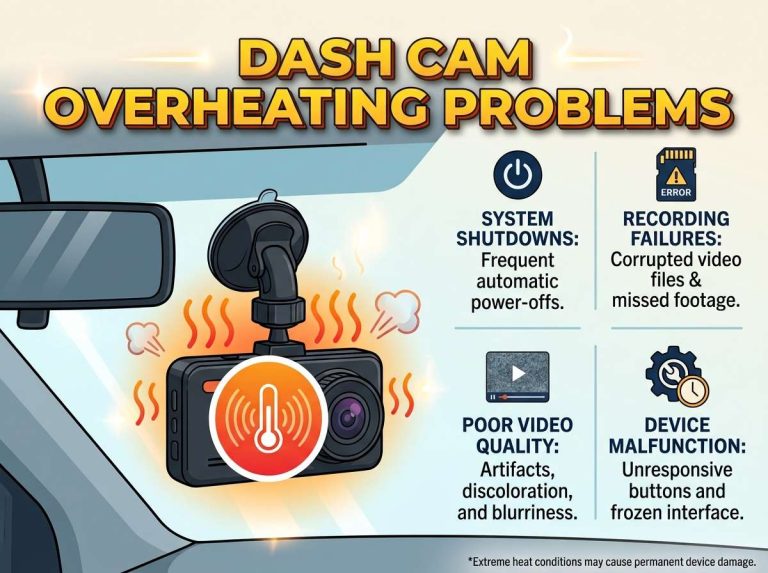
Heat is another factor. Dashboards get very hot in summer, and high-resolution recording generates more heat. Parking in shade and picking a camera rated for warm conditions can help protect the device.
Frequently Asked Questions
Is 1080p resolution enough for a dash cam?
For many drivers, 1080p is enough to record the road, vehicles and most signs. It offers a good balance of clarity, storage and price. Distant plates may still be hard to read in some situations.
What resolution do I need to read license plates?
Higher resolutions such as 1440p or 4K generally give more pixels on each plate character. However, distance, angle, speed and lighting also play a large part. A well-mounted camera with a clean lens often matters as much as the resolution.
Does 4K always produce better dash cam footage?
No, 4K does not always look better. The lens, sensor and lighting strongly affect the final image. A 4K recording can also use more storage and generate more heat.
How does resolution affect dash cam file size?
Higher resolution produces more data per second, which creates larger files. This means a memory card fills faster and older footage is overwritten sooner. Frame rate and video compression also influence file size.
Can I change the resolution on my dash cam?
Many dash cams let you choose the recording resolution in the settings menu. Options vary by model, so check the manual or the product listing. Changing the setting may also require a memory card format afterward.
Conclusion
Resolution describes how many pixels make up each video frame, and more pixels usually mean more detail. Common levels include 720p, 1080p, 1440p and 4K, each with different storage needs. Higher resolution is helpful, but it works best alongside a good lens, a clean mount and a suitable memory card. Choose the level that matches your driving, budget and storage, and check sample footage before you decide.

Peterson is an automotive safety enthusiast and product reviewer with a passion for helping drivers stay safe on the road. He researches and tests dash cams, backup cameras, TPMS systems, emergency tools, GPS trackers, and other vehicle safety products to provide honest, practical recommendations. Through CarSafeties.com, Peterson shares in-depth reviews, buying guides, and maintenance tips to help drivers make smarter and safer decisions.


2 Comments